
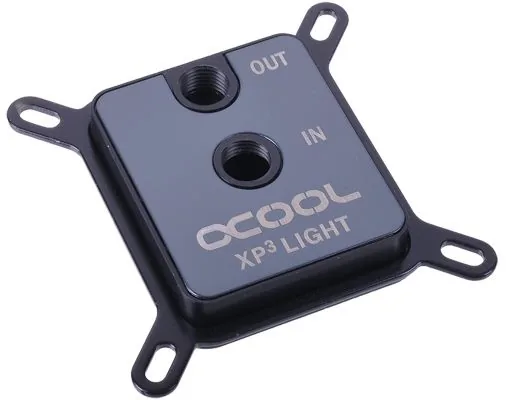
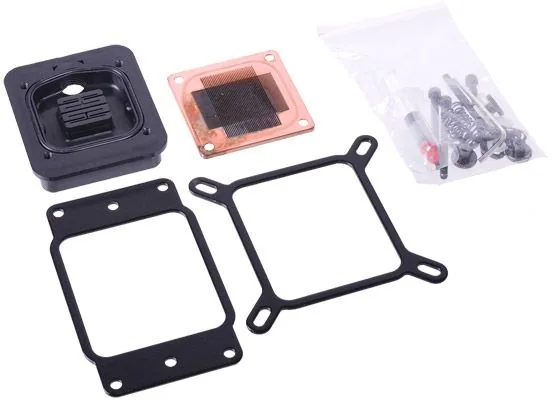
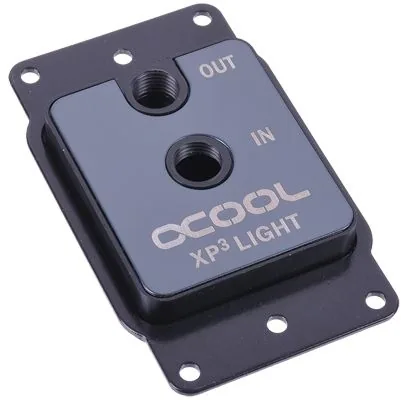
Alphacool NexXxoS XP3 Light Manual
PDF manual · 52 Pages
English



Quick check
Incorrect answer, please try again.
Chat with your Alphacool NexXxoS XP3 Light manual using AI
Get instant AI answers from your Alphacool NexXxoS XP3 Light manual
Ask anything about the Alphacool NexXxoS XP3 Light. Answers come from this manual, with the pages they are based on.
Ask a Question
Do you recommend NexXxoS XP3 Light?
Yes NoFrequently Asked Questions
No. The manual explicitly states you should not use tools on fittings or connectors. Use hand tightening only to prevent overloading plastic parts or causing cracks in the fittings. Damage from tool use is not covered under warranty.
Is this answer helpful?
Yes. It supports a wide range of AMD sockets including AM5, AM4, AM3+, AM3, AM2+, and AM2. You will need your original backplate for some models. Instructions cover mounting with and without backplates.
Is this answer helpful?
You must use only distilled water or Alphacool coolant products. Using unsuitable coolant will void the warranty. Ensure the cooling circuit is leak tested before installing the cooler to prevent damage.
Is this answer helpful?
You can connect it directly to a motherboard VDG or ADD header using the included adapter. Alternatively, use a digital RGB controller. The lights expand via 3 pin female and male connectors for chaining.
Is this answer helpful?
Warranty lasts two years for consumers and one year for entrepreneurs. It requires the original invoice. Claims are handled by Alphacool or authorized dealers. Misuse or unapproved repairs void the warranty.
Is this answer helpful?
Never. Do not run the cooler without coolant. This causes extreme heat and can destroy your computer hardware. Always check pump function before turning on the system.
Is this answer helpful?
Advantages and Disadvantages
Advantages

- Wide compatibility with Intel 1150/1700 and AMD AM2 to AM5 sockets for flexible use
- Digital RGB lighting support with addressable capabilities for aesthetic customization
- Hand tight installation prevents damage from excessive tool use on fittings
- High quality thermal conductivity ensures efficient cooling performance under load
- Includes comprehensive mounting material list for easy assembly without missing parts
Disadvantages

- No tools allowed for fitting connections which may require firm manual skill
- Warranty excludes errors from improper installation or misuse claims
- Specific bracket needed for some Intel 2011-3 narrow ILM sockets separately
- Requires distilled water only to avoid voiding warranty on coolant damage
- Does not include RGB controller which must be purchased separately
Product Specification
Type
CPU
Material
Copper, POM (black)
Compatibility
775, 1150, 1151, 1155, 1156, 1200, 1700, 2011-0, 2011-1, 2011-3, 2066, AM2, AM2+, AM3, AM3+, AM4, AM5, FM1, FM2, FM2+
Connectors
G1/4"
Dimensions (LxWxH)
2.87x2.48x0.55in
Weight
0.68 lbs
Product Description
Mastering Your PC Cooling Upgrade
Building a high performance computer requires careful attention to thermal management and system longevity. The Alphacool NexXxoS XP3 Light Black V.2 Manual provides comprehensive guidance on installing this premium water cooling solution effectively. This dedicated unit ensures your processor stays cool under heavy load conditions during extended use sessions. You can find detailed step by step instructions on how to secure the unit without damaging threads during the process. Proper alignment is key. Ignoring these guidelines may lead to performance issues or hardware damage over time.
Compatibility and Installation Details
This cooler supports a wide range of platforms across the market today. Major Intel and AMD sockets are fully covered in the provided guide for users everywhere. Whether you use a modern 1700 socket or an older AM4 platform, the kit includes specific brackets for each type available. The installation process emphasizes hand tightening to prevent cracks in plastic fittings caused by tools. Following safety instructions is crucial for longevity in all setups without exception. Always ensure coolant flows before powering the system up to avoid serious burn hazards. The manual outlines specific procedures for Intel backplates and AMD retention modules clearly. This ensures consistent pressure distribution across the CPU surface area.
Features and Performance Metrics
Digital RGB lighting adds a significant visual flair to your system build immediately. The Eisblock Aurora XP3 variant supports addressable control for custom effects in software. You can connect this directly to a motherboard header or use a separate controller unit. The pump is designed to move liquid efficiently through the entire loop without bottlenecks. Technical details list exact dimensions to help plan your case layout properly. Ensure you use the correct thermal paste application method for best heat transfer efficiency. The flow rate is optimized for standard setups to maintain silence. Water pressure limits are also clearly stated to prevent damage to seals.
Safety and Warranty Coverage
The documentation highlights important safety notes regarding daily operation requirements. Coolers must never run dry as this causes immediate damage to internal components quickly. Sealed fittings prevent leaks when connected correctly with o rings on both ends. Warranty terms specify coverage conditions and excluded damages for users carefully. Regular checks on tightness and pump function minimize failure risks significantly over time. We recommend distilled water for optimal circulation in the cooling loop system. Keep this guide accessible for future maintenance tasks during ownership period. It helps troubleshoot issues quickly if problems arise unexpectedly later.
Search for 67,706 Manuals online


Type-in Brand or Model
Markus Weber
7 months ago
Does the Alphacool NexXxos XP Light Lite version offer significantly less cooling performance compared to the standard model?
Manual.ly
7 months ago
User reviews indicate that despite being the Lite version, there is no significant difference in cooling performance compared to standard CPU coolers. Many users report stable temperatures under load, such as 30C to 45C depending on the processor and radiator setup. The product is noted for ease of installation and reliable workmanship from Alphacool.