
Alphacool Ice Block Aurora GPX-N RTX 3080 / 3090 / 3090 TI Manual
PDF manual · 4 Pages
English



Quick check
Incorrect answer, please try again.
Chat with your Alphacool Ice Block Aurora GPX-N RTX 3080 / 3090 / 3090 TI manual using AI
Get instant AI answers from your Alphacool Ice Block Aurora GPX-N RTX 3080 / 3090 / 3090 TI manual
Ask anything about the Alphacool Ice Block Aurora GPX-N RTX 3080 / 3090 / 3090 TI. Answers come from this manual, with the pages they are based on.
Ask a Question
Do you recommend Ice Block Aurora GPX-N RTX 3080 / 3090 / 3090 TI?
Yes NoFrequently Asked Questions
No, compatibility depends on the specific PCB layout. You must check your graphics card against the configurator to ensure the cooler fits later revisions.
Is this answer helpful?
No, the digital-RGB adapter is included, but you must connect it to a standalone digital-RGB controller to manage the lighting effects.
Is this answer helpful?
The thermal paste layer should be less than one millimeter thick to prevent contamination of surrounding components and ensure proper cooling.
Is this answer helpful?
You need a screwdriver for M2 screws, an antistatic mat, and isopropanol alcohol for cleaning old thermal paste residues thoroughly.
Is this answer helpful?
Yes, the kit includes the backplate for protection and aesthetic finishing, which must be fastened with the eight M2x11 screws provided.
Is this answer helpful?
Yes, but you must exercise extreme care especially if the original cooler uses thermal glue. Read safety instructions before starting installation.
Is this answer helpful?
Advantages and Disadvantages
Advantages

- High quality acrylic design with direct contact block
- Includes necessary mounting screws and thermal pads
- Compatible with digital-RGB lighting systems
- Comprehensive installation hardware kit included
- Significant thermal improvement over stock coolers
Disadvantages

- Requires precise compatibility verification for PCB layout
- Digital-RGB controller must be purchased separately
- Installation involves careful removal of original cooler
- Risk of damage if thermal paste layer is too thick
- Alphacool is not liable for assembly negligence
Product Specification
Type
GPU
Connectors
G1/4"
Features
Voltage converter with cooling (GPU), incl. Backplate
Product Description
Elevate Your Gaming Rig with Alphacool Ice Block Aurora
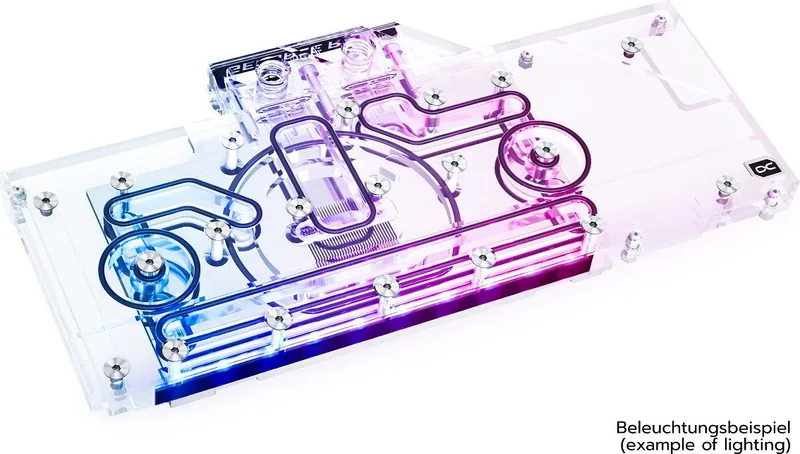
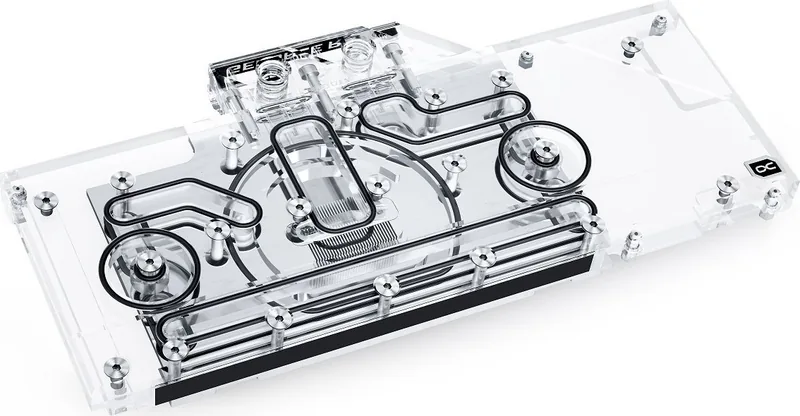
Upgrading your custom water cooling loop requires high-quality components that deliver both performance and style. The Alphacool Ice Block Aurora GPX-N series caters specifically to the NVIDIA GeForce RTX 3080, 3090, and 3090 TI graphics cards. It serves as a direct replacement for stock coolers, designed to manage the immense heat output of these modern GPUs. This product transforms the look of your hardware while significantly improving thermal efficiency.
Precision Engineering and Compatibility
Before purchasing, verifying compatibility is essential. Graphics card manufacturers often revise their designs, meaning the cooler might not fit later models. Users should visit the compatibility configurator to check the specific PCB number against the cooler model. The cooler was constructed for a special PCB layout. Occasionally, slight design changes might render the block incompatible with new revisions. During assembly, ensure taller parts have enough space and that the cooler does not damage your graphics card. Alphacool International GmbH is not liable for assembly errors occurring due to negligence.
Manual Installation Process
The Manual installation requires a systematic approach to ensure safety and longevity. Begin by placing the hardware on an antistatic mat. You must dismantle the original cooler carefully. If the original cooler uses thermal glue, extreme care is needed to avoid damaging parts. Once removed, clean the hardware of paste or pad residues using isopropanol alcohol. You should also clean the contact surfaces on the bottom side of the cooler to ensure they are free of contaminants.
Application of Thermal Paste
To ensure maximum heat transfer, a thin layer of thermal paste must be applied to the GPU. Use a plastic strip to spread the paste evenly. The layer should be less than one millimeter thick. If the layer is too thick, surrounding components may get contaminated. Place the graphics card on the prepared cooler. Fasten the card using the four M2x5 screws provided with M2 washers. Tighten these screws crosswise by hand to avoid uneven pressure.
Backplate and Lighting Integration
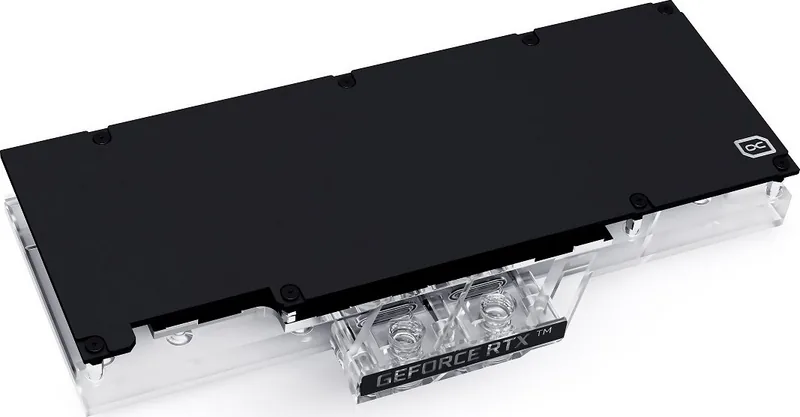
For a complete assembly, place the backplate on and screw it together with the eight M2x11 screws. The unit features digital-RGB capabilities to match your system theme. Connect the included adapter to the 3-pin female connector to link it with a Digital-RGB controller. Additional Digital-RGB LEDs can be connected to the remaining connectors. Finally, close inlets you do not need for tubing to prevent dust accumulation.
Conclusion and Notes
This product represents a significant step up for water cooling enthusiasts who own RTX 30-series cards. It offers a robust solution provided the compatibility checks are met and the installation is performed with precision. Ensure the PCB matches the required specs.
Note: Verify compatibility carefully before beginning.
Search for 67,706 Manuals online


Type-in Brand or Model