
Alphacool HDX Pro Water Manual
PDF manual · 2 Pages
English



Quick check
Incorrect answer, please try again.
Chat with your Alphacool HDX Pro Water manual using AI
Get instant AI answers from your Alphacool HDX Pro Water manual
Ask anything about the Alphacool HDX Pro Water. Answers come from this manual, with the pages they are based on.
Ask a Question
Do you recommend HDX Pro Water?
Yes NoFrequently Asked Questions
It is a guide for installing a liquid cooling block designed specifically for M.2 NVMe SSDs. It covers assembly instructions, thermal pad selection based on chip placement, and how to connect the MCX splitter to your system loop safely.
Is this answer helpful?
Use the 0.5 mm thermal pad if memory chips are assembled on both sides of the PCB. If chips are only on one side, use the 1.5 mm thermal pad on the side without chips to ensure proper contact and heat transfer.
Is this answer helpful?
Yes, you can individually select the direction of the water flow. This allows you to integrate the cooler optimally into your specific cooling circuit layout and radiator orientation without issues.
Is this answer helpful?
The kit contains a water block, two 20 mm x 68 mm thermal pads (0.5 mm and 1.5 mm), one MCX splitter, one 1 meter PVC 5/3 mm hose, and a clip to secure the cooler. All necessary items for installation are provided.
Is this answer helpful?
Yes, safety instructions are provided in multiple languages including English, German, and French. You should always read the safety instructions before starting the installation to prevent injury or damage to the hardware.
Is this answer helpful?
Plug the hoses onto the M.2 cooler nozzles and connect them to the MCX splitter. Ensure that the hoses are pushed completely over the connection to prevent leaks and ensure a secure fit for your cooling loop.
Is this answer helpful?
You can position the MCX splitter anywhere in your cooling circuit. It connects to the cooler and the loop, allowing for flexible plumbing options depending on your case and reservoir placement.
Is this answer helpful?
Advantages and Disadvantages
Advantages

- Effective thermal reduction for M.2 SSD prevents throttling
- Includes flexible thermal pads for different layouts and chip counts
- MCX splitter offers easy integration into existing cooling loops
- Includes all necessary accessories and clips for installation
- Supports customizable water flow direction for flexibility
Disadvantages

- Requires existing water cooling loop infrastructure to function
- Installation requires careful pad alignment and foil removal
- Potential for leaks if hoses are not pushed fully on connections
- Limited to MCX connectors without additional adapters
- Complex for users without prior liquid cooling experience
Product Specification
Type
SSD (M.2, 2280)
Material
Brass (plated)
Compatibility
universal
Connectors
0.12 in
Dimensions (LxWxH)
2.78x0.92x0.43 in
Weight
2.15 oz
Product Description
Alphacool HDX Pro Water Cooling for High Performance
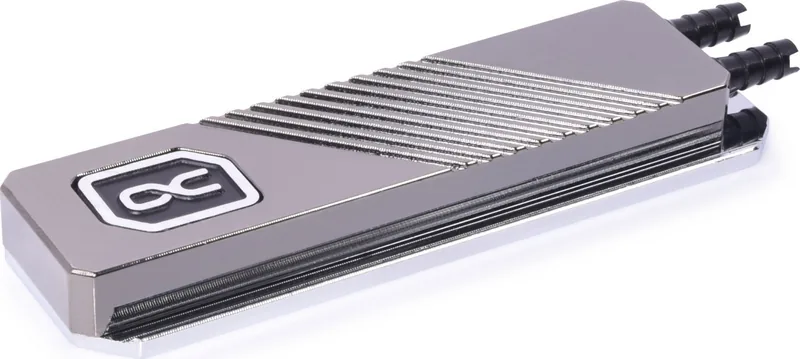
Keeping your storage drive cool is absolutely essential for sustained speed and system stability. The Alphacool HDX Pro Water M.2 NVMe 2280 SSD MCX Version Manual guides you through an advanced cooling solution designed for modern enthusiasts. This system ensures that your M.2 NVMe SSD operates at optimal temperatures even under the heaviest loads. By integrating custom liquid cooling into your computer build, you effectively prevent thermal throttling and significantly extend the hardware lifespan. Efficient cooling keeps data access fast and reliable while reducing noise compared to passive solutions.
Installation Overview
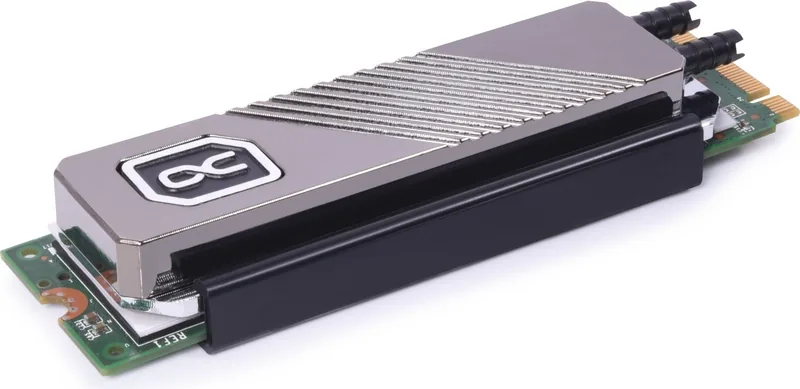
Installing this water block requires attention to detail and careful preparation. The kit includes specific thermal pads to transfer heat efficiently from the SSD chips to the copper cold plate. Two pad thicknesses are provided to ensure optimal fit. Depending on your specific drive layout, you might choose between a 0.5 mm or 1.5 mm pad thickness. If memory chips exist on both sides of the Printed Circuit Board, use the thinner pads on both surfaces. Single-sided chips require the thicker pad on the empty side only. This flexibility ensures perfect thermal contact without damaging sensitive components underneath.
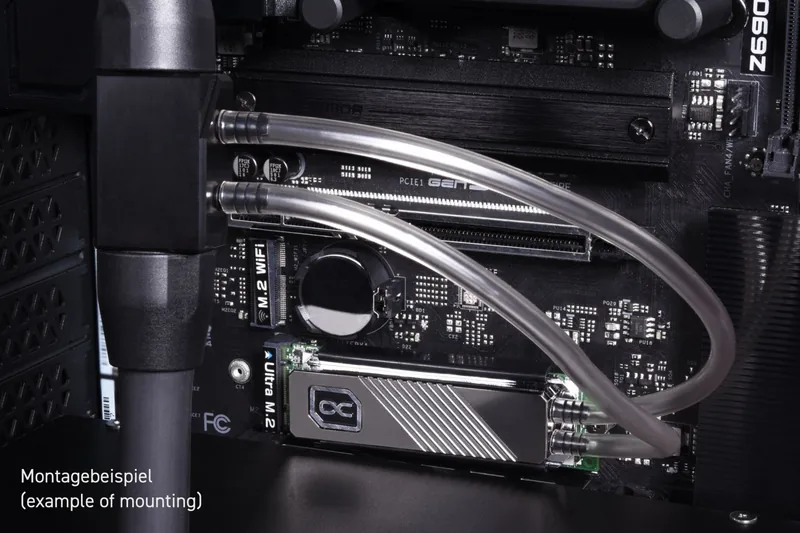
Once the pads are correctly placed, the cooler sits securely using the provided metal clip. You connect flexible PVC hoses with 5/3 mm dimensions to the designated nozzles on the block. The MCX splitter allows you to integrate this loop easily into your existing water cooling circuit without complex plumbing. You have full control over the water flow direction, making setup versatile across different case layouts and radiator positions. All connections must be fully pushed on to prevent potential leaks inside your rig.
Why Choose This Cooler
Water cooling M.2 drives is not always straightforward for beginners. This specific product simplifies the process significantly with included hardware. It comes with necessary accessories like clips, hoses, and splitters. The MCX version offers a compact solution for tight spaces where space is limited. Safety instructions must always be read before starting installation to avoid injury or damage. Ensure all protective foils are removed from pads before assembly so adhesion is correct. Alphacool International GmbH provides strong customer support for these products.
Final Notes
This kit represents a premium choice for PC enthusiasts who demand the best performance. It combines high efficiency with ease of use for DIY builders. Whether for serious gaming rigs or professional workstations, keeping your SSD cool matters greatly. Always double check connections before turning on the pump. Enjoy faster performance and peace of mind knowing your data drive stays cool during intense tasks. The Alphacool HDX Pro Water M.2 NVMe 2280 SSD MCX Version Manual provides step-by-step clarity for a successful build.
Search for 67,706 Manuals online


Type-in Brand or Model