
Alphacool Eiswolf 2 AiO 360mm RTX 4090 Reference Manual
PDF manual · 4 Pages
English



Quick check
Incorrect answer, please try again.
Chat with your Alphacool Eiswolf 2 AiO 360mm RTX 4090 Reference manual using AI
Get instant AI answers from your Alphacool Eiswolf 2 AiO 360mm RTX 4090 Reference manual
Ask anything about the Alphacool Eiswolf 2 AiO 360mm RTX 4090 Reference. Answers come from this manual, with the pages they are based on.
Ask a Question
Do you recommend Eiswolf 2 AiO 360mm RTX 4090 Reference?
Yes NoFrequently Asked Questions
Compatibility depends on your card’s PCB layout and revision. Compare your PCB to images in Alphacool’s configurator (https://www.hwconfig.com) and verify the PCB number. The cooler is designed for specific reference-layout PCBs and may not fit revised or non-reference variants.
Is this answer helpful?
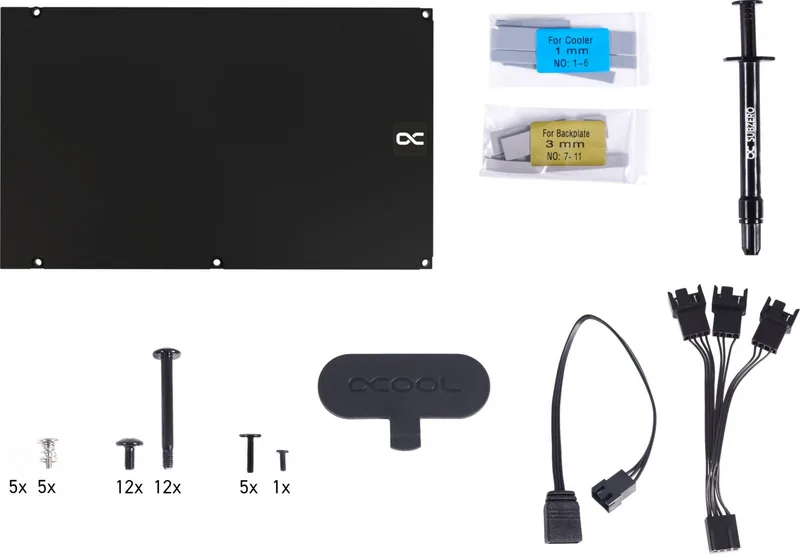
The kit includes the Eiswolf 2 cold plate and pump assembly, 360mm radiator, PCI bracket, assorted thermal pads, thermal grease, screws, plug tool, G1/4" plugs, ARGB adapter and mounting hardware required for installation on supported RTX 4090 reference designs.
Is this answer helpful?
Yes. Remove the original cooler and clean all thermal paste and pad residues using a solvent like isopropanol. Proper cleaning ensures good thermal contact and prevents uneven heat transfer between the GPU and the new cold plate.
Is this answer helpful?
Exercise extreme care when removing glued coolers—components can be torn off easily. Use an antistatic mat, work slowly, retain all parts, and consider professional help if unsure. Damaging components during removal can void warranties and impair function.
Is this answer helpful?
Yes. The package includes an ARGB adapter to connect the Eiswolf lighting to a compatible motherboard ARGB header for synchronized lighting. Ensure your header supports the same ARGB protocol and pinout before connecting.
Is this answer helpful?
Before installation, verify fit using the hwconfig tool and PCB comparison. Alphacool disclaims liability for incorrect cooler selection. If you discover incompatibility, contact Alphacool support for guidance and potential return options as per their policies.
Is this answer helpful?
Yes. Confirm tall components have clearance, place thermal pads in correct locations, apply thermal grease where specified, and torque screws evenly. Use the provided plug tool for G1/4" fittings and follow anti-static precautions throughout assembly.
Is this answer helpful?
Advantages and Disadvantages
Advantages

- High cooling capacity with a 360mm radiator ideal for RTX 4090 thermal loads.
- Comprehensive accessory kit: thermal pads, grease, screws, PCI bracket and ARGB adapter included.
- Designed for reference PCB layouts to ensure targeted contact with GPU, memory and VRMs.
- Quiet operation compared to air cooling due to liquid heat transfer and radiator area.
- Supports standard G1/4" fittings enabling integration with custom loops or AiO expansions.
Disadvantages

- Compatibility depends on exact PCB revision; may not fit non-reference or revised boards.
- Installation requires careful disassembly and handling; risk of damage if adhesive glued parts removed.
- Requires space for a 360mm radiator in the case, limiting suitability for smaller enclosures.
- Potential liability for user assembly errors—manufacturer disclaims damage from incorrect install.
- Multiple thermal pad sizes increase complexity; selecting wrong pad thickness can affect cooling.
Product Specification
Type
internal (open system)
Heatsink
GPU, Copper (nickel-plated)
Compatibility
INNO3D GeForce RTX 4090 X3 OC, INNO3D GeForce RTX 4090 iCHILL X3, INNO3D GeForce RTX 4090 iCHILL Frostbite, INNO3D GeForce RTX 4090 iCHILL Black, PNY GeForce RTX 4090 XLR8 Gaming Verto Epic-X RGB Overclocked Triple Fan, PNY GeForce RTX 4090 XLR8 Gaming Verto Epic-X RGB Triple Fan
Radiator
14.17in (radiator class), 1.18in (radiator height), Copper
Fan
3x 4.72x4.72in, 0-2500 rpm, 70.50 CFM, 70.5 CFM, 0.12 inH2O
Reservoir
N/A
Pump
12V, 19.04 gal/h, 3.28 ft
Connections
G1/4", Alphacool Quick-release coupling
Lighting
LED (RGB)
Special features
GPU backplate
Product Description
Alphacool Eiswolf 2 AiO 360mm RTX 4090 Reference Design with Backplate Manual
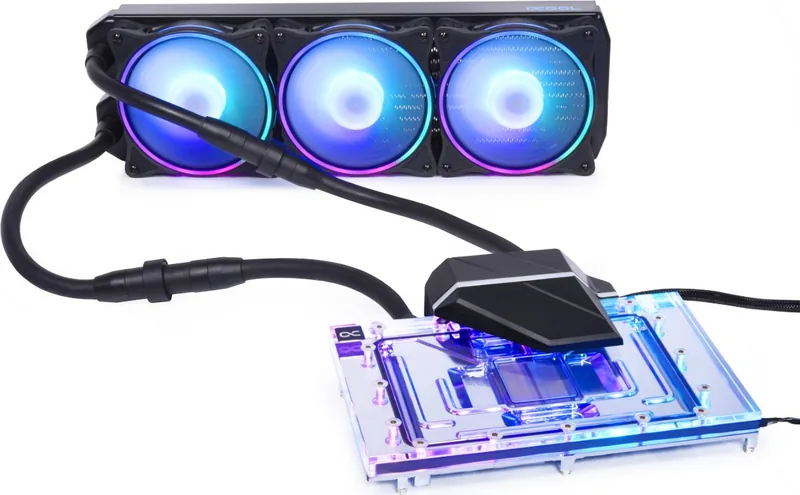
The Alphacool Eiswolf 2 AiO 360mm for the RTX 4090 Reference Design with Backplate is a premium all-in-one liquid cooling solution tailored for high-end graphics cards. Built around a 360mm radiator, pump unit and a GPU-specific cold plate, this kit combines efficient thermal performance with neat OEM-style integration for reference-design RTX 4090 PCBs. It includes a pre-shaped waterblock, backplate, mounting hardware, thermal grease, multiple thermal pads in assorted sizes, PCI bracket, ARGB adapter and sealing plugs—everything needed for a complete GPU cooling upgrade.
Designed to replace the stock cooler, the Eiswolf 2 aims to dramatically lower GPU temperatures and noise under load. The kit’s cold plate and included thermal pads are optimized to contact key components on supported PCB layouts; users are instructed to verify compatibility via Alphacool’s configurator (hwconfig) and compare PCB numbers to ensure a correct fit. The manual emphasizes careful disassembly of the original cooler, thorough cleaning of thermal paste residues with isopropanol, and cautious handling where thermal glue or delicate components are present.
Installation guidance covers placing thermal pads on both the cold block and the PCB backside, applying thermal grease where indicated, mounting the PCI bracket and securing the block with provided screws and washers. The package includes various pad sizes and thicknesses to match memory, VRM and other board contacts, plus plug tools for screw-in G1/4" ports and an ARGB adapter for lighting integration. The guide also stresses spacing considerations for tall onboard components to avoid contact or damage during assembly.
Beyond assembly, the product integrates with standard AiO loops using G1/4" fittings and supports ARGB headers for synchronized lighting. Alphacool provides multi-language instructions and technical support contact details for assistance. The documentation notes that compatibility issues can arise due to PCB revisions from card manufacturers and that Alphacool isn’t liable for damage caused by incorrect cooler selection or negligent assembly.
Notes:
- Verify PCB layout and part clearance before assembly using the hwconfig tool.
- Use an antistatic mat and handle components gently—adhesive-cooled cards require extra care.
- Clean old thermal interface material thoroughly before applying new thermal grease and pads.
Search for 67,706 Manuals online


Type-in Brand or Model