
Alphacool Eisblock XPX Manual
PDF manual · 20 Pages
English



Quick check
Incorrect answer, please try again.
Chat with your Alphacool Eisblock XPX manual using AI
Get instant AI answers from your Alphacool Eisblock XPX manual
Ask anything about the Alphacool Eisblock XPX. Answers come from this manual, with the pages they are based on.
Ask a Question
Do you recommend Eisblock XPX?
Yes No
LoopBuilder99
6 months ago
Is the aluminum cover safe to use with copper radiators in a mixed-metal cooling loop?
Frequently Asked Questions
The Eisblock XPX supports a wide variety of sockets including Intel LGA 115x, 1200, 1700, and 2066, as well as AMD AM4 and AM5 platforms. Specific mounting brackets are provided for each type.
Is this answer helpful?
Yes, the Deep Black model features an illuminated logo that activates when connected to a 3-pin fan header on your motherboard. It does not include full surface RGB unless paired with optional frames.
Is this answer helpful?
No, the digital RGB controller is not included. You must purchase one separately, such as the Alphacool Aurora Eiscontrol, to manage the lighting effects and connect additional LEDs.
Is this answer helpful?
All connections on the Alphacool Eisblock XPX are compatible with tubes having a maximum diameter of 18mm. The fittings use standard G1/4 threads for flexibility.
Is this answer helpful?
Remove the protective film from the backplate, fix it to the back of the motherboard using the provided tape, and then insert the LGA 1700 screws through the pressure springs and washers before mounting.
Is this answer helpful?
It is recommended not to use tools. The instructions specify tightening the screws only hand-tight to prevent damage to the motherboard or the cooler base.
Is this answer helpful?
Advantages and Disadvantages
Advantages

- Supports extensive CPU socket compatibility including LGA 1700 and AM5
- High-quality materials ensure long-lasting durability and heat dissipation
- Flexible Digital RGB lighting options with easy controller integration
- Comprehensive accessory kit includes all necessary screws and washers
- Deep black finish provides a sleek and modern aesthetic for builds
Disadvantages

- Digital RGB controller is not included in the package
- Installation requires careful handling to avoid overtightening screws
- Some models lack built-in illumination requiring separate frames
- Clearance issues may arise with very large RAM modules on certain boards
- Manual installation can be time-consuming for first-time builders
Product Specification
Type
CPU
Material
Copper (nickel-plated), Aluminum, POM
Compatibility
775, 1150, 1151, 1155, 1156, 1200, 1700, 2011-0, 2011-1, 2011-3, 2066, AM2, AM2+, AM3, AM3+, AM4, AM5, FM1, FM2, FM2+
Connections
G1/4"
Dimensions (LxWxH)
2.56x2.56x1.18 inches
Weight
1.02 lbs
Product Description
Elevate Your Cooling with the Alphacool Eisblock XPX Black Manual
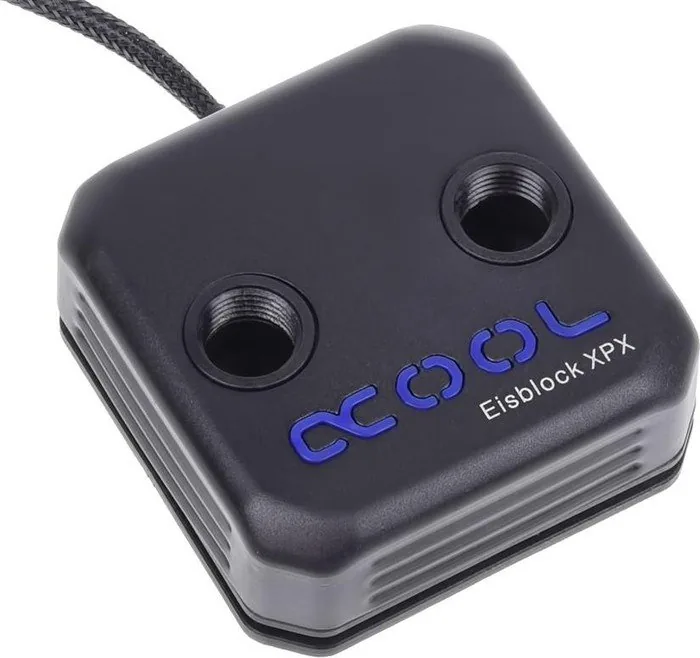
The Alphacool Eisblock XPX in Black represents a pinnacle of thermal performance and aesthetic design for high-end PC builds. This CPU water block is engineered to handle the most demanding processors while maintaining a sleek, deep black finish that complements any dark-themed setup. Whether you are a competitive gamer or a professional workstation user, the Eisblock XPX offers a robust solution for keeping your system running at optimal temperatures.
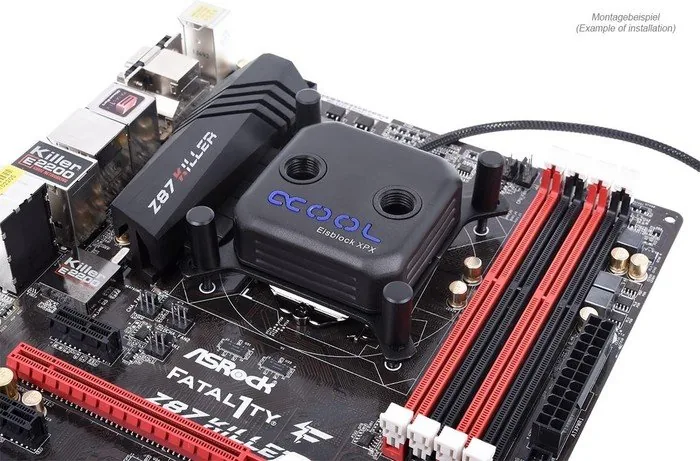
One of the standout features of this product is its versatility across multiple processor architectures. The Eisblock XPX supports a wide range of sockets including LGA 115x, LGA 1200, LGA 1700, LGA 2066, as well as AMD AM4 and AM5 platforms. This broad compatibility ensures that users can upgrade their hardware without needing to replace their cooling solution. The installation process is straightforward, featuring detailed instructions for mounting brackets and backplates that ensure secure attachment without damaging the motherboard.
For enthusiasts who crave customization, the Eisblock XPX provides excellent lighting options. Models like the Aurora Edge and Aurora variants come equipped with Digital RGB capabilities, allowing for synchronized lighting effects across your entire build. Even if you choose the Deep Black version, which features an illuminated logo, you can easily integrate it into your system by connecting the 3-pin connector to a free fan header on your motherboard. For more advanced control, the included adapter allows connection to a digital RGB controller, enabling you to add additional LEDs and create stunning visual displays.
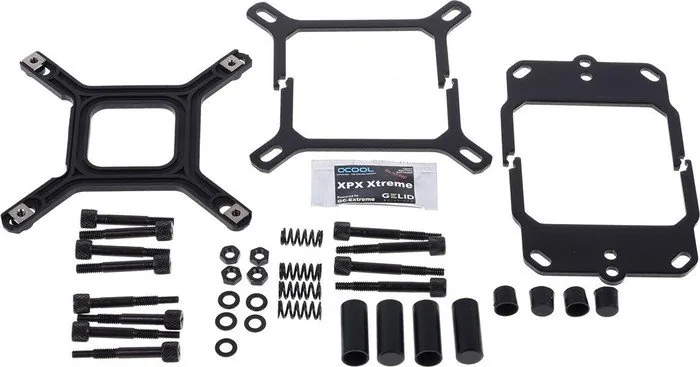
The construction of the Eisblock XPX prioritizes durability and efficiency. It utilizes high-quality materials such as acetal and acrylic, depending on the specific model variant. The unit includes necessary accessories like thermal paste, rubber caps, screws, and springs tailored for each socket type. The G1/4 thread fittings allow for flexible tubing connections with a maximum diameter of 18mm, ensuring seamless integration into custom loops. With its precise engineering and attention to detail, the Alphacool Eisblock XPX stands out as a premium choice for liquid cooling enthusiasts seeking both performance and style.
Search for 67,706 Manuals online


Type-in Brand or Model
RyzenUser28
7 months ago
Does this CPU water block work well with AMD Ryzen processors, and is the mounting hardware reliable?
Manual.ly
7 months ago
Yes, this AlphaCool Eisblock is highly rated for use with AMD Ryzen CPUs (including AM4 sockets like the 1700X and 7950X). Users report excellent cooling performance, keeping temperatures low even under heavy loads or overclocking. Regarding the mounting hardware, while most users find installation straightforward, some have noted that the small nuts can be difficult to handle and may loosen if not careful. We recommend ensuring all fasteners are tightened evenly to prevent uneven pressure on the CPU. For detailed assembly steps, please refer to our online installation guides.