
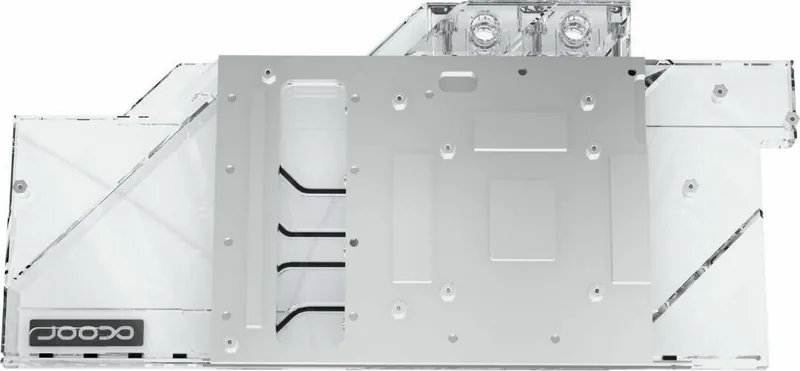
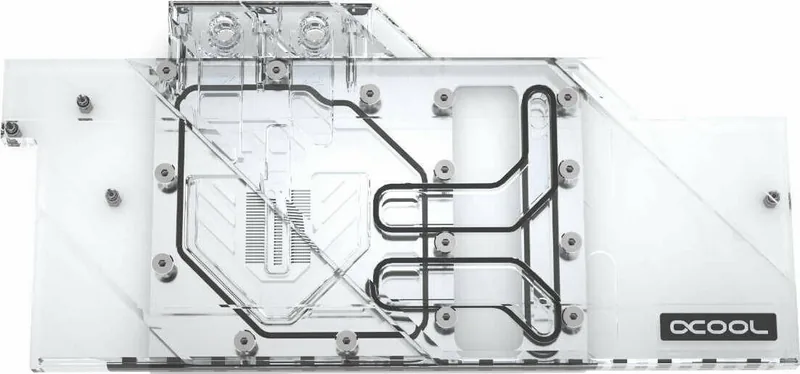
Alphacool Eisblock Aurora Acrylic GPX-A RX 5700/5700XT MSI Gaming X Manual
PDF manual · 5 Pages
English



Quick check
Incorrect answer, please try again.
Chat with your Alphacool Eisblock Aurora Acrylic GPX-A RX 5700/5700XT MSI Gaming X manual using AI
Get instant AI answers from your Alphacool Eisblock Aurora Acrylic GPX-A RX 5700/5700XT MSI Gaming X manual
Ask anything about the Alphacool Eisblock Aurora Acrylic GPX-A RX 5700/5700XT MSI Gaming X. Answers come from this manual, with the pages they are based on.
Ask a Question
Do you recommend Eisblock Aurora Acrylic GPX-A RX 5700/5700XT MSI Gaming X?
Yes NoFrequently Asked Questions
It is designed for a specific PCB layout. The text highlights that manufacturers may revise card designs, so the block may not fit later revisions. Always compare your card to the provided layout reference before installing.
Is this answer helpful?
Start by placing the hardware on an antistatic mat, carefully dismantle the original cooler, and unhook the fan connector first. If thermal glue is used, work extremely slowly to prevent components from tearing. Then clean off all thermal paste and pad residues with a solvent such as alcohol.
Is this answer helpful?
Apply a thin, even layer on the GPU. The guidance specifies less than 1 mm thickness. Keeping it thin helps prevent contaminating nearby components and supports a clean thermal interface.
Is this answer helpful?
Place the card on the cooler, then secure it using the included 13 M2x5 screws. Tighten by hand in a cross pattern, one turn at a time. Avoid over-tightening, and follow up by re-tightening after about 12 hours of use.
Is this answer helpful?
Use the included adapter to connect the supplied wiring to the 3-pin female connector, then plug it into a digital RGB controller (example given: an Aurora Eiscontrol, not included). Extra digital RGB LEDs can be connected to the remaining 3-pin male connector.
Is this answer helpful?
Use distilled water or Alphacool CAPE Kelvin Catcher in the loop. The text also recommends a tightness test and states a water pressure maximum of 0.8 bar for that check. Damage from unsuitable coolant is not covered by warranty.
Is this answer helpful?
No. The safety instructions warn that coolers without coolant circulation can become very hot and may destroy computer hardware. Ensure the pump is functioning when powering on the system.
Is this answer helpful?
Advantages and Disadvantages
Advantages

- Layout-focused fit helps achieve consistent thermal contact on the RX 5700/5700XT MSI Gaming X card layout.
- Digital RGB support with included adapter for easier lighting control and expansion.
- Includes thermal pads, thermal grease, screws, and installation support parts for a complete setup.
- Clear mounting procedure: hand-tightening crosswise and re-tightening after 12 hours for uniform pressure.
- Strong safety guidance on coolant flow, connector handling, and correct thermal pad/paste coverage.
Disadvantages

- Requires careful removal and cleaning; thermal glue coolers demand extra caution to avoid damage.
- Compatibility depends on card revision; later GPU revisions may prevent proper fit.
- Strict handling rules apply: avoid using tools on plastic-linked threads and follow sealing guidance.
- Must follow coolant requirements and pressure limits; unsuitable fluids or dry operation can cause damage.
- Installation is time-sensitive due to the need for an additional re-tightening after initial run time.
Product Specification
Type
GPU
Material
Copper (nickel-plated), PMMA
Compatibility
AMD Radeon RX 5700, AMD Radeon RX 5700XT, MSI Radeon RX 5700 Gaming X, MSI Radeon RX 5700 XT Gaming X
Connections
G1/4"
Lighting
LED (RGB)
Dimensions (LxWxH)
11.54x5.47x0.91in
Weight
2.98lb
Special Features
Voltage converters co-cooled (GPU)
Product Description
Alphacool Iceblock Aurora Acrylic GPX-A AMD Radeon RX 5700/5700XT MSI Gaming X - A Custom Water Block for Clean, Controlled Cooling
If you are building a compact, stylish custom loop for an AMD Radeon RX 5700 or RX 5700XT in the MSI Gaming X lineup, the Alphacool Iceblock Aurora Acrylic GPX-A is designed to deliver a precise, component-aware fit. It is built around a layout-specific cold plate approach, meaning you align the block to your card layout for consistent thermal contact and reliable contact pressure.
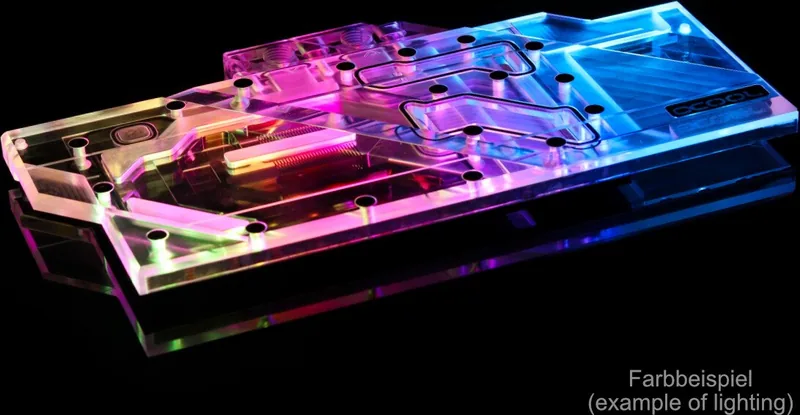
Beyond cooling performance, the Aurora style also focuses on presentation. You can control the digital RGB lighting using the included adapter and connect it to a compatible digital RGB controller (for example, an Aurora Eiscontrol). Additional digital RGB LEDs can be attached through the remaining 3-pin male connector, giving you room to expand your lighting setup.
Installation Highlights and Practical Workflow
A smooth install starts with safe handling: place the hardware on an antistatic mat, dismantle the original cooler carefully, and unhook the fan connector first. If your card uses thermal glue, work slowly to avoid pulling off components. After removal, clean off old thermal paste and pad residue using a suitable solvent like alcohol.
Before you mount anything, compare your exact card PCB to the provided layout reference. Card manufacturers may revise designs slightly, and the block can fail to fit a later revision. During assembly, confirm that taller components have clearance and that the cooler will not stress or touch sensitive parts.
Thermal preparation is equally important. Clean the contact surfaces thoroughly, remove the protective foils from the included pads, and place them on the copper block as specified. Apply thermal paste to the GPU in a thin, even layer (less than 1 mm) using a plastic strip or similar tool, to avoid contaminating surrounding components.
Then position the graphics card on the prepared cooler and secure it with the included 13 M2x5 screws. Tighten the screws hand-tight, crossing the pattern and tightening step-by-step. After about 12 hours of use, re-tighten the screws to maintain uniform pressure.
Notes for Best Results
- Use distilled water or Alphacool CAPE Kelvin Catcher in the loop.
- Avoid running the system without coolant flow; dry operation can damage hardware.
- Do not over-tighten or use tools on plastic-linked threads; use only the recommended sealing hardware.
Key Results (Most Important Takeaways)
- Layout-specific design helps ensure correct thermal contact for RX 5700/5700XT MSI Gaming X configurations.
- Included thermal pads, thermal grease, and hardware support a complete installation workflow.
- Digital RGB can be controlled via the provided adapter and expanded with extra LED connections.
- Tightening guidance (hand-tight, cross pattern, re-tight after 12 hours) supports even mounting pressure.
- Safety and compatibility checks reduce the risk of leaks, hardware damage, or clearance issues.
Keyword: Alphacool Iceblock Aurora Acrylic GPX-A AMD Radeon RX 5700/5700XT MSI Gaming X Manual
Search for 67,706 Manuals online


Type-in Brand or Model