
Alphacool Eisblock Aurora Acrylic GPX-A RX 5700 XT ASRock Taichi X8 Manual
PDF manual · 2 Pages
English



Quick check
Incorrect answer, please try again.
Chat with your Alphacool Eisblock Aurora Acrylic GPX-A RX 5700 XT ASRock Taichi X8 manual using AI
Get instant AI answers from your Alphacool Eisblock Aurora Acrylic GPX-A RX 5700 XT ASRock Taichi X8 manual
Ask anything about the Alphacool Eisblock Aurora Acrylic GPX-A RX 5700 XT ASRock Taichi X8. Answers come from this manual, with the pages they are based on.
Ask a Question
Do you recommend Eisblock Aurora Acrylic GPX-A RX 5700 XT ASRock Taichi X8?
Yes NoFrequently Asked Questions
It is intended for the Alphacool Eisblock Aurora Acryl GPX-A setup used with the AMD Radeon RX 5700 XT ASRock Taichi X8 8G OC. Confirm the exact card model and PCB layout before installation.
Is this answer helpful?
The listed pads are two 15 x 50 x 3 mm pieces, one 15 x 35 x 3 mm piece, two 8 x 95 x 3 mm pieces, and one 30 x 30 x 3 mm piece.
Is this answer helpful?
Eleven M2 x 11 screws are supplied for fastening the backplate during the final mounting step.
Is this answer helpful?
Remove the eleven indicated screws first. Then remove the protective films from the thermal pads, place the pads on the PCB as shown, align the backplate, and secure it with the eleven M2 x 11 screws.
Is this answer helpful?
Yes. Follow the Eisblock cooler installation through step three and initially secure the graphics card only with the two highlighted M2 x 5 screws. Continue with the backplate mounting procedure afterward.
Is this answer helpful?
The protective films must be removed so the pads can make proper contact with the intended components and the backplate. Check each pad position before tightening the screws.
Is this answer helpful?
Advantages and Disadvantages
Advantages

- Includes multiple thermal pad sizes for the specified PCB mounting layout.
- Provides eleven M2 x 11 screws for dedicated backplate fastening.
- Supports installation during initial cooler assembly or as a later upgrade.
- Instructions are available in English, German, and French.
- Clear pad placement and screw steps help organize installation.
Disadvantages

- Compatibility is specific to the ASRock Radeon RX 5700 XT Taichi X8 8G OC layout.
- Installation requires removing existing screws when the cooler is already mounted.
- Thermal pads must be positioned accurately before the backplate is secured.
- Users must follow safety guidance and handle the graphics card PCB carefully.
Product Specification
Type
GPU
Material
Copper (nickel-plated), PMMA
Compatibility
AMD Radeon RX 5700XT, ASRock Radeon RX 5700 XT
Connections
G1/4"
Lighting
LED (RGB)
Dimensions (L x W x H)
10.51 x 4.8 x 0.98 in
Weight
2.82 lb
Features
Voltage regulator cooling (GPU)
Product Description
Alphacool Eisblock Aurora Acryl GPX-A AMD Radeon RX 5700 XT ASRock Taichi X8 8G OC - Read, Download & Print Free
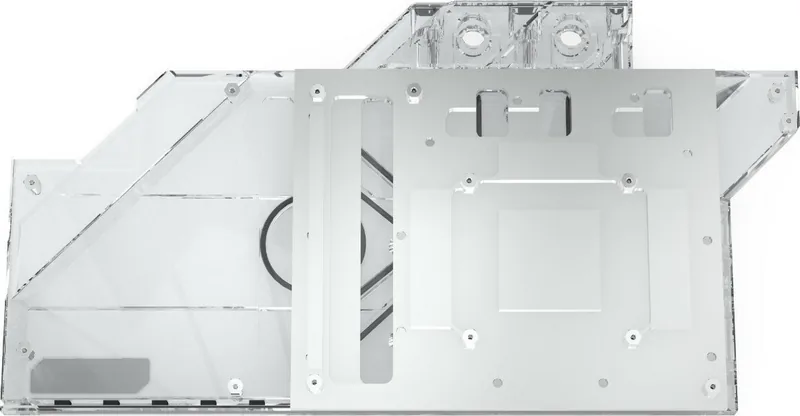
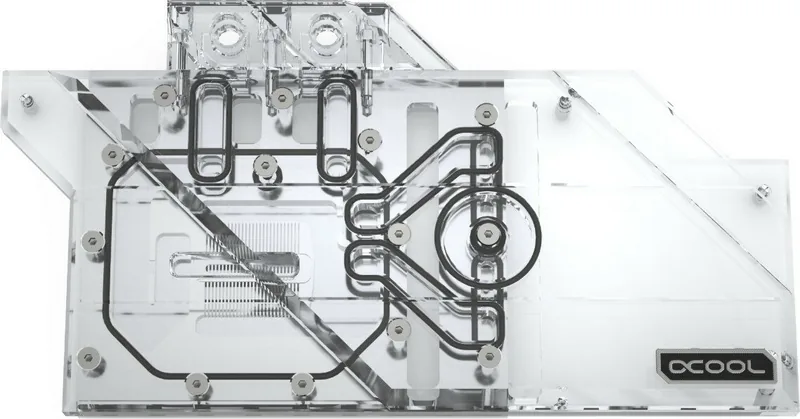
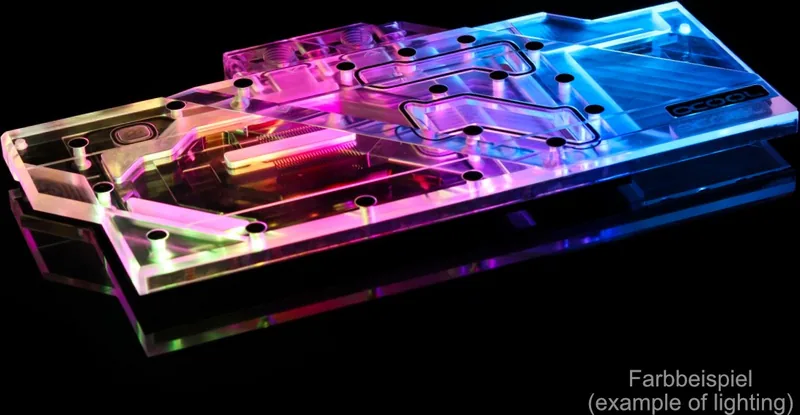
The Alphacool Eisblock Aurora Acryl GPX-A AMD Radeon RX 5700 XT ASRock Taichi X8 8G OC backplate accessory is designed to complement a compatible Eisblock graphics card cooler installation. It provides a structured mounting process for users who want to add the backplate after fitting the cooler or include it during the initial assembly. The supplied components are tailored for the ASRock Taichi X8 8G OC version of the AMD Radeon RX 5700 XT.
Included mounting components
The package information lists thermal pads in several sizes, including two 15 x 50 x 3 mm pads, one 15 x 35 x 3 mm pad, two 8 x 95 x 3 mm pads, and one 30 x 30 x 3 mm pad. It also includes eleven M2 x 11 screws for securing the backplate. These parts are intended to be positioned carefully on the graphics card PCB before the backplate is attached.
Installation overview
For a cooler that has already been installed without the backplate, the process starts by removing the eleven existing screws indicated by the mounting layout. Users then remove the protective films from both sides of the thermal pads and place each pad in its shown position on the PCB. Once the pads are fitted, the backplate can be aligned and fastened using the eleven included M2 x 11 screws.
For a first-time cooler installation, the backplate can be incorporated earlier in the process. The instructions indicate following the Eisblock cooler procedure through step three, while using only the two highlighted M2 x 5 screws to secure the graphics card at that stage. This approach helps keep the assembly sequence compatible with the backplate mounting hardware.
Practical notes
Read the safety instructions before beginning any work. Handle the PCB and thermal pads carefully, avoid touching adhesive surfaces after removing the protective layers, and confirm that every pad is positioned as shown before tightening screws. Use an even, controlled tightening pattern to help the backplate sit flat against the card.
The instructions are presented in English, German, and French, making the installation guidance accessible to a wider range of builders. Compatibility should be confirmed against the specific ASRock Radeon RX 5700 XT Taichi X8 8G OC model before installation, since graphics card layouts can differ between variants.
Notes
- Remove protective film from every thermal pad before fitting it.
- Use the supplied eleven M2 x 11 screws for final backplate attachment.
- Follow the indicated screw sequence when adding the backplate during initial cooler assembly.
Search for 67,706 Manuals online


Type-in Brand or Model