
Alphacool Eisblock Aurora Acetal GPX-A RX 5700/5700XT Reference Manual
PDF manual · 4 Pages
English



Quick check
Incorrect answer, please try again.
Chat with your Alphacool Eisblock Aurora Acetal GPX-A RX 5700/5700XT Reference manual using AI
Get instant AI answers from your Alphacool Eisblock Aurora Acetal GPX-A RX 5700/5700XT Reference manual
Ask anything about the Alphacool Eisblock Aurora Acetal GPX-A RX 5700/5700XT Reference. Answers come from this manual, with the pages they are based on.
Ask a Question
Do you recommend Eisblock Aurora Acetal GPX-A RX 5700/5700XT Reference?
Yes NoFrequently Asked Questions
It is intended for AMD Radeon RX 5700 and RX 5700XT Reference models with the specified component layout. If your card is a later revision with small layout changes, the cooler may not fit properly.
Is this answer helpful?
Clean contact surfaces thoroughly with alcohol (or similar) so they are free of contaminants. Remove protective foils from thermal pads and place them on the copper block as shown. Cut the specified 15x15x1 mm pad area when required. Apply thermal paste to the GPU in a thin layer, under 1 mm.
Is this answer helpful?
Place the graphics card on the prepared cooler, then fasten using the provided M2x5 screws. Tighten crosswise by hand, one turn at a time. Use the included M2 nut additionally to secure the slot bracket as indicated. Do not over-tighten.
Is this answer helpful?
Yes. The guidance recommends retightening all screws after about 12 hours of graphics card use. This helps maintain even pressure once the system has settled.
Is this answer helpful?
Connect the included digital RGB adapter to a compatible digital RGB controller. The adapter is used with the 3-pin female connector and then connected to the controller. Additional digital RGB LEDs can be attached to the remaining 3-pin male connector.
Is this answer helpful?
Ensure coolant is flowing through the cooling system before extended use, verify pump function, and perform a tightness test before assembly or installation. Avoid using tools on connectors, do not exceed the recommended test pressure, and use distilled water or Alphacool CAPE Kelvin Catcher.
Is this answer helpful?
Advantages and Disadvantages
Advantages

- Built for AMD Radeon RX 5700/5700XT Reference card layout to support proper alignment and contact.
- Comes with thermal pad sets, M2 mounting hardware, and a digital RGB adapter for easier integration.
- Guidance emphasizes correct pad placement, clean contact surfaces, and thin paste application for thermal efficiency.
- Mounting procedure includes crosswise hand-tightening and a retightening check after about 12 hours.
Disadvantages

- Not guaranteed to fit if the graphics card is a later revision with a changed PCB layout.
- Installation requires careful cleaning and precise pad/paste setup; mistakes can affect contact or damage parts.
- RGB control requires a compatible digital RGB controller connection.
Product Specification
Type
GPU
Material
Copper (nickel-plated), POM (black)
Compatibility
AMD Radeon RX 5700, AMD Radeon RX 5700XT
Connections
G1/4"
Lighting
LED (RGB)
Dimensions (LxWxH)
10.51x4.72x0.98in
Weight
2.56lbs
Special features
Voltage converters co-cooled (GPU)
Product Description
Alphacool Ice Block Aurora Acetal GPX-A AMD Radeon RX 5700/5700XT Reference (Black) - Product Overview
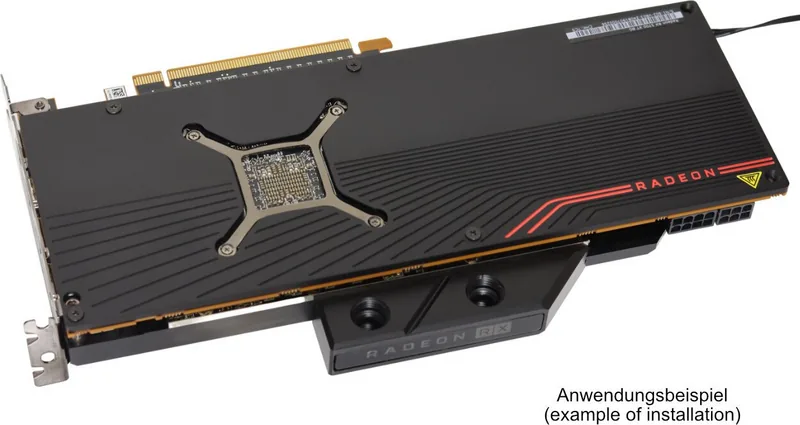
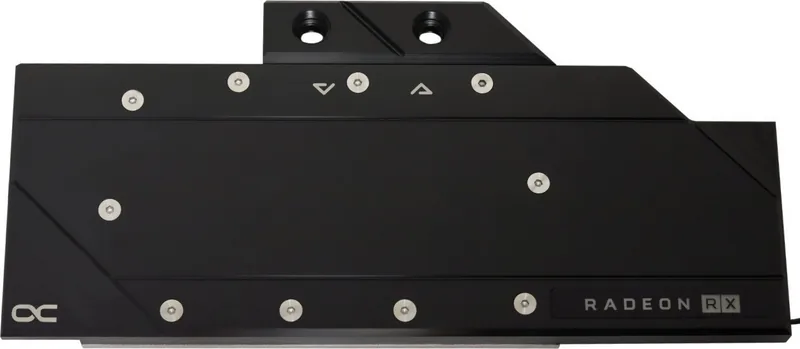
If you are building a clean, high-performance custom liquid cooling setup for a compatible AMD Radeon RX 5700 or RX 5700XT Reference graphics card, the Alphacool Ice Block Aurora Acetal GPX-A in black is designed to bring efficient GPU water cooling and modern RGB flair. This block is created for the specific component layout found on Reference models, helping deliver reliable contact where it matters, while keeping the build looking sharp.
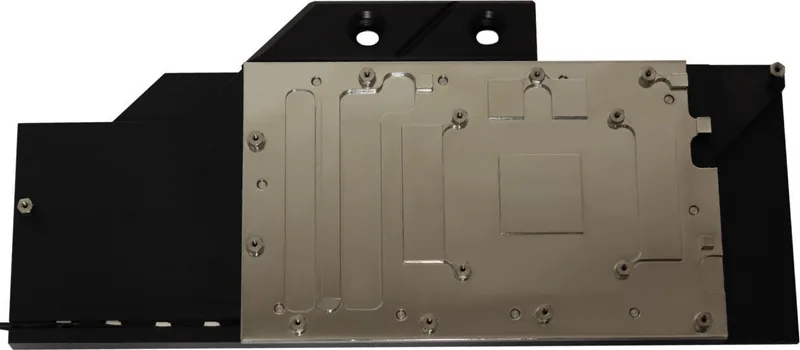
The core idea is straightforward: prepare the contact surfaces, install thermal pads and thermal paste correctly, and mount the block securely. The included hardware list focuses on the essentials for a stable fit, including multiple thermal pads in defined sizes, a supply of M2 screws, an M2 nut for slot bracket fastening, and an RGB adaptor for digital RGB control. After installation, the instructions recommend a crosswise, gradual hand-tightening approach and a retightening check after about 12 hours of runtime.
Assembly is also where the difference between a good and a great result is made. Before mounting, you should dismantle the original cooler carefully, especially if it was thermally glued, then clean away old pad and paste residues using a solvent like alcohol. For best thermal performance, the contact surfaces must be free of contaminants. Pads are positioned on the copper block according to the provided cutting pattern, and one pad area is cut to size when needed. A thin layer of thermal paste should be spread on the GPU, staying under one millimeter to avoid contaminating nearby components.
For lighting, the block supports digital RGB through a dedicated adapter that connects to a 3-pin female port and then to a compatible digital RGB controller (for example, an Alphacool Aurora Eiscontrol controller, not included). Additional digital RGB LEDs can be daisy-chained via the remaining 3-pin male connector.
Finally, the safety guidance is clear: make sure coolant flow is established before extended use, do not over-tighten screws, avoid using tools on connectors, and follow the recommended pressure limit (up to 0.8 bar for a tightness test). Use only distilled water or Alphacool CAPE Kelvin Catcher to protect the cooling circuit.
Key results
- Reference-only design helps ensure proper alignment with the RX 5700/5700XT Reference PCB component layout.
- Thermal pads and paste are specified to target full GPU contact without spreading mess to surrounding parts.
- Secure hand-tightening plus a retightening check after 12 hours improves long-term mounting consistency.
- Digital RGB integration is handled via a dedicated adapter and 3-pin controller connectivity.
- Safety requirements (coolant flow, connector handling, pressure testing, coolant type) reduce risk to hardware.
Pros and cons (quick take)
- Pros:
- Designed for RX 5700/5700XT Reference layouts
- Includes pad set, screws, and digital RGB adaptor
- Clear guidance for pad placement, paste thickness, and mounting pressure
- Cons:
- Compatibility depends on correct Reference card layout
- Requires careful cleaning and precise pad/paste application
- Assembly errors (wrong fit, poor coolant flow) can harm hardware
Notes
- If your GPU has been revised by the manufacturer, minor layout changes may prevent a perfect fit.
- The installer is responsible for compatible selection and correct assembly at own risk.
Search for 67,706 Manuals online


Type-in Brand or Model
Fredrick Haley
8 months ago
Does this water block include a backplate, or do I need to buy one separately?
Manual.ly
8 months ago
This model does not include a matching backplate. You can usually reuse the backplate from your existing graphics card (as long as it is compatible with your GPU). If you do need a dedicated backplate for a cleaner fit or for a specific GPU, you will have to purchase one separately. When ordering, make sure the backplate is listed for your exact graphics card model to avoid mounting issues.