
Alphacool Eisbaer LT360 Manual
PDF manual · 72 Pages
English



Quick check
Incorrect answer, please try again.
Chat with your Alphacool Eisbaer LT360 manual using AI
Get instant AI answers from your Alphacool Eisbaer LT360 manual
Ask anything about the Alphacool Eisbaer LT360. Answers come from this manual, with the pages they are based on.
Ask a Question
Do you recommend Eisbaer LT360?
Yes NoFrequently Asked Questions
It supports a wide range of Intel and AMD sockets, including Intel 115x, 1200, 1700, 2011, 2066 and AMD AM2 through AM5, plus TR4 and sTRX4. That makes it suitable for many current and older systems.
Is this answer helpful?
Yes, the lighting can be connected directly to a compatible motherboard if you do not want to use the included controller. Just make sure the board uses the correct 5V digital RGB header. Do not use a 12V RGB header.
Is this answer helpful?
A louder pump during the first run usually means air is trapped inside the loop. This is normal after transport or installation. Tilting the case gently can help move bubbles out, and the system should quiet down after a few hours.
Is this answer helpful?
The quick-release connector lets you expand the cooling loop without rebuilding everything from scratch. It is especially useful if you want to add a compatible GPU cooler later. A few drops of coolant may escape when opening it.
Is this answer helpful?
Use clear coolant from Alphacool’s own range, or pure distilled or osmosis-filtered water. Avoid UV fluids for topping up unless specifically recommended. Clean, clear liquids help maintain reliable operation and reduce residue risk.
Is this answer helpful?
Yes, fan speed and pump behavior can be managed through PWM and motherboard control, depending on your setup. This makes it easier to balance performance, acoustics, and lighting control in a single system.
Is this answer helpful?
Advantages and Disadvantages
Advantages

- Wide socket support across modern Intel and AMD platforms makes it versatile for many builds.
- Quick-release connectors allow easy loop expansion with compatible Alphacool components.
- Digital RGB lighting adds synchronized visual appeal in the Aurora edition.
- Standard G1/4 threads make future customization and maintenance easier.
Disadvantages

- Some mounting steps require careful hand tightening and can feel fiddly for first-time builders.
- A few socket types need the original motherboard backplate, which may add setup complexity.
- The Aurora lighting must not be connected to a 12V RGB header, so wiring needs attention.
- The pump may sound noisy at first while trapped air escapes from the loop.
Product Specification
Type
internal (open system)
Heatsink
CPU, Copper
Compatibility
775, 1150, 1151, 1155, 1156, 1200, 1356, 1366, 1700, 2011-0, 2011-1, 2011-3, 2066, 604, 771, AM2, AM2+, AM3, AM3+, AM4, AM5, FM1, FM2, FM2+, C32, G34, 939, 940
Radiator
14.17 in (Radiator class), 0.98 in (Radiator height), Copper
Fan
3x 4.72x4.72 in, 550-1700 rpm, 63.57 CFM, 63.56 CFM, 29 dB(A)
Pump
7-13.5V, 18.49 gal/h, 2.79 ft
Connections
G1/4", Alphacool Quick connector
Product Description
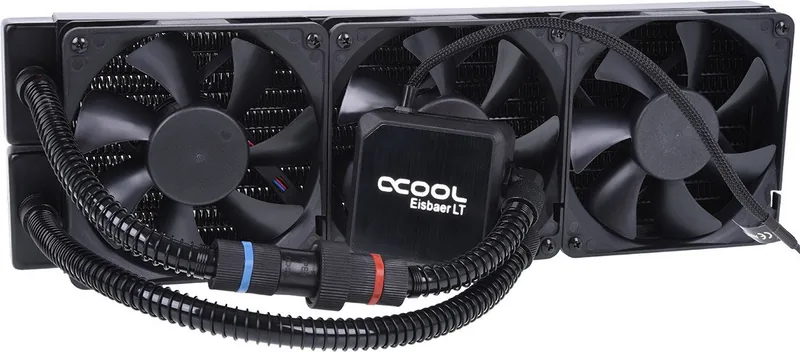
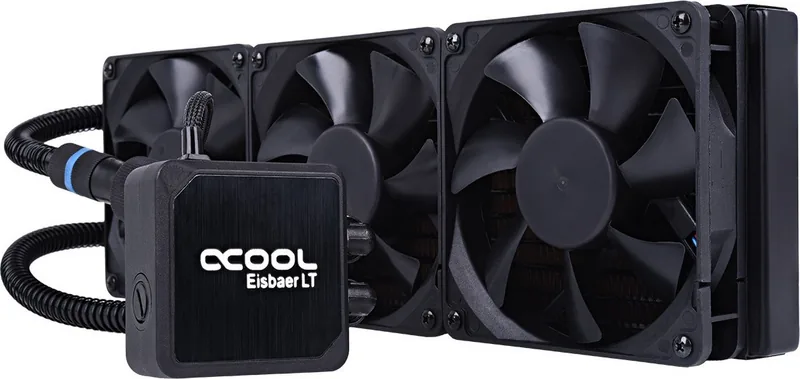
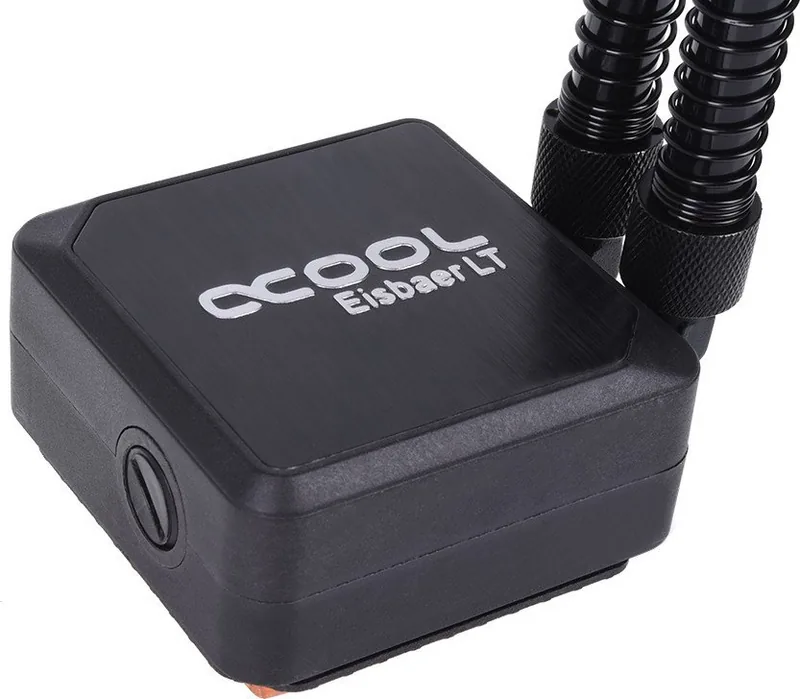
Alphacool Ice Bear LT360: A Flexible CPU Cooling Choice for Enthusiasts
The Alphacool Ice Bear LT360 is designed for builders who want strong cooling performance with room to grow. It blends a compact all-in-one style setup with the kind of expansion features usually found in custom loops. That makes it especially appealing for users who want a cleaner installation today, but may want to add a graphics card cooler later.
A standout detail is the Alphacool Ice Bear LT360 Manual approach to installation: everything is laid out with a focus on practical assembly, from CPU preparation to radiator mounting and pump connection. The cooler supports a wide range of Intel and AMD sockets, including modern platforms such as AM5 and LGA 1700, while also covering several older standards. That broad compatibility gives it long-term value for different system builds.
The radiator uses standard G1/4" threads, which is a major advantage for users interested in future upgrades. The pre-installed quick-release connector makes the loop easier to expand, and it can be paired with other compatible Alphacool products. For many PC enthusiasts, this creates a bridge between a simple sealed-style cooler and a more advanced liquid cooling setup.
The Aurora version adds digital RGB lighting, offering synchronized effects through either the included controller or a compatible motherboard header. Fan speed and pump behavior can also be managed through PWM connections, helping users balance noise and cooling output. This combination of control, style, and practicality is what makes the Ice Bear LT360 feel more premium than a standard cooler.
Installation is straightforward if you follow the steps carefully. The cooler needs proper thermal paste application, correct backplate alignment, and hand-tightened mounting pressure across supported sockets. It also helps to position the radiator above the CPU block so trapped air can work its way out more effectively during first startup.
Notes
- Initial pump noise can happen if air is trapped in the system.
- The quick-release fitting may release a few drops when opened.
- For topping up, use clear coolant or distilled/osmosis-filtered water.
- Do not connect the Aurora lighting to a 12V RGB header.
Overall, the Alphacool Ice Bear LT360 is a smart pick for builders who value modularity, compatibility, and the option to grow their cooling setup over time.
Search for 67,706 Manuals online


Type-in Brand or Model
anja24
7 months ago
Is the Alphacool Eisbaer LT 360 actually quiet in real use, and is the installation (backplate and mounting) difficult?
Manual.ly
7 months ago
Most users report that the pump is very quiet, while the supplied Eiswind 12 fans become the main noise source once they ramp up under load. For quieter operation, connect the fans to a PWM CPU fan header and use a sensible BIOS fan curve so they stay low at normal temps, only increasing speed when needed. Installation is usually manageable, but the CPU block mounting can be fiddly because the backplate is not permanently fixed and you may need to hold it in place while tightening spring-loaded screws. If possible, have a second person help for that step. Also make sure you use the correct Intel/AMD backplate parts and tighten evenly to avoid alignment issues.