
Alphacool Eisbaer 200 Manual
PDF manual · 116 Pages
English



Quick check
Incorrect answer, please try again.
Chat with your Alphacool Eisbaer 200 manual using AI
Get instant AI answers from your Alphacool Eisbaer 200 manual
Ask anything about the Alphacool Eisbaer 200. Answers come from this manual, with the pages they are based on.
Ask a Question
Do you recommend Eisbaer 200?
Yes NoFrequently Asked Questions
It supports Intel 1150, 1151, 1155, 1156, 1366, 2011, 2011-3, and 2066 sockets. AMD support includes AM4, AM3+, AM3, AM2+, AM2, FM2+, FM2, FM1, C32, and G34. TR4 and 2011-3 Narrow ILM need separately available mounting kits.
Is this answer helpful?
The unit uses the DC-LT 2600 pump. It consumes 3.2 W, operates at 7 to 13.5 V DC, offers a maximum flow rate of 72 liters per hour, has a one-meter maximum head, and connects through a 3-pin motherboard header.
Is this answer helpful?
Yes. Its preinstalled quick-release connector is designed for expansion with compatible components. For example, it can be linked with an Eiswolf GPU cooler. Switch off the PC first, match the connector colors correctly, and check coolant level after expansion.
Is this answer helpful?
Use clear compatible coolant, pure distilled water, or osmosis-filtered water. The guidance specifically advises against UV coolant. The loop is prefilled for normal use, but topping up may be needed after expansion or if unusual pump noise indicates a low liquid level.
Is this answer helpful?
Transport and installation can leave air bubbles inside the loop, increasing pump noise. Confirm that the radiator is mounted above the CPU block, then gently tilt the PC case to help air move through the system. Noise should normally settle after about 12 hours.
Is this answer helpful?
No. Fittings and mounting screws should be tightened by hand only. Using pliers, wrenches, or similar tools can damage plastic-linked threads, crack components, or cause leaks. Tighten CPU block screws gradually in a cross pattern for even pressure.
Is this answer helpful?
Advantages and Disadvantages
Advantages

- Broad Intel and AMD socket support, including AM4 and Intel 2066 platforms.
- Copper NexXxos radiator options provide flexible case-fit and cooling configurations.
- Quick-release connector supports loop expansion with compatible cooling components.
- Prefilled loop includes a fill port for coolant checks, maintenance, or expansion.
- PWM fan adapter and separate 3-pin pump connection simplify motherboard wiring.
Disadvantages

- TR4 and 2011-3 Narrow ILM mounting kits require separate purchase.
- Quick-release disconnection can release a small amount of coolant.
- Correct radiator and block orientation is important to minimize trapped air and pump noise.
- The system requires careful leak testing and coolant selection before operation.
- Tools must not be used on fittings or mounting hardware, limiting adjustment methods.
Product Specification
Type
internal (open system)
Water block
CPU, copper
Compatibility
775, 1150, 1151, 1155, 1156, 1200, 1700, 2011-0, 2011-1, 2011-3, 2066, AM2, AM2+, AM3, AM3+, AM4, AM5, FM1, FM2, FM2+
Radiator
7.87 in (radiator class), 0.98 in (radiator height), copper
Pump
7-13.5 V, 18.49 gal/h, 2.79 ft
Connections
G1/4", Alphacool quick release
Product Description
Alphacool Eisbaer 200 - Read, Download & Print Free
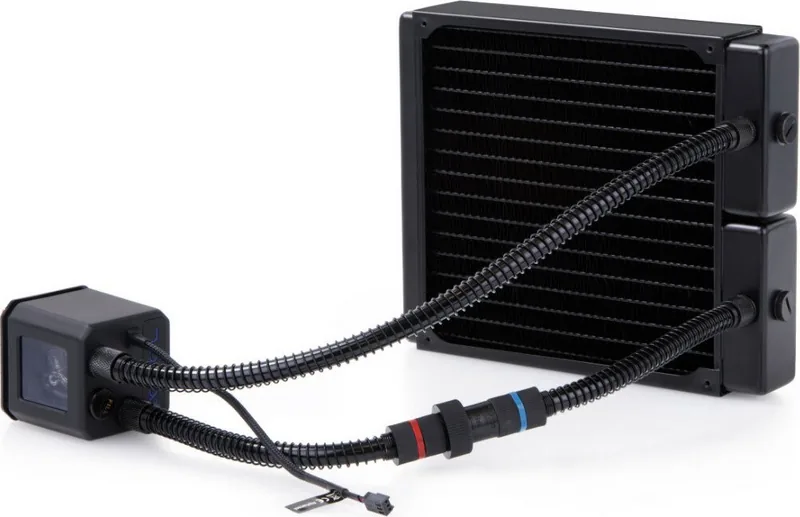
The Alphacool Eisbaer 200 is an all-in-one CPU liquid cooling solution designed for PC builders who want the accessibility of an AIO cooler with features often associated with custom water-cooling loops. Built around an Eisbaer CPU block, a DC-LT 2600 pump, copper NexXxos radiator technology, and expandable quick-release connectors, it offers a flexible approach to thermal management.
Built for broad platform compatibility
The cooler supports a substantial range of Intel and AMD sockets. Compatible Intel platforms include 1150, 1151, 1155, 1156, 1366, 2011, 2011-3, and 2066. AMD support covers AM2 through AM4, plus several workstation-oriented sockets such as C32 and G34. Separate mounting kits are available for TR4 and 2011-3 Narrow ILM systems.
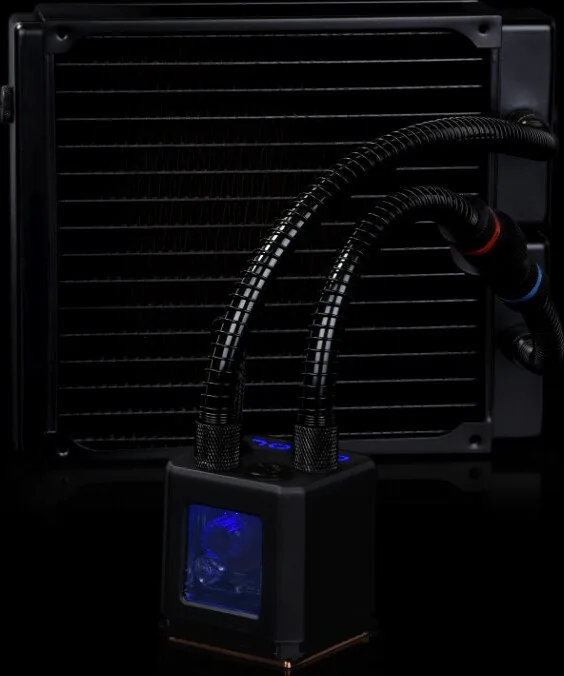
Installation uses dedicated brackets, springs, washers, and socket-specific screws. For reliable contact, apply a thin layer of thermal paste, fit the cooling block evenly, and tighten the mounting screws in a cross pattern by hand. The pump window should face upward, helping prevent dry operation.
Cooling hardware and connections
At the heart of the loop is the DC-LT 2600 pump. It uses 3.2 W of power, operates between 7 and 13.5 V DC, delivers up to 72 liters per hour, and provides a maximum head of one meter. The included PWM Y-adapter allows radiator fans to connect conveniently to the motherboard, while the pump uses a separate 3-pin connection.
The Eisbaer family uses copper NexXxos radiators in several sizes, from compact 120 mm options to large 420 mm models. This lets builders choose a radiator format suited to available case space and cooling goals. Fans may be mounted in push or pull orientation depending on the desired airflow layout.
Expandable loop design
A standout feature is the preinstalled nylon quick-release connector for 11/8 mm tubing. It makes expansion more approachable than on typical sealed AIO units. The loop can be connected to compatible components, including an Eiswolf GPU cooler, to create a larger closed cooling circuit. A few drops of coolant may escape when the coupling is opened, so careful preparation is recommended.
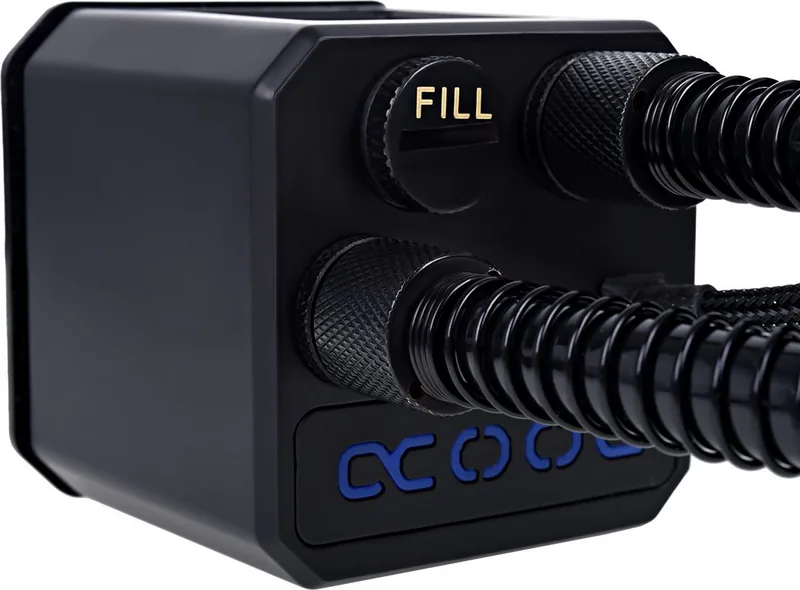
The loop arrives prefilled, but a fill port on the cooler supports maintenance or expansion. Use only clear compatible coolant, distilled water, or osmosis-filtered water. Avoid UV coolant. Before use, perform a leak test and keep loop pressure at or below 0.8 bar.
Notes: Mounting the radiator above the CPU block helps remove air. Initial pump noise can be caused by trapped bubbles and may settle after roughly 12 hours of operation. Never run the system without confirmed coolant flow.
Search for 67,706 Manuals online


Type-in Brand or Model