
Alphacool Core Storm ST30 Manual
PDF manual · 9 Pages
English



Quick check
Incorrect answer, please try again.
Chat with your Alphacool Core Storm ST30 manual using AI
Get instant AI answers from your Alphacool Core Storm ST30 manual
Ask anything about the Alphacool Core Storm ST30. Answers come from this manual, with the pages they are based on.
Ask a Question
Do you recommend Core Storm ST30?
Yes NoFrequently Asked Questions
Depending on the kit size you get a NexXxoS ST30 full-copper radiator in 240mm, 360mm, or 420mm (V.2) matched to the kit variant, optimized for efficient heat dissipation.
Is this answer helpful?
Set your PSU OFF, connect the ATX jumper to the 24-pin cable, fill the Aurora reservoir before powering the pump, then turn PSU ON so the pump fills the loop. Keep topping the reservoir until no more air appears.
Is this answer helpful?
Yes. The Aurora Eiscontrol ARGB controller and digital RGB Y-splitters are included (quantity varies by kit). Connect the 3-pin ARGB adapters to the Eiscontrol and use the splitters to synchronize lighting across fans and components.
Is this answer helpful?
If you want to integrate a GPU cooler, at least two additional fittings/adapters are required and can be purchased separately (item numbers 17230 or 17228). Quick-release options may also be added for easier GPU servicing.
Is this answer helpful?
Perform a 24-hour leak test: PSU off, ATX jumper powering only the pump, reservoir filled, and check for leaks for 24 hours. Do not let the pump run dry. If no leaks occur, reconnect all components normally.
Is this answer helpful?
Hand-tighten union nuts and fittings only—do not use tools. Cut tubing roughly to length, place the union nut on the hose, push tubing onto the fitting, and re-tighten the union nut by hand.
Is this answer helpful?
Yes. The kit includes a quick-release coupling that enables easier expansion and maintenance. Additional quick-release fasteners are available separately (e.g., item no. 17396) for broader customization.
Is this answer helpful?
Advantages and Disadvantages
Advantages

- Complete kit includes radiator, VPP pump + Aurora reservoir, fans, tubing, fittings, ARGB controller and accessories for a near-complete loop.
- Full-copper NexXxoS ST30 radiators deliver efficient heat dissipation across 240/360/420mm sizes.
- PWM-controllable VPP pump in Aurora reservoir enables flow control and safe filling procedures.
- ARGB Aurora lighting and digital RGB splitters provide customizable lighting and synchronization.
- Quick-release fittings and included tools (hose cutter, filling bottle) simplify maintenance and installation.
Disadvantages

- GPU integration requires at least two additional adapters (sold separately) to include a GPU block.
- Some fittings and unions require careful hand-tightening; overtightening or using tools may damage components.
- Users must perform a 24-hour leak test and manual bleed process; beginners may find this time-consuming.
- Kit may not include every specialized adapter for non-standard cases or custom loops.
- Pump depends on correct ATX jumper procedure for safe initial filling; improper setup risks pump damage.
Product Specification
Type
Kit
Heatsink
CPU, Copper (nickel-plated)
Compatibility
775, 1150, 1151, 1155, 1156, 1200, 1700, 2011-0, 2011-1, 2011-3, 2066, AM2, AM2+, AM3, AM3+, AM4, AM5, FM1, FM2, FM2+
Reservoir
6.76 fl oz
Pump
12V, 89.96 gal/h, 13.94 ft
Connections
G1/4"
Lighting
LED (RGB)
Product Description
Alphacool Core Storm ST30 Water Cooling Complete Kit Manual
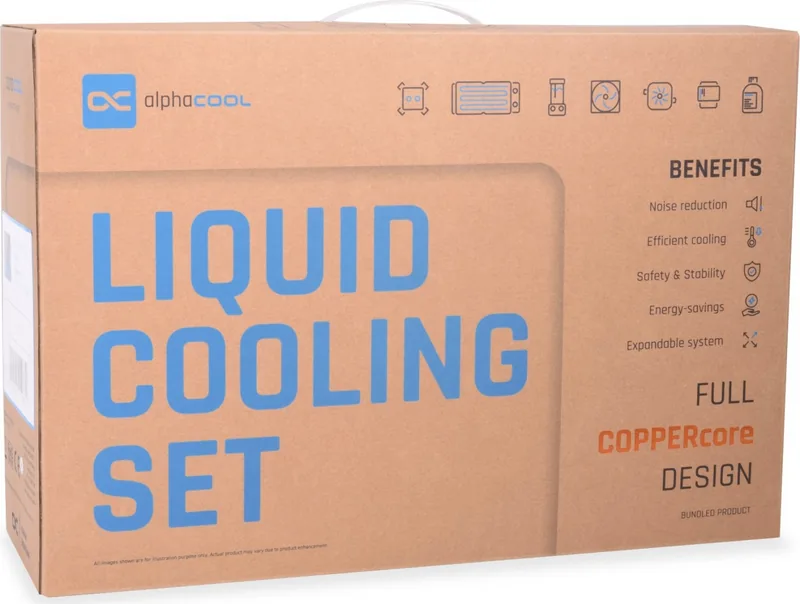
Experience high-performance liquid cooling with the Alphacool Core Storm ST30 Water Cooling Complete Kit. Designed for enthusiasts and builders seeking reliable thermal control and attractive aesthetics, this all-in-one set combines a NexXxoS ST30 full-copper radiator, Aurora reservoir with integrated VPP pump, Rise Aurora RGB fans, fittings, tubing, and accessories to create a complete loop ready for installation.
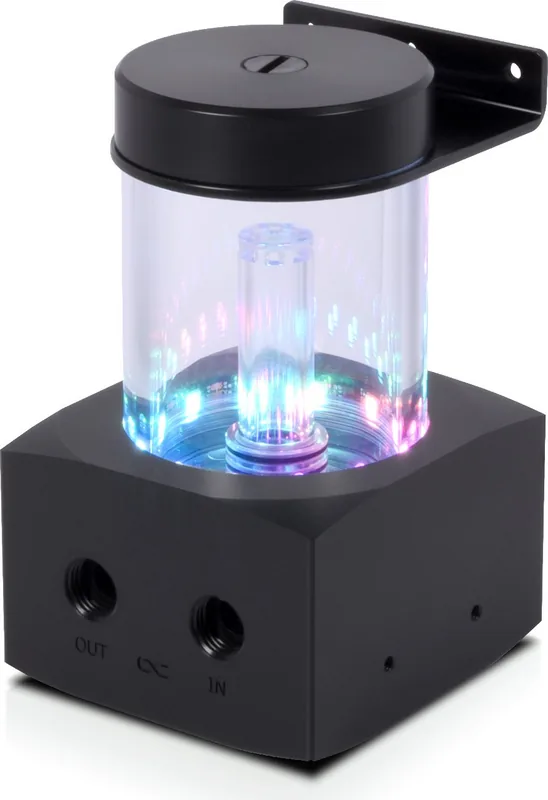
The ST30 series radiators are full-copper designs optimized for efficient heat dissipation. Available in 240mm, 360mm, and 420mm sizes depending on the kit, the radiators are paired with Rise Aurora fans (120mm or 140mm) that deliver balanced airflow and RGB lighting. The Core 100 Aurora reservoir houses the PWM-controllable VPP pump, allowing smooth flow control when connected to a motherboard PWM header or via included PWM splitter cables.
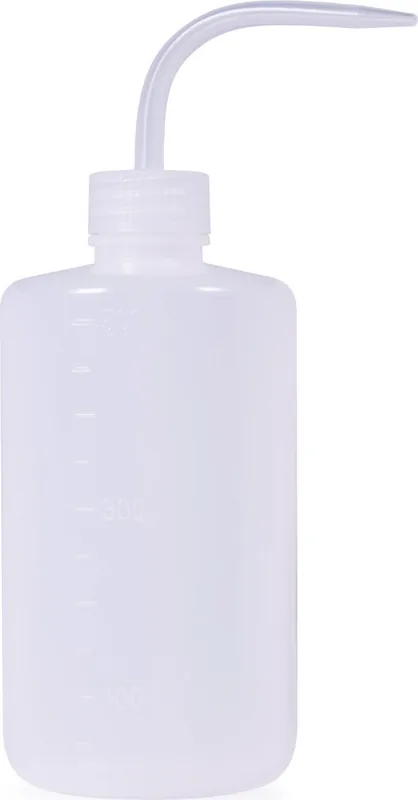
Attention to detail is evident in the included hardware: 13/10mm AlphaTube HF tubing (3m), multiple G1/4" fittings, angled 90° adapters, screw plugs for unused radiator ports, and a hose cutter and filling bottle make assembly straightforward. The Aurora Eiscontrol ARGB controller and digital RGB splitters let you sync and customize lighting across the loop. Quick-release fittings are included for convenient maintenance and expansion, and optional GPU integration adapters are available separately for users who want to include a GPU block.
Installation guidance focuses on safe assembly and leak prevention. Key steps include mounting the XPX CPU cooler, connecting and hand-tightening fittings (avoid tools), routing fans for proper case airflow, and filling the loop while preventing the pump from running dry. The manual emphasizes a 24-hour leak test using the supplied ATX jumper to power only the pump, ensuring system integrity before full operation. Changing coolant is covered with drain steps, quick-release use, and proper refill procedure.
Build-friendly features combined with clear safety and setup instructions make the Core Storm ST30 kit a practical choice for custom systems. Whether upgrading an existing build or constructing a new water-cooled PC, the kit provides most parts required for a standard CPU loop and solid RGB-driven visuals.
Notes
- Always hand-tighten fittings; avoid tools to prevent damage.
- Perform a 24-hour leak test with only the pump powered via the ATX jumper before full system use.
- If adding a GPU cooler, purchase at least two additional adapters (item nos. 17230 or 17228).
- Keep the reservoir topped during initial fill to prevent pump dry-run.
- Quick-release couplings simplify future maintenance and expansion.
Search for 67,706 Manuals online


Type-in Brand or Model