
Alphacool Core DDR5-RAM Module Manual
PDF manual · 2 Pages
English



Quick check
Incorrect answer, please try again.
Chat with your Alphacool Core DDR5-RAM Module manual using AI
Get instant AI answers from your Alphacool Core DDR5-RAM Module manual
Ask anything about the Alphacool Core DDR5-RAM Module. Answers come from this manual, with the pages they are based on.
Ask a Question
Do you recommend Core DDR5-RAM Module?
Yes NoFrequently Asked Questions
Yes, different revisions of DDR5 memory PCBs may vary in height. You must check the height of your module before mounting to ensure the contacts protrude sufficiently for a solid connection with the RAM slot.
Is this answer helpful?
You should use specific thermal pads based on your memory type. Place the memory on the pad as shown, then place the second 0.5mm pad on the memory. Double-sided storage requires a 0.5mm pad while single-sided requires a 1.0mm pad in the cooler.
Is this answer helpful?
For full functionality, you need a separately available Alphacool water cooler that is screwed to the Core DDR5 modules. The corresponding instructions are provided with the cooler unit itself for proper integration.
Is this answer helpful?
It is extreme care to place the hardware on an antistatic surface. Components can easily be torn off or damaged if handled incorrectly or without proper static protection during the cleaning and mounting phases.
Is this answer helpful?
Alphacool International GmbH is not liable for assembly errors occurring due to negligence, such as selecting an incompatible cooler. This could lead to damage or installation failure if the height or fit is incorrect.
Is this answer helpful?
Clean dust and dirt from the hardware with a solvent like isopropanol alcohol. This ensures optimal contact and longevity by removing contaminants that could interfere with thermal conductivity or electrical connections.
Is this answer helpful?
You should unscrew your cooler by the three screws as shown in the instructions. When mounting the plate back, screw it firmly using these same three screws to ensure structural integrity.
Is this answer helpful?
Advantages and Disadvantages
Advantages

- Includes precision thermal pads for optimal heat transfer
- Supports optional water cooling for maximum efficiency
- Compatible with DDR5 memory revisions of varying heights
- Sleek black finish integrates well with modern PC builds
- Antistatic installation instructions protect components from discharge
Disadvantages

- Requires careful measurement of PCB height before installation
- Components can detach easily if not handled with care
- Incompatible coolers may cause assembly errors and damage
- Installation requires specific pad thickness variations
- No warranty covers negligence during the mounting process
Product Specification
Type
RAM
Material
Aluminum
Compatibility
DDR RAM
Connections
N/A
Dimensions (LxWxH)
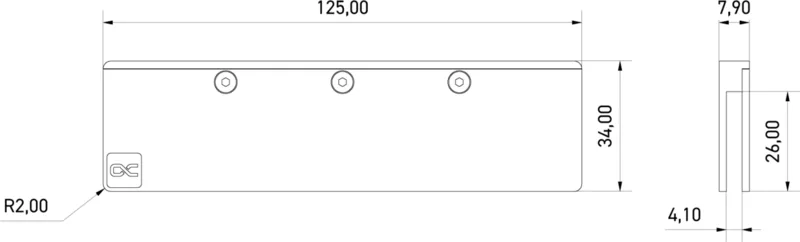
4.92x0.31x1.34in
Product Description
Elevate Your System Performance with the Alphacool Core DDR5-RAM 2-Pack Module
Unlocking Advanced Cooling Capabilities
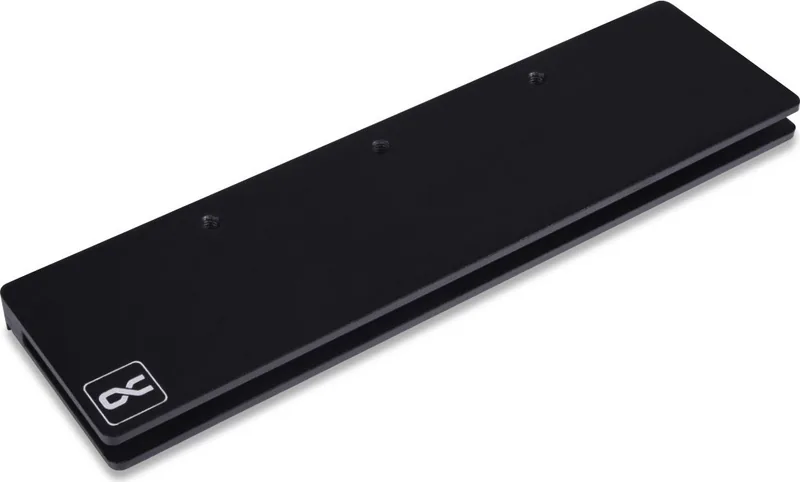
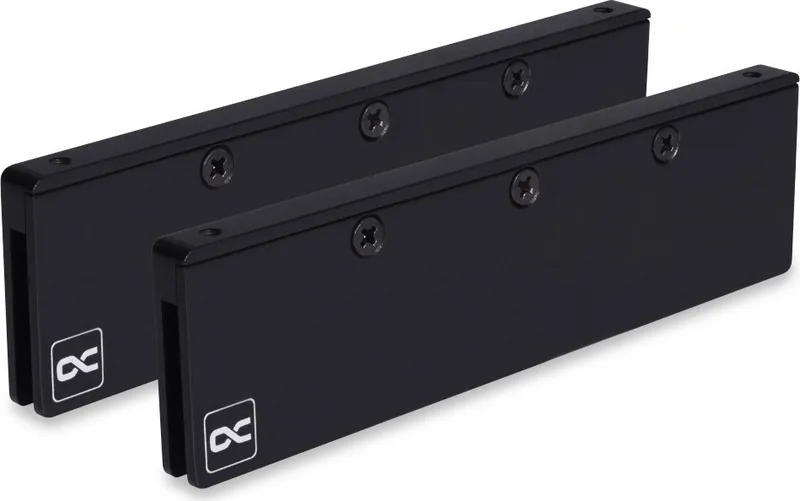
When it comes to high-performance computing, memory management is critical as the processor. The Alphacool Core DDR5-RAM 2-Pack Module brings a new standard of thermal efficiency to your setup. Designed for enthusiasts who demand stability under heavy loads, this module ensures your DDR5 memory stays cool during intense gaming sessions or demanding workloads. By integrating advanced cooling solutions, users can push their systems without worrying about thermal throttling. The black finish offers a sleek aesthetic that hides within modern chassis setups while dissipating heat rapidly.
Compatibility and Precision Installation
One of the standout features of this product is its attention to detail regarding compatibility. Different revisions of DDR5 memory PCBs may vary in height slightly due to manufacturing changes. Before installing the cooler, it is vital to check the height of your specific modules carefully. Ensuring the contacts protrude sufficiently is key to maintaining a solid connection with the RAM slot. This precision prevents potential compatibility issues that often arise with third-party cooling solutions. Proper installation involves a careful assessment of your hardware dimensions to guarantee a secure fit and reliable electrical contact.
Preparation and Setup for Maximum Efficiency
Preparing your system for installation requires a methodical approach to ensure safety and function. Always begin on an antistatic surface to protect sensitive components from electrostatic discharge. Cleaning dust and dirt from the hardware using a solvent like isopropanol alcohol ensures optimal contact and longevity. The installation involves placing memory on thermal pads with different thicknesses to accommodate various memory types. For double-sided storage, a thinner pad is recommended, while single-sided storage utilizes a thicker option. This customization allows for a snug fit within the cooling assembly and minimizes air gaps.
Optional Cooling Integration
For those seeking maximum thermal performance, the Core DDR5-RAM modules support optional water cooling integration. A separate Alphacool water cooler can be screwed directly onto these modules for full functionality. This integration requires the corresponding instructions usually provided with the cooler unit itself. By combining these components, you create a comprehensive cooling ecosystem that handles heat dissipation effectively across the entire system. Whether you stick with the base thermal pads or integrate liquid cooling, this module adapts to your cooling strategy effectively.
Notes on Assembly Safety and Longevity
Installation errors can occur due to negligence, particularly regarding the selection of an incompatible cooler. Extreme care must be taken as components can easily be torn off if handled incorrectly during the screw removal process. Following the depicted screw patterns and precise pad placements is essential for structural integrity. If issues arise during installation, refer to compatibility guides online. Proper handling ensures the longevity and performance of your memory hardware while ensuring stability for years to come.
Search for 67,706 Manuals online


Type-in Brand or Model