
Alphacool Core 11x 3-Pin DRGB Splitter Manual
PDF manual · 2 Pages
English



Quick check
Incorrect answer, please try again.
Chat with your Alphacool Core 11x 3-Pin DRGB Splitter manual using AI
Get instant AI answers from your Alphacool Core 11x 3-Pin DRGB Splitter manual
Ask anything about the Alphacool Core 11x 3-Pin DRGB Splitter. Answers come from this manual, with the pages they are based on.
Ask a Question
Do you recommend Core 11x 3-Pin DRGB Splitter?
Yes NoFrequently Asked Questions
Yes, safety instructions require unplugging the cord from the wall to cut power completely before opening the chassis.
Is this answer helpful?
No, the manual warns that using a 4-pin terminal can result in damage. Use only a 3-pin terminal.
Is this answer helpful?
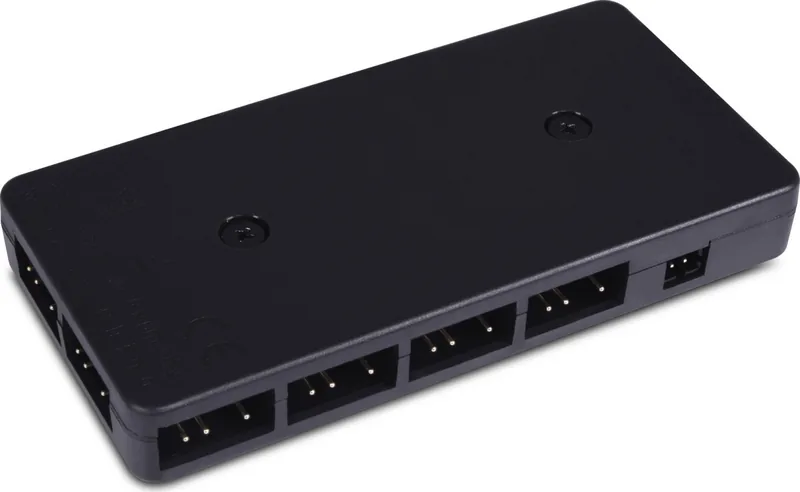
You can connect a maximum of 11 aRGB strips to the controller.
Is this answer helpful?
The total power consumption must not exceed 22.5 Watts or 4.5 Amps.
Is this answer helpful?
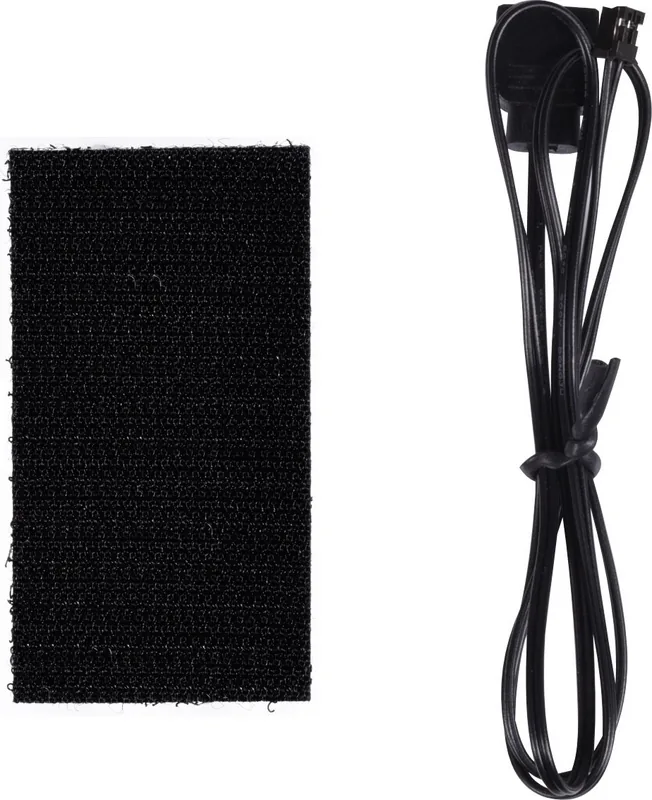
Use the provided Velcro fastener and adhesive tape to stick it to the inside of the computer case.
Is this answer helpful?
Yes, one aRGB Mainboard Cable is included in the accessories list.
Is this answer helpful?
Yes, the Velcro layer allows the controller to be detached again if necessary.
Is this answer helpful?
Advantages and Disadvantages
Advantages

- Supports connection of up to 11 aRGB strips simultaneously for coordinated lighting effects.
- Includes Velcro mounting system allowing for secure yet detachable installation on PC cases.
- Utilizes SATA power input for stable electricity supply without overloading motherboard headers.
- Compatible with standard 3-pin aRGB outputs ensuring broad motherboard support.
- Simple installation process with clear instructions included in the product documentation.
Disadvantages

- Requires complete power disconnection from wall socket to prevent electrical hazards.
- Incompatible with 4-pin aRGB connections which may cause permanent component damage.
- Maximum wattage limit of 22.5 Watts restricts total power available for all strips.
- Adhesive tape must be applied carefully to ensure strong hold without residue.
- Does not include a remote control or software for advanced visual customization.
Product Specification
Type
RGB Controller
Form Factor
Internal
Fan
N/A
Channels
Not specified (RPM), 11 (Lighting, 11x RGB-Out 3-Pin ARGB-Header, +5V/DATA/GND)
Display
N/A
Power Supply
1x 15-Pin SATA
Fan Connector
N/A
Control via
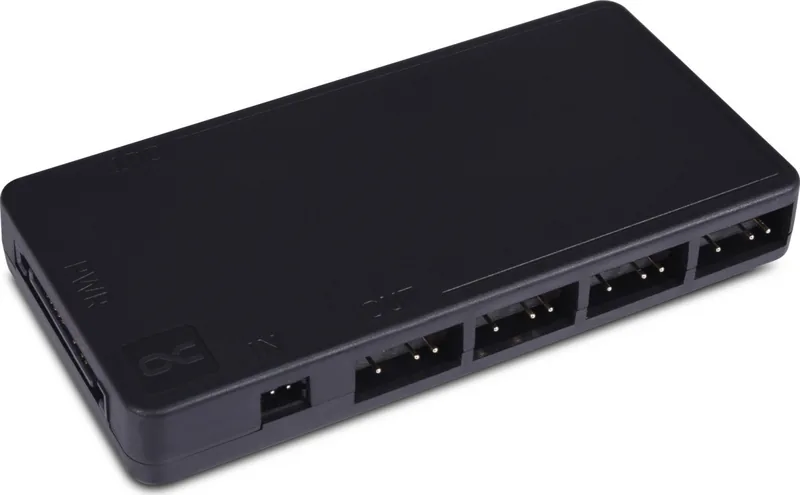
1x RGB-In (4-Pin RGB-Header, +12V/G/R/B)
Front I/O
N/A
Product Description
Alphacool Core 11x 3-Pin DRGB Splitter LED Controller Manual Overview
Managing lighting effects in a complex PC build can be challenging without the right tools. The Alphacool Core 11x 3-Pin DRGB Splitter LED Controller Manual provides essential guidance for users seeking to optimize their visual setup without clutter. This device serves as a central hub for multiple addressable RGB strips, ensuring synchronization and power stability across the system. Advanced users will appreciate the straightforward interface that simplifies integration into existing cooling loops. The product is designed to handle high-density lighting requests efficiently.
Installing the unit requires careful adherence to safety protocols found in the documentation. Users must ensure the computer is unplugged from the wall socket before opening the chassis. The manual emphasizes that the power switch alone does not cut energy flow. Proper installation involves peeling protective films from adhesive tape and securing the controller to the case using the included Velcro fastener. This allows for easy removal later if needed without leaving residue on the metal chassis.
Connectivity is straightforward using the included aRGB Mainboard Cable. The controller connects to a 3-pin terminal on the motherboard, avoiding damage risks associated with 4-pin connections. Power is delivered via a SATA plug from the power supply unit. The system supports up to 11 aRGB strips with a maximum total power consumption of 22.5 Watts. This capacity ensures sufficient brightness for larger builds while keeping energy consumption reasonable. Incorrect wiring can cause hardware failure, so precision is vital.
Following the Alphacool Core 11x 3-Pin DRGB Splitter LED Controller Manual ensures longevity for your components. Always verify power is off during connections. The split design simplifies cable management while maintaining individual control capabilities. This solution balances performance with ease of use for enthusiasts upgrading their lighting. Attention to detail during setup prevents electrical issues. The provided accessories include mounting tape and connectors necessary for a clean finish.
Installation Guide
Remove upper protective film from adhesive tape. Stick the adhesive tape underneath the Controller. Remove second protective film and stick Controller to case. Connect 2-pin aRGB IN plug to the controller. Connect SATA power plug to the controller input. Connect aRGB strips to the OUT sockets.
Notes for Installation
Read safety instructions before starting. Use provided Velcro for mounting. Check pin configuration on motherboard. Ensure SATA power is connected correctly. Disconnect main power before working inside case.
Search for 67,706 Manuals online


Type-in Brand or Model