
Alphacool Backplate for Eisblock GPX-N RTX 2080/2080Ti Aorus Xtreme Manual
PDF manual · 2 Pages
English



Quick check
Incorrect answer, please try again.
Chat with your Alphacool Backplate for Eisblock GPX-N RTX 2080/2080Ti Aorus Xtreme manual using AI
Get instant AI answers from your Alphacool Backplate for Eisblock GPX-N RTX 2080/2080Ti Aorus Xtreme manual
Ask anything about the Alphacool Backplate for Eisblock GPX-N RTX 2080/2080Ti Aorus Xtreme. Answers come from this manual, with the pages they are based on.
Ask a Question
Do you recommend Backplate for Eisblock GPX-N RTX 2080/2080Ti Aorus Xtreme?
Yes NoFrequently Asked Questions
Yes. The Alphacool backplate is specifically designed for the Eisblock GPX-N series tailored to the RTX 2080 and 2080 Ti Aorus Xtreme PCB layout, ensuring alignment with mounting holes and component placement.
Is this answer helpful?
Yes. If the Eisblock cooler is already mounted, remove the seven designated screws as shown in the manual, place the thermal pads on the PCB, then attach the backplate and secure it using the included M2x11 screws.
Is this answer helpful?
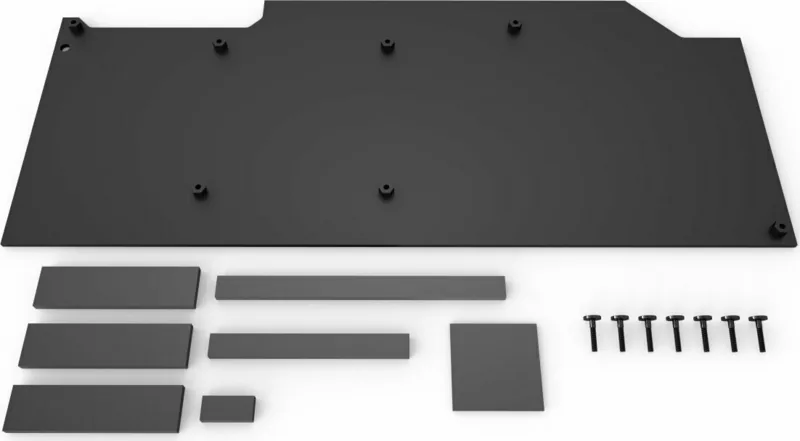
Typical contents include multiple thermal pads (e.g., 15x56x3 mm, 8x68x3 mm, 8x102x3 mm, 8x17x3 mm, 30x30x1 mm) and screws such as seven M2x11 screws plus M2x5 screws used during initial alignment, all intended for proper installation.
Is this answer helpful?
Yes. Remove the protective foil from each thermal pad before placing them on the PCB to ensure proper thermal contact and adhesion between the pad and backplate.
Is this answer helpful?
The backplate provides passive thermal transfer and can modestly reduce rear-side temperatures and improve overall thermal balance, but it is not a substitute for active cooling. Gains depend on case airflow and the rest of the cooling loop.
Is this answer helpful?
Absolutely. Tighten screws gradually and in a balanced sequence to avoid uneven pressure on the PCB. Over-tightening can damage components or warp the board, so use moderate, even torque.
Is this answer helpful?
Yes. The product documentation and labeling include multilingual guidance (English, German, French) with step-by-step instructions and illustrations to aid correct assembly.
Is this answer helpful?
Advantages and Disadvantages
Advantages

- Improves structural support and reduces PCB flex on heavy GPUs.
- Adds passive heat dissipation via thermal pads and backplate surface.
- Includes multiple thermal pad sizes for precise component contact.
- Simple installation with clear EN/DE/FR instructions and required screws.
- Enhances aesthetic finish for custom liquid-cooled builds.
Disadvantages

- Adds slight weight and thickness to the rear of the GPU assembly.
- Incorrect pad placement or screw torque can stress PCB components.
- Requires disassembly if retrofitting an already fully assembled cooler.
- Limited active cooling — relies on passive heat transfer to be effective.
- Compatibility limited to Eisblock GPX-N variants and Aorus Xtreme layout.
Product Specification
Type
Backplate
Material
Aluminum
Compatibility
NVIDIA GeForce RTX 2080, NVIDIA GeForce RTX 2080 Ti, Gigabyte Aorus GeForce RTX 2080 Xtreme, Gigabyte Aorus GeForce RTX 2080 Ti Xtreme
Connections
N/A
Weight
0.60 lbs
Note
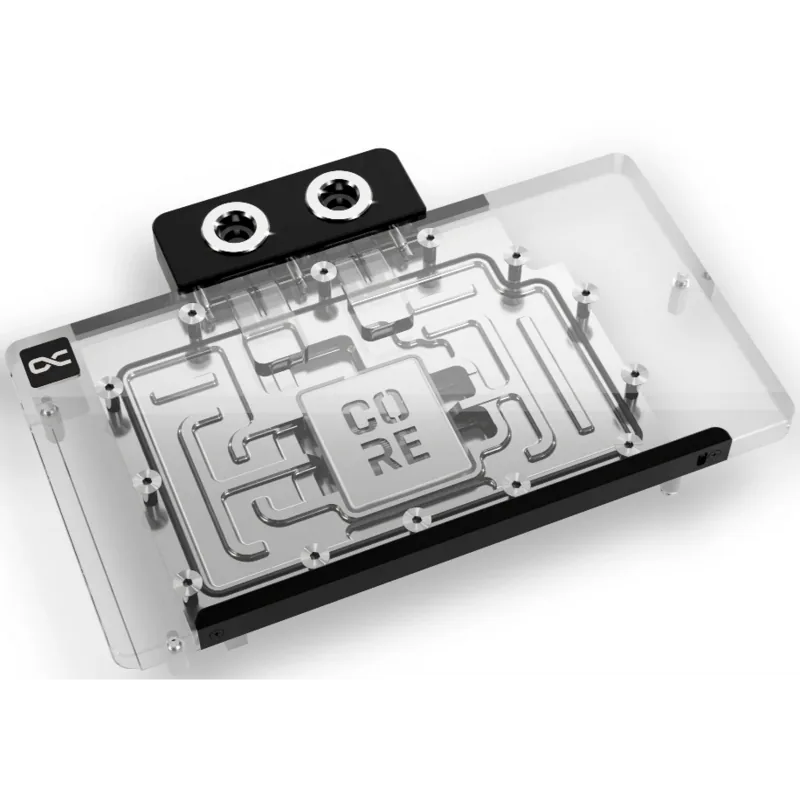
Only compatible with Alphacool Eisblock Aurora Backplate GPX-N Nvidia Geforce RTX 2080/2080Ti Aorus Xtreme (Product number 11739).
Product Description
Alphacool Backplate for Eisblock GPX-N RTX 2080/2080Ti Aorus Xtreme Manual
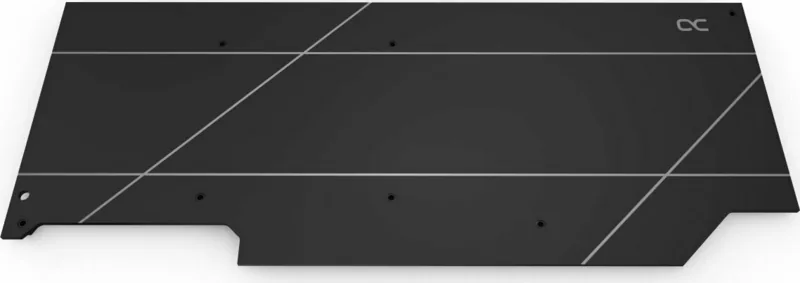
The Alphacool Backplate for the Eisblock GPX-N RTX 2080/2080Ti Aorus Xtreme is a precision-designed accessory that enhances GPU cooling performance, structural rigidity, and aesthetics. Built to pair seamlessly with Alphacool Eisblock water blocks, this backplate provides firm support to the PCB while offering additional surface area for passive heat dissipation. Ideal for custom liquid-cooled systems and high-end builds, it integrates with existing mounting hardware and thermal pads included in the kit.
Assembling the backplate is straightforward. The package typically includes several thermal pads of varying sizes, a set of M2x11 screws, and smaller M2x5 screws for initial alignment. The procedure involves either attaching the backplate during the primary Eisblock installation (follow Eisblock steps through step 3 and secure the GPU with the marked M2x5 screws), or adding it after the Eisblock cooler has been mounted (remove seven designated screws first). Peel the protective film from the thermal pads, place them onto the PCB as indicated, position the backplate, and secure it with the seven M2x11 screws. This ensures correct contact between pads and PCB components while maintaining safe mounting practice.
Beyond protection and looks, the Alphacool backplate helps distribute weight and reduces PCB flex under heavy GPUs like the RTX 2080 and 2080 Ti Aorus Xtreme. The included pads — in sizes such as 15x56x3 mm, 8x68x3 mm, 8x102x3 mm, 8x17x3 mm, and 30x30x1 mm — are designed to bridge gaps and transfer heat from critical components to the backplate. Clear multilingual installation steps (EN/DE/FR) make the process accessible to a wide user base.
Whether retrofitting an existing cooler or installing during initial build, using the backplate is a modest upgrade that improves long-term reliability and thermal balance. It’s especially useful for overclockers and PC enthusiasts who want to maximize cooling efficiency and present a clean, finished look inside their chassis.
Notes
- Always read safety instructions before starting installation.
- Use only the supplied screws and thermal pads in their designated positions.
- Ensure protective films are removed from thermal pads before assembly.
- Tighten screws in a balanced sequence to avoid PCB stress.
Search for 67,706 Manuals online


Type-in Brand or Model