

Free Alecto Manuals – Read, Download & Print
8 Manuals
Manuals



Categories


Free Alecto Manuals - Read, Download & Print
Find Alecto Manuals for Everyday Products
Looking for a clear and convenient way to use your Alecto product? Free Alecto manuals help you find operating instructions, setup guidance, safety information, specifications, maintenance advice, and troubleshooting steps in one easy-to-read document. Whether you need help with a baby monitor, weather station, thermometer, alarm clock, communication device, security product, or household electronic accessory, the right manual can make daily use simpler and more confident.
Alecto products are designed for practical use at home, at work, and during travel. However, even intuitive equipment can include advanced features that are easy to overlook without the original instructions. A manual explains what each button, display icon, connection, sensor, and menu option does. It can also help you identify the correct settings for your personal needs.
Read Alecto Manuals Online
Reading an Alecto manual online is a fast option when you need an answer right away. Digital manuals allow you to review product instructions from a computer, tablet, or smartphone without searching through drawers for a printed booklet. This is especially useful when setting up a product for the first time, replacing batteries, pairing devices, checking error messages, or changing preferences.
Online manuals commonly include the same helpful sections found in printed guides, such as:
- Product overview and package contents
- Installation and first-use instructions
- Button, screen, and indicator explanations
- Configuration and operating steps
- Technical specifications
- Safety warnings and cleaning guidance
- Common questions and troubleshooting tips
- Warranty and service information
Reading online also makes it easier to search within a document. Instead of turning pages, use a search function to locate words such as "battery," "reset," "pairing," "temperature," "alarm," or "volume." This can save time when you only need one specific instruction.
Download Alecto Manuals for Offline Access
Downloading an Alecto manual gives you access to product information even when an internet connection is unavailable. Keeping a digital copy on your phone, computer, or cloud storage can be useful for travel, moving house, installation projects, or emergency situations. It also ensures that important instructions remain available if the original paper manual is misplaced.
Before downloading, make sure the manual matches the exact model number on your device or product packaging. Alecto products can have similar names while offering different functions, display layouts, accessories, or firmware features. Using the correct model manual helps prevent confusion and supports safe operation.
A downloaded manual can be stored in a dedicated folder with receipts, warranty details, product photos, and setup notes. You may also rename the file with the product model and purchase date, making it easier to find later. For households with several electronic devices, a well-organized manual library can be very helpful.
Print a Manual When You Prefer Paper Instructions
Many people still prefer a printed manual, especially for products that are used frequently or configured in a specific location. Printing an Alecto manual can be practical for keeping near a baby monitor, weather display, telephone base station, thermostat, or alarm device. A paper copy is easy to consult while your phone is charging, while the internet is down, or when multiple people need to use the same product.
For a more manageable printout, consider printing only the pages you need most. Setup, safety, troubleshooting, and quick-reference pages are often the most useful sections to keep nearby. You can print in black and white to reduce ink use, print double-sided to save paper, or place selected pages in a protective sleeve.
If you print the complete guide, add the model number to the front cover and store it in a labeled folder. This makes it easier to distinguish between manuals for similar products and helps family members find the right instructions quickly.
How to Identify the Correct Alecto Model
The model number is the key to locating the appropriate manual. Check the product label, the rear or underside of the unit, the battery compartment, the original box, purchase receipt, or product settings menu. Model numbers often combine letters and numbers and may include a version suffix.
When checking a model number, pay attention to every character. A single extra letter can indicate a product variant with different controls or included accessories. If your product includes multiple parts, such as a parent unit and camera, verify that the guide covers the complete system.
It is also useful to compare the product image, buttons, display, and connection ports shown in the manual with your actual device. This extra step can confirm that you have selected the right document before following installation or reset instructions.
Useful Information Found in Alecto Product Guides
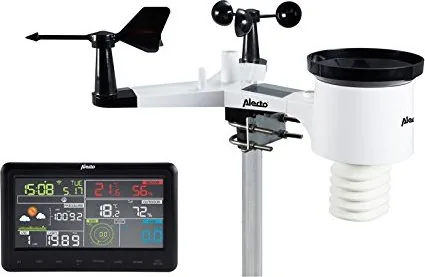
Alecto manuals are valuable beyond the initial setup process. They can provide detailed information throughout the life of a product. For example, a baby monitor guide may explain camera positioning, signal range, sound activation, night vision, charging, and pairing procedures. A weather station manual may describe sensor placement, wireless connection, calibration, forecasts, indoor and outdoor measurements, and alarm limits.
For communication and home devices, manuals may explain ringtone selection, contact storage, volume settings, emergency functions, display contrast, answering machine controls, and compatibility details. Thermometer and health-related product guides can include measuring instructions, display meanings, cleaning recommendations, storage requirements, and guidance on when readings may need to be repeated.
The troubleshooting section is often one of the most useful parts of any manual. It may help resolve issues such as no power, low signal, inaccurate readings, missing icons, failed pairing, unusual sounds, weak battery performance, or connection interruptions. Following the recommended steps in order can help solve simple problems without unnecessary replacement or service calls.
Safety, Care, and Maintenance
Always review the safety information before installing or operating an Alecto product. Manuals may include important instructions about power adapters, battery types, cable placement, moisture exposure, ventilation, cleaning materials, and safe placement around children. These details are important for both product performance and user safety.
Use only recommended batteries, chargers, adapters, and accessories where specified. Avoid placing devices near heat sources, water, unstable surfaces, or locations where cables could create a hazard. For sensor-based products, correct placement can affect accuracy, reliability, and wireless range.
Routine care can extend the life of your device. Keep screens and sensors clean, replace batteries when required, inspect cables for wear, and store unused equipment in a dry location. The manual may also explain how to reset a device after a power interruption or how to restore default settings if configuration problems occur.
Get More Value From Your Alecto Device
A manual is more than a basic instruction sheet. It is a practical resource for discovering features that may not be obvious at first glance. Explore timer settings, alerts, display options, sound controls, language preferences, measurement units, energy-saving modes, and personalized notifications. Taking a few minutes to review these features can improve convenience and help tailor the device to your household.
For the best experience, keep the manual accessible after setup is complete. Save a digital copy, print essential pages, and note the exact model number in a convenient place. When you need to adjust a setting, replace an accessory, solve a problem, or explain the product to another user, the correct Alecto manual provides reliable guidance.
Free Alecto Manuals in One Place
Free Alecto manuals make it easier to read, download, and print the instructions you need for compatible products. Find the exact model, review the guide carefully, and use the information to install, operate, maintain, and troubleshoot your device with confidence. Always follow the safety instructions and product-specific guidance provided by the manufacturer for the most accurate and secure results.
Search for 67,732 Manuals online


Type-in Brand or Model