
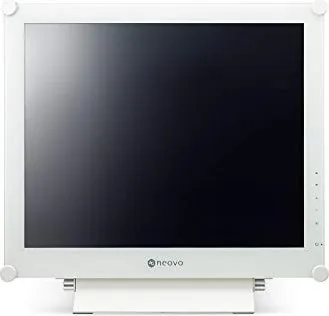
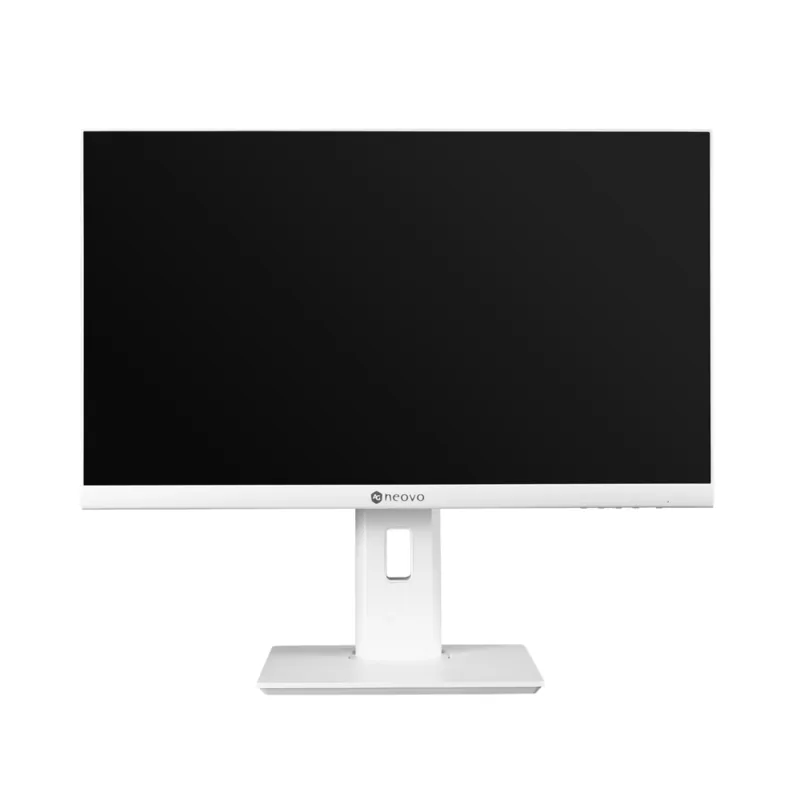
AG Neovo X-19E Manual
PDF manual · 47 Pages
English



Quick check
Incorrect answer, please try again.
Chat with your AG Neovo X-19E manual using AI
Get instant AI answers from your AG Neovo X-19E manual
Ask anything about the AG Neovo X-19E. Answers come from this manual, with the pages they are based on.
X-19E Maintenance Schedule
Use screen savers, turn off display when idle, or switch backgrounds regularly to prevent burn-in.
Wipe with a soft cloth lightly moistened with mild detergent. Do not use abrasive items.
Ask a Question
Do you recommend X-19E?
Yes NoFrequently Asked Questions
Its compact 19-inch size, multiple connection options, and adjustable display settings make it practical for desks, reception areas, and general workplace tasks.
Is this answer helpful?
Yes. It includes VGA, DVI, HDMI, and DisplayPort inputs, so it can work with both legacy and newer hardware setups.
Is this answer helpful?
Eco Smart automatically adjusts screen brightness based on ambient light. This can improve viewing comfort and help reduce unnecessary power use.
Is this answer helpful?
Yes. It supports VESA mounting, which gives users flexibility to place it on a wall or compatible mount instead of using the base stand.
Is this answer helpful?
Yes. The display offers anti-burn-in functions designed to reduce the risk of static images leaving lasting marks on the screen.
Is this answer helpful?
It provides on-screen menu controls for brightness, color, aspect ratio, audio, input selection, and other settings, making it easy to customize.
Is this answer helpful?
Advantages and Disadvantages
Advantages

- Compact 19-inch size fits small desks and tighter work areas.
- Multiple inputs support VGA, DVI, HDMI, and DisplayPort connections.
- Eco Smart and anti-burn-in features help with comfort and longevity.
- NeoV optical glass adds durability and screen protection.
- Built-in speakers and audio input simplify everyday setup.
Disadvantages

- 19-inch size may feel limited for users who need more screen space.
- Best image tuning can require manual adjustment for different sources.
- Some PIP combinations are restricted by input compatibility.
- Eco Smart may disable backlight adjustment in certain modes.
Product Specification
Function
Monitor (stationary)
Diagonal
19" (19.02in)
Resolution
1280x1024 (SXGA), 5:4, 86ppi
Panel
TN
Backlight
LED
Brightness
250cd/m² (typical)
Contrast
1,000:1 (static), 3,000:1 (dynamic)
Response time
3ms (GtG)
Refresh rate
60Hz (1280x1024)
Signal frequency
15-81kHz (H) / 50-85Hz (V)
Connections
1x VGA (60Hz@1280x1024), 1x HDMI 1.4, 1x DisplayPort 1.2, 1x DVI, 1x 3.5mm jack (Line-In), 1x DC-In barrel jack (Power connection)
Shape
straight (flat)
Viewing angle
170°/160°
Coating
Protective glass
Color depth
8bit (16.7 million colors)
FRC
unknown
Speakers
Speakers (2x 2W)
Controls
mechanical buttons
Ergonomics
with stand, height adjustable N/A, Pivot N/A, swivel N/A, tiltable (+20°/-0°)
VESA
100x100 (free)
Power consumption
21W (typical), 0.5W (Standby)
Energy efficiency SDR (A to G)
14kWh/1000h (E)
Special features
Security lock (Kensington Security Slot)
Screen-to-Body-Ratio
Inf% (calculated)
Dimensions
17.52x16.54x6.89in (WxHxD) with stand compressed
Color
white (display frame) / white (lower bezel) / white (stand) / white (back)
Weight
14.99lb (with stand), 13.23lb (without stand)
Power supply
external
USB notation
Link
Product Description
AG Neovo X-19Ew White, 19" Display Overview
The AG Neovo X-19Ew white, 19" Manual highlights a compact LED-backlit display that blends practical performance with a clean, professional look. Designed around a 19-inch panel, it offers a comfortable balance between space-saving size and reliable everyday usability. The white finish gives it a lighter, more refined presence, making it a good fit for modern offices, reception desks, control rooms, and other workspaces where style and function matter equally.
A display made for dependable daily use
One of the strongest points of this model is its versatile connectivity. With VGA, DVI, HDMI, and DisplayPort support, it can adapt to older systems as well as newer digital setups. That flexibility makes integration simple, whether the display is being used with a desktop computer, video source, or mixed-workflow environment. Built-in audio support and internal speakers add another layer of convenience for users who want a tidy, all-in-one setup.
Practical features with real-world value
The display also includes useful functions such as Picture-in-Picture, auto adjustment, aspect ratio control, and selectable picture modes. These tools help users fine-tune the viewing experience without needing advanced technical knowledge. For environments where image quality needs to stay consistent, features like Eco Smart brightness adjustment, anti-burn-in protection, and OSD lock provide both comfort and control. The NeoV optical glass surface adds durability and helps protect the screen during regular use.
Comfort, control, and efficiency
AG Neovo has clearly focused on making this model easy to live with over time. The brightness and color settings can be adjusted to suit different lighting conditions, while the anti-burn-in options help reduce image retention during long display sessions. The Eco Smart sensor is especially helpful in changing light conditions, since it can automatically adapt brightness for better visibility and lower power use. For users who value a stable display with straightforward controls, this model delivers a reassuring mix of simplicity and capability.
Notes
- Best suited for users who want a compact display with broad input support.
- The white design helps the screen feel more modern and less industrial.
- Image retention prevention and Eco Smart modes support long-term use.
- Wall-mount options and VESA support make installation flexible.
Search for 67,706 Manuals online


Type-in Brand or Model