
AG Neovo QM-65 Manual
PDF manual · 89 Pages
English



Quick check
Incorrect answer, please try again.
Chat with your AG Neovo QM-65 manual using AI
Get instant AI answers from your AG Neovo QM-65 manual
Ask anything about the AG Neovo QM-65. Answers come from this manual, with the pages they are based on.
QM-65 Maintenance Schedule
Wipe gently with a soft lint-free cloth or one soaked in mild detergent solution. Do not use volatile substances.
Wipe with a soft dry cloth or one soaked in mild detergent solution. Ensure no water enters the unit.
Ask a Question
Do you recommend QM-65?
Yes NoFrequently Asked Questions
The QM-65 supports multiple inputs including HDMI (multiple ports), DisplayPort, VGA (D-Sub), USB (media playback and service), micro SD card, OPS slot, and audio line in/out. It also provides LAN, RS232, and IR connectors for control.
Is this answer helpful?
Use low brightness settings, enable the Panel Saving > ANTI-BURN-IN function, employ moving screen savers or periodic screen refresh utilities, rotate static content regularly, and turn off the display when not in use. Severe burn-in may be permanent and is not covered by warranty.
Is this answer helpful?
Yes. The display provides a Schedule menu allowing up to seven scheduled intervals where you can set start/end times, input source (including USB playlist index), and active days. Date/time can be auto-synced or set manually.
Is this answer helpful?
Use RS232 daisy-chain or LAN control with unique monitor IDs for each unit. IR daisy-chain and IR pass-through are supported. Set remote control or IR modes (Normal/Primary/Secondary) and ensure unique IDs for RS232-based group control.
Is this answer helpful?
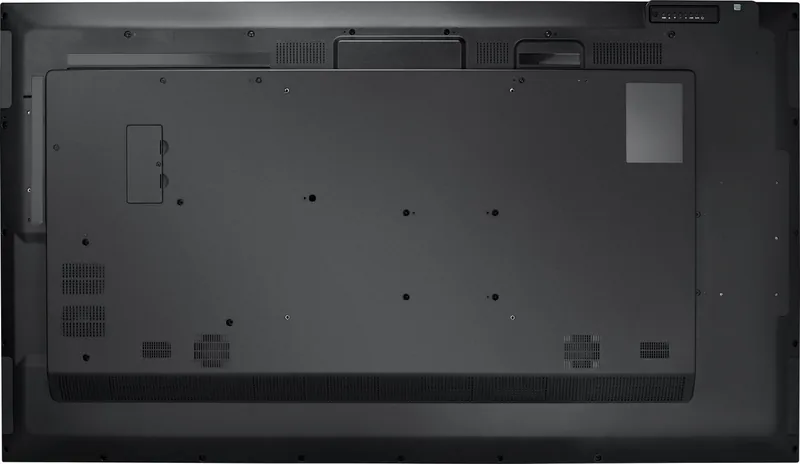
The QM-65 uses a 400×400 mm VESA pattern; use M6 screws of appropriate length and a mount rated for the display weight. Leave recommended clearances (e.g., 100 mm around the enclosure) to ensure proper heat dispersion and avoid blocking vents.
Is this answer helpful?
The QM-65 supports common video codecs including H.264/H.265 and containers like MP4, MKV, AVI; audio formats include MP3 and WMA; images include JPEG, PNG, BMP. Playback supports up to Full HD/4K depending on codec and model limitations—check the media table in the manual for exact limits.
Is this answer helpful?
Unplug power before cleaning. Wipe the front with a soft, lint-free cloth; use a slightly damp cloth with mild detergent if needed, then dry. Do not use alcohol, ammonia-based cleaners, solvents or spray directly on the panel. Protect ventilation and avoid moisture ingress.
Is this answer helpful?
Advantages and Disadvantages
Advantages

- Extensive I/O: 4×HDMI, DisplayPort, VGA, USB, micro SD and OPS slot for flexible connectivity.
- Robust control: LAN and RS232 support, IR pass-through, scheduling and remote management (WOL).
- Comprehensive image/audio tuning: brightness, color temperature, gamma, RGB user controls and audio limits.
- Commercial features: anti-burn-in panel saving, VESA mount compatibility and multi-display daisy-chain support.
- Built for deployments: playlist-capable USB media playback, schedule-based power/source control and OPS integration.
Disadvantages

- Large and heavy: requires two-person handling and robust wall mounts (M6 recommended for QM-65).
- Potential for image retention if static content shown long-term; requires anti-burn-in or screen savers.
- Complex OSD and many options may need time to configure for non-technical users.
- Some codec and mode limitations differ by model (e.g., certain 3GPP or container support varies).
- Power demands and ventilation needs require careful planning in enclosed installations.
Product Specification
Diagonal
64.50"/64.49in
Resolution
3840x2160, 16:9
Brightness
350cd/m²
Contrast
4,000:1 (static), no information (dynamic)
Response time
5ms
Viewing angle
178°/178°
Panel
VA
Shape
straight (flat)
Backlight
White-LED
HDR
N/A
Refresh rate
60Hz
Signal frequency
31-92kHz (horizontal), 48-85Hz (vertical)
Connections
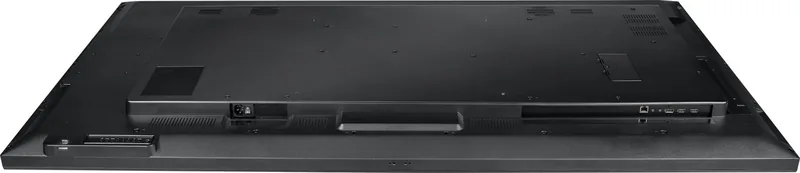
1x VGA, 4x HDMI 2.0, 1x DisplayPort, 1x 3.5mm jack (Line-In), 1x RCA Stereo L+R Line-Out
Other connections
1x RJ-45 LAN, 1x serial, 1x USB-A 3.0 (5Gb/s), 2x USB-A 2.0 (480Mb/s), 1x microSD, 1x JAE 80-Pin OPS
VESA
400x400 (free)
Power consumption
no information (maximum), 186W (typical), 186W (Energy label old A+++ to G), 0.5W (Standby)
Energy efficiency class old (A+++ to G)
B
Annual consumption old (A+++ to G)
271.56kWh
Energy efficiency class SDR (A to G)
G
Energy consumption SDR
185kWh/1000h
Dimensions (WxHxD)
57.44x32.87x3.23in
Weight
54.67lbs
Special features
Speakers (2x 10W), integrated media player
Product Description
AG Neovo QM-65, 64.5" Manual Overview
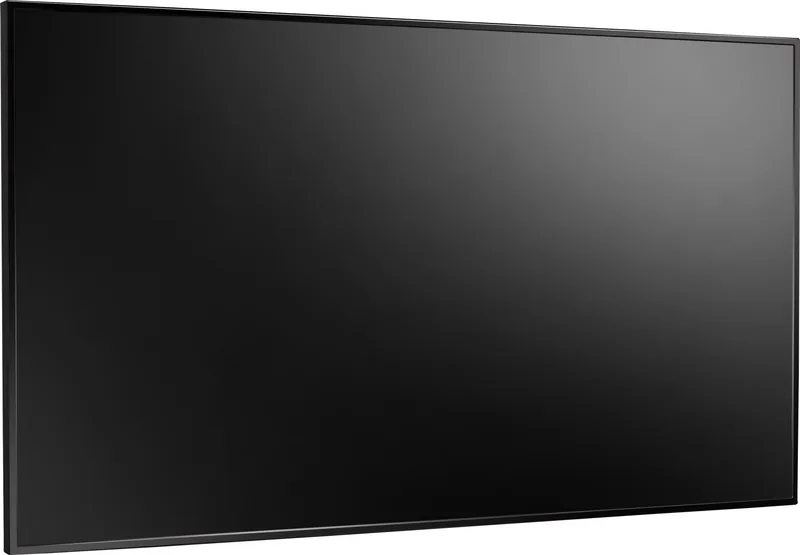
The AG Neovo QM-65 (64.5") is a commercial-grade LED-backlit display designed for professional signage, meeting rooms, classrooms, and control-room environments. Built with a 64.5-inch panel and robust connectivity, the QM-65 balances reliable hardware with flexible input options and extensive on-screen control. This description highlights key features, installation notes, and practical capabilities drawn from the product manual.
Key features and product highlights
The QM-65 offers a VESA-compatible mounting pattern (400 x 400 mm), making wall or enclosure installation straightforward. It supports multiple signal inputs including HDMI (x4), DisplayPort, VGA, USB playback, micro SD, and an OPS slot for modular computing. The unit includes LAN and RS232 ports for remote control and daisy-chain setups, plus IR pass-through for integrated AV control.
Picture and audio tuning are comprehensive: adjustable brightness, contrast, gamma, color temperature, sharpness, noise reduction, and user RGB controls. Screen settings allow position, clock, phase, zoom modes (Full, 4:3, Real, 21:9, Custom) and auto-adjust for VGA. Audio menus provide balance, treble, bass, volume limits, line-out control and mute options. Advanced OSD menus include scheduling, power management, panel-saving anti-burn-in features, and firmware/OPS settings.
The QM-65 supports media playback from USB, internal storage or micro SD with playlist creation and slideshow controls. Supported video codecs include H.264/H.265 and many common containers; audio and image formats are broadly compatible (MP3, WMA, JPEG, PNG, BMP). The display supports resolutions up to Full HD and offers specific timing support for various PC and video signals.
Installation & maintenance notes
Installation guidance emphasizes proper ventilation (clearance around the enclosure), secure wall mounts using recommended screw sizes (M6 for QM-65), and safe handling due to weight. The manual stresses using the supplied or appropriate regional power cord, earthing in the UK, and following disposal/WEEE and RoHS rules. Routine maintenance recommends low-brightness operation to prolong panel life, avoiding solvents for cleaning, and using screen savers or anti-burn-in functions when showing static content.
Practical use cases
Ideal for digital signage, corporate presentation displays, education, and retail environments, the QM-65’s scheduling, network/WOL support, and daisy-chain control suit multi-display deployments and remote fleet management. Its robust I/O and OPS slot provide flexibility for integrated media players or PC modules.
Notes
- Use low brightness and anti-burn-in features to reduce image retention risk.
- Follow ventilation clearances and VESA mounting guidance to ensure safe installation.
- For network control, set unique monitor IDs when using RS232/LAN daisy-chain setups.
Search for 67,706 Manuals online


Type-in Brand or Model