
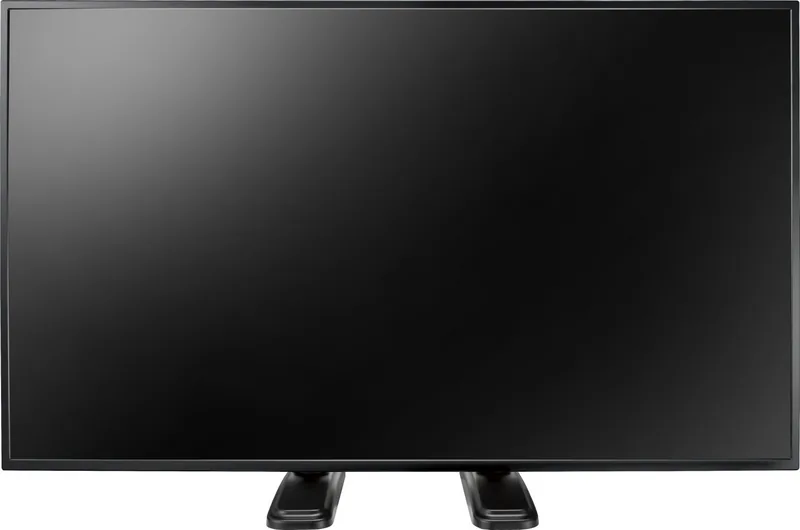

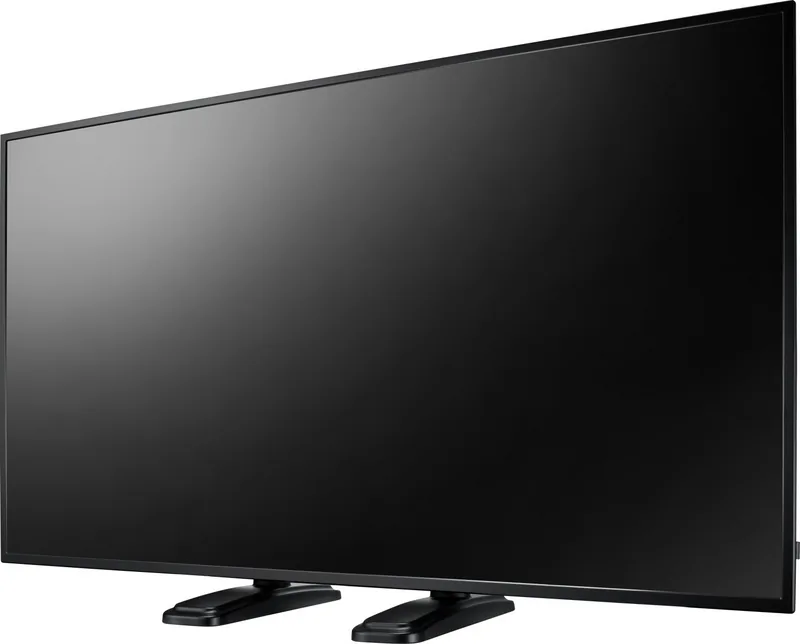
AG Neovo QM-43 Manual
PDF manual · 84 Pages
English



Quick check
Incorrect answer, please try again.
Chat with your AG Neovo QM-43 manual using AI
Get instant AI answers from your AG Neovo QM-43 manual
Ask anything about the AG Neovo QM-43. Answers come from this manual, with the pages they are based on.
QM-43 Maintenance Schedule
Wipe gently with a soft, lint-free cloth. If dirty, use a mild detergent solution and dry with another cloth. Do not use solvents.
Wipe with a soft dry cloth. For heavy dirt, use a mild detergent solution wrung out well, then dry. Avoid rubber or PVC near the cabinet.
Ask a Question
Do you recommend QM-43?
Yes NoFrequently Asked Questions
Connect using HDMI, DVI-D, or VGA cables. For HDMI, use an HDMI cable. For VGA, connect audio separately to audio in.
Is this answer helpful?
Supported formats include JPEG, MPEG-1/2, H.264, AAC, MP3, MP4, AVI, MKV, and WMV stored in the agn folder.
Is this answer helpful?
Enable the anti-burn-in function in the Configuration menu. Set it to shift pixels or reduce brightness periodically.
Is this answer helpful?
The remote control works within 8 meters or 26 feet from the sensor, within a 60-degree angle.
Is this answer helpful?
Yes, it supports VESA 200x200mm or 400x400mm grids. Ensure wall mounting kit is UL listed for the weight.
Is this answer helpful?
Use a dry cloth or a slightly damp cloth. Do not use organic solvents like alcohol or ammonia-based liquids.
Is this answer helpful?
Press the ID button on the remote. Press ID SET. Enter the 2-digit number using the keypad. Press Enter to confirm.
Is this answer helpful?
Advantages and Disadvantages
Advantages

- Versatile connectivity with HDMI, DVI, and VGA inputs for broad device compatibility.
- Built-in USB multimedia support allowing direct playback from USB storage devices without a PC.
- Standard VESA mounting options support flexible wall or ceiling installation arrangements.
- Anti-burn-in features protect the LCD panel from static image persistence issues.
- Remote control ID functionality enables management of multiple displays independently.
Disadvantages

- No built-in speakers mentioned with audio requiring external connection for sound.
- USB media files require specific folder naming conventions for successful playback.
- On-screen display menu lacks some advanced customization for network settings.
- Remote sensor may be obstructed if the display is mounted without proper orientation.
- Power consumption remains high requiring dedicated power outlets near the display.
Product Specification
Diagonal
42.5" / 42.52"
Resolution
3840x2160, 16:9
Brightness
350 cd/m2
Contrast
5,000:1 (static), N/A (dynamic)
Response Time
5ms
Viewing Angle
178 deg / 178 deg
Panel
VA
Shape
flat
Backlight
White-LED
HDR
N/A
Refresh Rate
60Hz
Frequency Range
31-92kHz (horizontal), 48-85Hz (vertical)
Ports
1x VGA, 1x DVI, 2x HDMI 2.0, 1x 3.5mm Jack (Line-In), 1x RCA Stereo L+R Line-Out
Additional Ports
1x RJ-45 LAN, 1x Serial, 1x USB-A 3.0 (5Gb/s), 1x USB-A 2.0 (480Mb/s), 1x microSD
VESA Mount
15.75" x 15.75", 7.87" x 7.87" (free)
Power Consumption
N/A (max), 110W (typical), 110W (Old Energy Label A+++ to G), 0.5W (Standby)
Old Energy Efficiency Class (A+++ to G)
C
Old Annual Consumption (A+++ to G)
160.60kWh
SDR Energy Efficiency Class (A to G)
G
SDR Energy Consumption
101kWh/1000h
Dimensions (WxHxD)
38.11" x 22.01" x 2.36"
Weight
19.18 lbs
Features
Speakers (2x 10W), Integrated Media Player
Product Description
Exploring the AG Neovo QM-43 42.5 Inch Display
The AG Neovo QM-43 42.5 inch LED-Backlit Display stands out as a robust solution for commercial environments. It offers versatile connectivity options to suit various setup requirements. Users can connect computers through HDMI, DVI, or VGA inputs. This flexibility ensures compatibility with a wide range of devices commonly found in offices and public spaces. The display supports audio output via RCA connectors for external sound systems, making it ideal for presentations or informational signage. It also includes a LAN control function to manage units remotely via a central system effectively.
Multimedia functionality is a key highlight for this unit. The built-in USB source menu allows users to play videos and photos directly from storage devices without a PC. To utilize this feature, media files must be organized in specific folders named agn under the root directory. Users can create up to seven playlists to schedule content automatically. This capability simplifies digital signage workflows significantly for businesses. The system supports various file formats including JPEG, MPEG, and H.264, ensuring broad media compatibility.
Installation is designed for ease of use. The display supports standard VESA mounting grids, specifically 200mm by 200mm or 400mm by 400mm. This allows for secure wall mounting or ceiling suspension without proprietary brackets. Proper ventilation is crucial. Users must leave spaces around the unit to prevent overheating. Safety information is prioritized throughout the setup process to ensure compliance with regional standards like FCC and CE. The product adheres to strict electromagnetic standards to minimize radio frequency interference.
Maintenance involves regular cleaning with a slightly damp cloth. Avoid organic solvents to preserve screen integrity. The display features an anti-burn-in function to protect against static images causing persistent marks. This can be set within the on-screen display menu to automatically shift images periodically. Power settings can be customized to optimize energy consumption using smart power modes. The remote control operation extends up to eight meters, supporting ID settings to manage multiple displays independently.
Security is also considered with a lock slot for theft prevention. The on-screen display menu provides deep customization for picture, screen, and audio settings. Picture adjustments include brightness, contrast, and gamma selection for optimal viewing. Screen settings allow for custom zoom and auto adjustment features. Audio settings let users balance treble and bass to match their acoustics. This comprehensive control makes the AG Neovo QM-43 a reliable choice for professional applications demanding durability and high performance in demanding commercial environments worldwide.
Search for 67,706 Manuals online


Type-in Brand or Model