
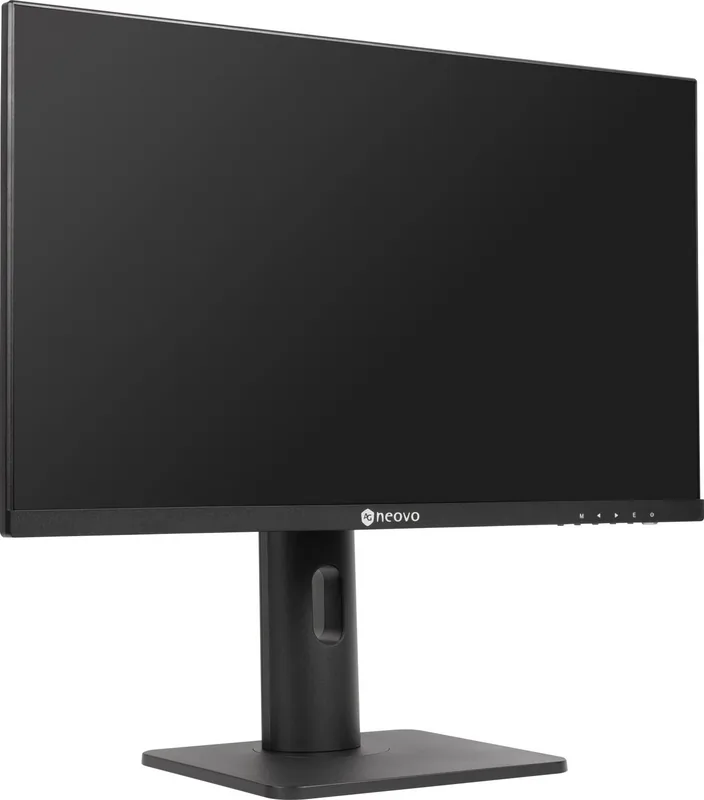
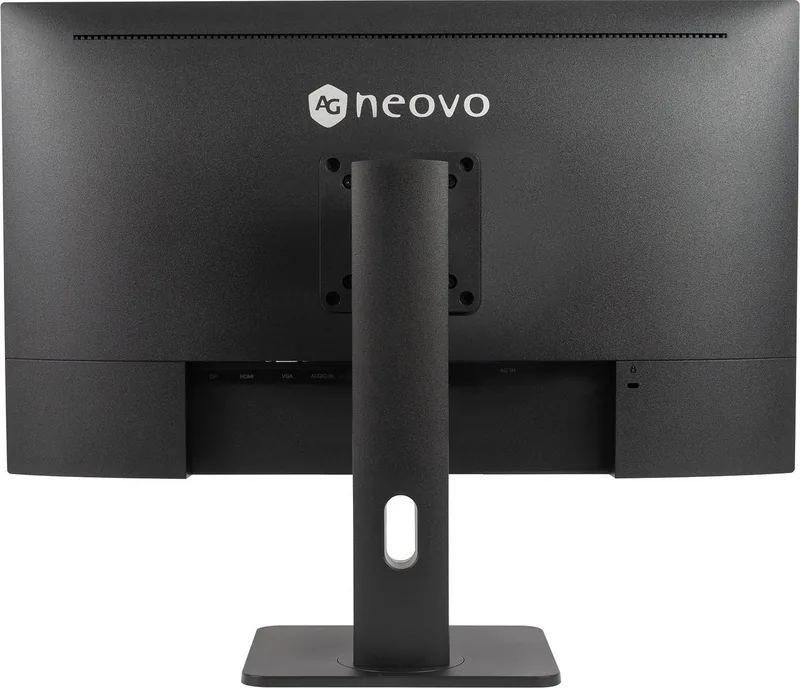
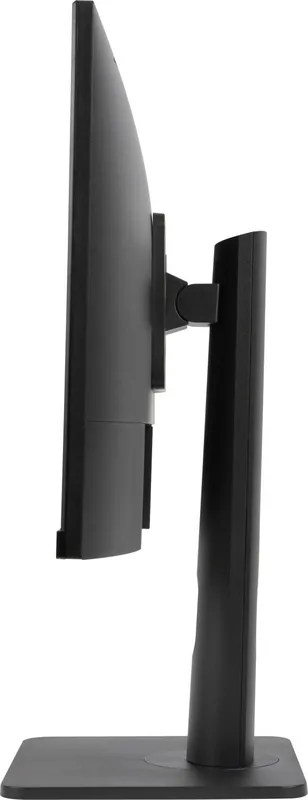
AG Neovo LH-2702 Manual
PDF manual · 20 Pages
English



Quick check
Incorrect answer, please try again.
Chat with your AG Neovo LH-2702 manual using AI
Get instant AI answers from your AG Neovo LH-2702 manual
Ask anything about the AG Neovo LH-2702. Answers come from this manual, with the pages they are based on.
Ask a Question
Do you recommend LH-2702?
Yes NoFrequently Asked Questions
The LH-2702 features a native Full HD resolution of 1920 x 1080 on an IPS LED-backlit panel, offering wide 178° horizontal and vertical viewing angles and consistent color reproduction suitable for general computing and multimedia.
Is this answer helpful?
The monitor includes DisplayPort 1.2, HDMI 1.4, and a 15-pin VGA input, plus a 3.5 mm audio-in jack. These cover modern digital sources as well as legacy VGA connections for broad compatibility.
Is this answer helpful?
The LH-2702 supports VESA 75 x 75 mm mounting. Remove the base according to the manual, secure a compatible VESA bracket to the rear mounting holes, and ensure the wall or arm can support the display weight and is installed per safety recommendations.
Is this answer helpful?
To minimize image retention, use lower brightness settings, enable screen savers with moving graphics, switch desktop backgrounds regularly, set automatic power-off when idle, and turn the display off when not in use. If retention occurs, prolonged use of screen savers or powering off for extended periods can help.
Is this answer helpful?
The OSD provides picture modes (Standard, Cinema, FPS, RTS, Eye Saver), color temperature presets (Cool, Warm, User-adjustable RGB), brightness/contrast controls, dynamic contrast (DCR), Over Drive (OD), gamma settings, aspect ratio choices, and auto-adjust functions for VGA.
Is this answer helpful?
The LH-2702 uses an internal power supply compatible with AC 100–240V, 50/60 Hz. Typical power consumption is around 17W in On mode, with standby <0.5W and off mode <0.3W, helping to keep energy use modest.
Is this answer helpful?
First confirm the source device is powered and cables are securely connected. Inspect cable pins for damage, try alternative inputs (HDMI/DP/VGA), check graphics card seating, and use the OSD auto-adjust for VGA. If interference persists, remove nearby electronic devices that may cause disturbance.
Is this answer helpful?
Advantages and Disadvantages
Advantages

- 27" IPS panel with wide 178°/178° viewing angles and consistent color reproduction.
- Multiple inputs (DisplayPort 1.2, HDMI 1.4, VGA) plus 3.5 mm audio-in and built-in speakers.
- Ergonomic adjustments (tilt, height, rotation) and VESA 75 x 75 mm compatibility for flexible mounting.
- Comprehensive OSD with picture modes, color temperature presets, gamma, and Over Drive for responsiveness.
- Low power consumption (~17W on mode) and internal power supply for tidy setup.
Disadvantages

- Maximum resolution limited to Full HD (1920x1080), not ideal for detailed 4K workflows.
- Speakers are low power (1W x 2), insufficient for high-quality audio without external speakers.
- No USB hub or advanced color calibration tools onboard for professional color-critical work.
- Image retention risk if static images are displayed for long periods; requires management.
- Tilt and rotation ranges are useful but may be more limited than higher-end ergonomic stands.
Product Specification
Function
Monitor (stationary)
Diagonal
27" (27.01in)
Resolution
1920x1080 (FHD), 16:9, 82ppi
Panel
IPS
Backlight
LED, Blue Light Filter, flicker-free
Brightness
250cd/m2 (typical)
Contrast
20,000,000:1 (dynamic)
Response Time
5ms (GtG)
Refresh Rate
60Hz (1920x1080)
Signal Frequency
30-82kHz (H) / 50-75Hz (V)
Connections
1x VGA, 1x HDMI 1.4, 1x DisplayPort 1.2, 1x 3.5mm jack (Line-Out), 1x AC-In C13 (Power Connector)
Shape
straight (flat)
Viewing Angle
178deg/178deg
Coating
non-glare (matte), Hardness 3H
Color Depth
8bit (16.7 million colors)
FRC
unknown
Speakers
Speakers (2x 1W)
Operation
mechanical buttons
Ergonomics
with stand, height adjustable (4.33in), Pivot (+90deg), rotatable (+/-30deg), tiltable (+20deg/-5deg)
VESA
2.95x2.95 (occupied)
Power Consumption
17W (typical), 0.5W (Standby)
Energy Efficiency SDR (A to G)
19kWh/1000h (E)
Special Features
Security Lock (Kensington Security Slot), Slim Bezel
Screen-to-Body-Ratio
90.37% (calculated)
Dimensions
24.15x20.65x7.90in (WxHxD) with stand compressed, 24.15x14.27x1.91in (WxHxD) without stand
Color
black (display frame) / black (bottom bezel) / black (stand) / black (back)
Weight
13.01lb (with stand), 8.16lb (without stand)
Power Supply
internal
Warranty
three years
USB Naming Convention
Link
Product Description
AG Neovo LH-2702, 27" Manual
The AG Neovo LH-2702 is a 27-inch Full HD monitor designed for reliable everyday use across office, home, and light professional settings. With an IPS panel, 1920 x 1080 resolution, and wide 178°/178° viewing angles, the LH-2702 delivers consistent colors and stable viewing from nearly any position. Its LED backlight provides 250 cd/m² brightness, 20,000,000:1 dynamic contrast, and a 5 ms response time suitable for smooth video playback and general productivity tasks.
Ergonomics and connectivity are focal points for the LH-2702. The stand offers tilt, rotation, and height adjustment within practical ranges and the display supports VESA 75 x 75 mm mounting for wall or arm installations. Input options include DisplayPort 1.2, HDMI 1.4, and VGA, plus a 3.5 mm audio-in and built-in stereo speakers. Cable management features keep workspaces tidy while an internal power supply simplifies setup.
The monitor’s on-screen display (OSD) menu includes multiple picture modes—Standard, Cinema, FPS, RTS, and Eye Saver—along with color temperature presets and user-adjustable RGB. Advanced features include dynamic contrast (DCR), Over Drive (OD) for improved response, gamma options, and auto-adjust functions for VGA input. Volume and basic audio controls are available through the OSD.
Practical safety and maintenance guidance is included in the manual: use the supplied power cord, avoid exposure to moisture and extreme environments, and keep ventilation unobstructed. The manual advises lower brightness settings to extend panel life and provides steps to mitigate image retention (burn-in) including using screen savers, reducing brightness, and powering off when idle.
Installation instructions are clear and user-friendly: attach the stand or follow VESA mounting steps, connect power and signal cables while powered off, and use the included HDMI and power cords. The manual details troubleshooting tips for common issues—no signal, flicker, color problems—and lists specifications like power consumption (<17W on mode), operating temperatures, and physical dimensions.
In short, the AG Neovo LH-2702 balances straightforward functionality, solid build features, and a useful set of adjustments and connectivity options for general computing, multimedia, and business display needs.
Notes
- Panel type: IPS, 27-inch, FHD 1920x1080.
- Inputs: DP 1.2, HDMI 1.4, VGA, 3.5 mm audio in.
- Ergonomics: tilt, height, rotation, VESA 75 x 75 mounting.
- Recommended: use supplied cables and keep brightness moderate to reduce image retention.
Search for 67,706 Manuals online


Type-in Brand or Model