
AG Neovo DW Series Manual
PDF manual · 23 Pages
English



Quick check
Incorrect answer, please try again.
Chat with your AG Neovo DW Series manual using AI
Get instant AI answers from your AG Neovo DW Series manual
Ask anything about the AG Neovo DW Series. Answers come from this manual, with the pages they are based on.
Ask a Question
Do you recommend DW Series?
Yes NoFrequently Asked Questions
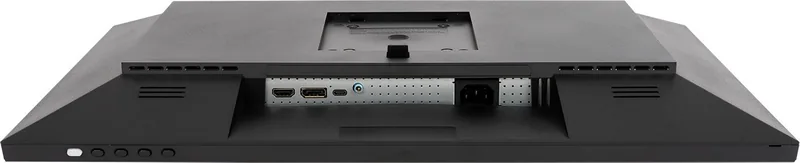
The monitors feature HDMI 2.0, DisplayPort 1.2, and USB Type-C. The Type-C port supports video, audio, data, and 65W power delivery charging for compatible devices like laptops or tablets without needing extra cables.
Is this answer helpful?
To prevent image retention, use a screen saver with moving graphics, switch desktop backgrounds regularly, adjust brightness settings lower when idle, and turn off the monitor when not in use for extended periods.
Is this answer helpful?
Yes, the DW-Series supports VESA mounting. You must use the recommended wall mount kits which are compatible with VESA standards. Ensure the wall is solid enough to bear the weight of the display.
Is this answer helpful?
All models in the series feature a 5 ms response time. The OSD menu allows you to adjust response time settings to Off, Normal, Fast, or Ultrafast to enhance motion picture movement if needed.
Is this answer helpful?
Do not place the monitor near heat sources or direct sunlight. Do not block ventilation holes. If the unit emits smoke or smells, unplug immediately and contact service personnel. Never open the covers yourself.
Is this answer helpful?
The On Screen Display menu allows you to select Aspect Ratio options like Wide Screen, 4:3, 1:1, or Auto. This helps you fit content correctly regardless of the resolution source connecting to the display.
Is this answer helpful?
Yes, the product includes a warranty card and a factory calibration report. For specific terms, refer to the documentation provided with the package to ensure rights as a consumer are protected.
Is this answer helpful?
Advantages and Disadvantages
Advantages

- IPS panel offers 178-degree viewing angles for consistent colors.
- USB Type-C port supports 65W power delivery for single cable charging.
- Factory calibrated with reports for accurate sRGB and Adobe RGB coverage.
- Ergonomic stand provides height, tilt, and swivel adjustments for comfort.
- Multiple input options including HDMI, DisplayPort, and Type-C for versatility.
Disadvantages

- Built-in speakers are low power at 2W output per channel.
- DW3401 variant consumes more power compared to smaller models.
- OSD lock requires holding a button for ten seconds to unlock.
- Wall mounting requires separate VESA kits for smaller models.
- Static images may cause burn-in if settings are not adjusted properly.
Product Specification
Feature
Monitor (stationary)
Panel
IPS
Backlight
LED, Blue Light Filter, flicker-free
Contrast
1,000,000:1 (dynamic)
Response Time
5ms (GtG)
Signal Frequency
30-112kHz (H) / 50-76Hz (V)
Shape
Flat
Viewing Angle
178deg/178deg
Coating
non-glare (matte), hardness 3H
Color Depth
8bit (16.7 million colors)
FRC
Unknown
Speakers
Speakers (2x 2W)
Controls
Mechanical Buttons
Ergonomics
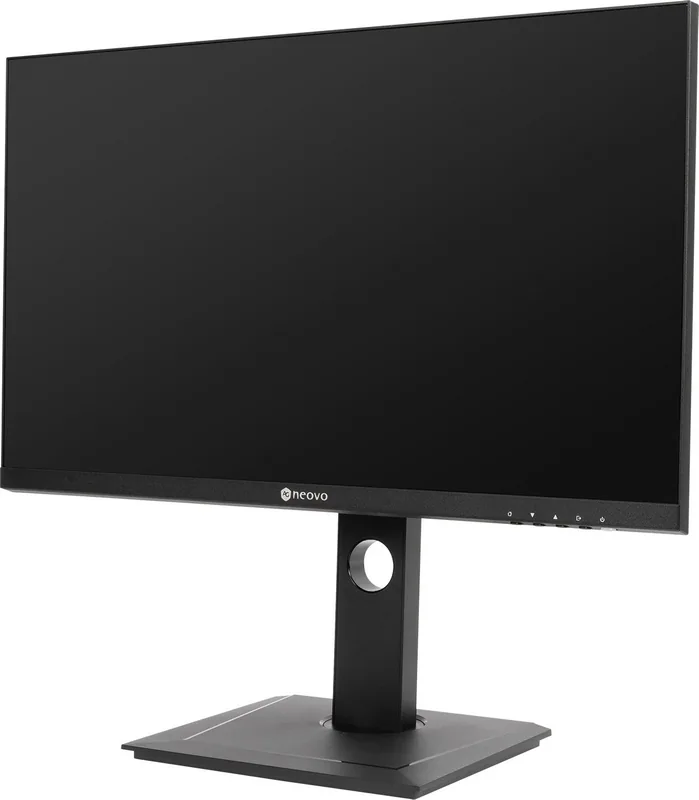
with base, height adjustable (4.72in), Pivot (+90deg), rotatable (+/-45deg), tilt (+20deg/-5deg)
VESA
75x75 (supported)
Features
Security Lock (Kensington Security Slot), Picture-in-Picture, Slim Bezel
Color
Black (Bezel) / Black (Lower Bezel) / Black (Base) / Black (Rear)
Power Supply
Internal
Warranty
3 years
USB Label
Link
Product Description
Experience Precision with AG neovo DW-Series Manual
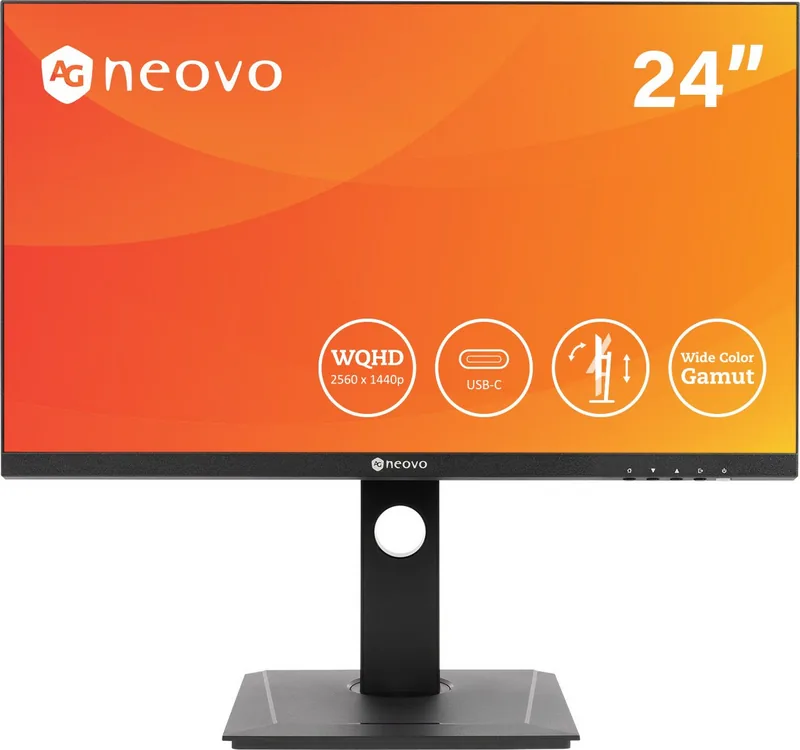
Welcome to professional display solutions where technology meets creativity. The AG neovo DW-Series represents a significant leap forward in monitor technology, designed specifically for professionals who demand accuracy and versatility. For graphic designers, video editors, or competitive gamers, this lineup offers the performance you need to excel in your daily tasks.
Key Features and Design
The series includes models such as the DW2401, DW2701, and DW3401. Each unit boasts an IPS panel technology that ensures wide viewing angles and consistent color reproduction across the screen. Users will appreciate the sRGB coverage ranging from 130% to 140%, providing vibrant colors that stay true to life. The high brightness levels, reaching up to 350 cd/m2, ensure visibility even in well-lit environments. The contrast ratio is incredibly high at 1,000,000:1 with dynamic contrast support, making dark details pop without washing out bright areas.
Connectivity and Ergonomics
Connectivity is seamless with multiple inputs including HDMI 2.0, DisplayPort 1.2, and a versatile USB Type-C port. This Type-C connection supports Power Delivery up to 65W, allowing users to charge laptops or tablets directly through the display. The ergonomic stand allows for smooth height adjustments ranging from 0 to 120 mm, along with tilting and swivel capabilities for the perfect viewing angle. Wall mounting is easily achieved using standard VESA patterns, providing flexibility for any workspace setup. Ensure the display sits on a stable surface away from heat sources for optimal performance.
Advanced Menu Settings
Navigating your screen settings is intuitive with the On Screen Display menu. Gamers can enjoy specific presets for FPS, RTS, and MOBA titles. Photo editors can utilize sRGB and Adobe profiles for critical color work. The anti-blue light filter reduces eye strain during long sessions, promoting healthier viewing habits. Regular rest reminders appear every four hours to encourage taking breaks. Power consumption remains efficient with standby modes under 0.5W. Adjust brightness and contrast to meet personal preferences for comfort.
Physical Specifications and Setup
Each model has distinct dimensions and weights suitable for different desks. The 24-inch model is compact at around 3.9 kg without the base. The 27-inch model offers a balance of size and portability. The 34-inch ultrawide version provides ample workspace but is heavier at 7.6 kg. Consider your desk space and mounting points carefully before installation to ensure stability and safety during operation.
Conclusion
Selecting equipment is crucial for productivity. The instructions help you through setup and usage. With factory calibration reports ensuring color fidelity and robust build quality, this series stands out in the market. Experience stability and performance tailored for your professional needs today. Safety instructions regarding disposal and power handling are essential for longevity. Keep the ventilation holes clear to prevent overheating during heavy usage sessions. Protect your equipment by avoiding liquid spills or sharp objects near the unit. Maintenance ensures long-term reliability.
Search for 67,706 Manuals online


Type-in Brand or Model