
AeroCool Tor Pro Manual
PDF manual · 10 Pages
English



Quick check
Incorrect answer, please try again.
Chat with your AeroCool Tor Pro manual using AI
Get instant AI answers from your AeroCool Tor Pro manual
Ask anything about the AeroCool Tor Pro. Answers come from this manual, with the pages they are based on.
Ask a Question
Do you recommend Tor Pro?
Yes NoFrequently Asked Questions
It is a PC case designed for flexible builds, combining storage support, cooling options, and RGB control in one enclosure.
Is this answer helpful?
The case supports 2.5-inch SSDs and 3.5-inch HDDs, so you can mix faster system storage with larger capacity drives.
Is this answer helpful?
Yes. The RGB fan hub can sync with Asus Aura Sync, MSI Mystic Light Sync, and Gigabyte RGB Fusion. It also works with non-addressable setups.
Is this answer helpful?
The remote can power the lighting on or off, toggle motherboard sync, adjust fan speed, change LED speed, switch lighting modes, and select static colors.
Is this answer helpful?
The guide shows support for front, bottom, rear, and PSU-area radiator placement, plus case fan installation for airflow tuning.
Is this answer helpful?
It includes mounting hardware such as screws, standoffs, cable ties, and connector parts that help with assembly and cable management.
Is this answer helpful?
Advantages and Disadvantages
Advantages

- Clear installation flow for motherboard, PSU, storage, add-on cards, fans, and radiators.
- Supports 2.5-inch SSDs and 3.5-inch HDDs, making it flexible for mixed storage builds.
- RGB fan hub works with major lighting ecosystems and also supports simpler setups.
- Remote control adds quick access to lighting modes, fan speed, LED speed, and sync.
Disadvantages

- The setup can feel complex for beginners because lighting and fan wiring use several connection types.
- Multi-language instructions and diagram-based references may be harder to follow quickly.
- Full RGB features depend on compatible motherboard headers and power connections.
- The amount of included options may overwhelm users who want a very simple build.
Product Specification
External
N/A
Internal
2x 2.5"/3.5" (transverse, drive rails), 2x 2.5"
Fan (left)
N/A
Fan (right)
N/A
Color
black, interior black
Lighting
RGB-Header 3-Pin ARGB (+5V/DATA/GND), integrated LED control, integrated RGB LED lighting, illuminated fans
Left
closed, glass
Right
closed
Front I/O Position
Case side: top, Height: Front, Position: center
Features
Remote control, Cable management, Dust filter, Glass side panel
USB notation
Link
Product Description
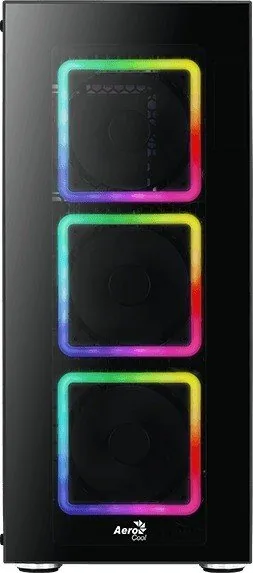
AeroCool Tor: A Case That Balances Cooling, Storage, and RGB
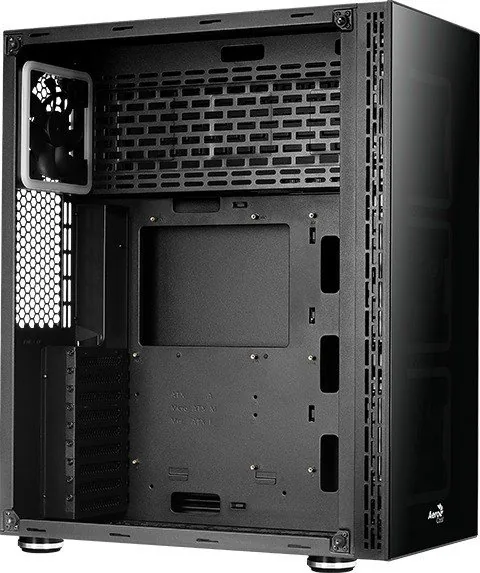
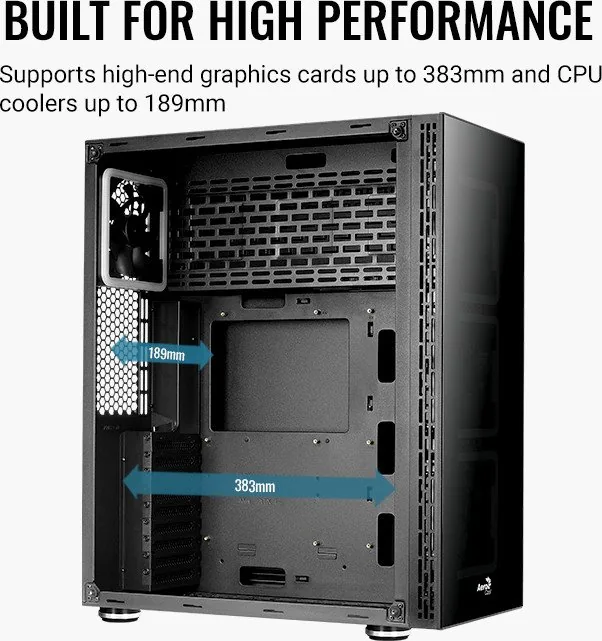
The AeroCool Tor is built for users who want a practical PC case with a clean layout and room to grow. The AeroCool Tor Manual shows a chassis focused on easy assembly, sensible component placement, and flexible lighting control. Rather than chasing gimmicks, it gives builders a structured path for installing core hardware while still leaving space for personal style.
A standout feature is the way the case guides the build process. It covers motherboard installation, PSU mounting, add-on card placement, and drive setup in a clear sequence. Support for 2.5-inch SSDs and 3.5-inch HDDs makes it useful for mixed storage builds, while radiator and case-fan options give cooling enthusiasts several ways to shape airflow. That balance makes the case appealing for both first-time builders and experienced users.
The accessory kit adds to the convenience. Screws, standoffs, cable ties, and connector hardware help streamline assembly, while the front I/O panel keeps essential ports within easy reach. USB, audio, and control connections are laid out for everyday use, so the case is not only about appearance but also about making the system practical from the start.
RGB support is another major highlight. The fan hub is designed to work with Asus Aura Sync, MSI Mystic Light Sync, Gigabyte RGB Fusion, and simpler non-addressable setups. A remote control provides quick access to lighting modes, fan speed, LED speed, static colors, and motherboard synchronization. For users who like to tune both performance and appearance, this adds a lot of value without making the system harder to manage.
Because the guide covers several motherboard ecosystems and cooling configurations, the AeroCool Tor feels adaptable instead of restrictive. It is especially attractive to builders who want a case that can handle storage, airflow, and lighting in one package. The result is a setup that looks polished, runs efficiently, and stays easy to personalize over time.
Notes
- Best suited for builders who want guided installation and flexible RGB control.
- Works well for systems that need both SSD and HDD support.
- Useful for users planning multiple fan or radiator combinations.
- The included controls make customization simple once everything is connected.
Search for 67,706 Manuals online


Type-in Brand or Model