
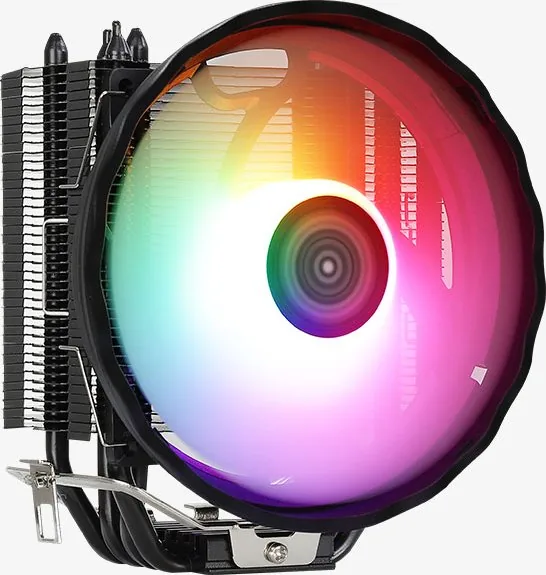
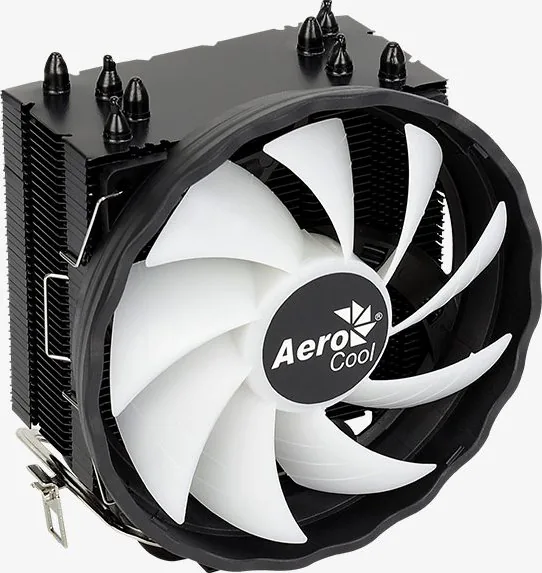
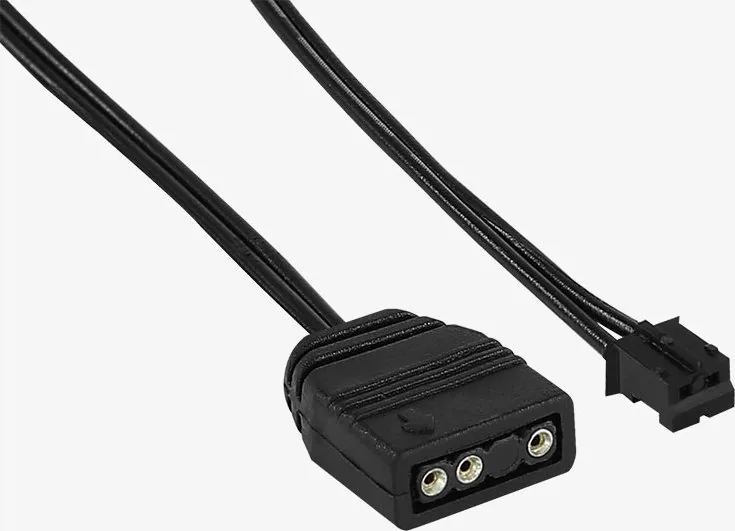
AeroCool Rave 4 ARGB Manual
PDF manual · 2 Pages
English



Quick check
Incorrect answer, please try again.
Chat with your AeroCool Rave 4 ARGB manual using AI
Get instant AI answers from your AeroCool Rave 4 ARGB manual
Ask anything about the AeroCool Rave 4 ARGB. Answers come from this manual, with the pages they are based on.
Ask a Question
Do you recommend Rave 4 ARGB?
Yes NoFrequently Asked Questions
The cooler supports Intel LGA1700, LGA1200, LGA115X, and LGA775 sockets. Verify your motherboard socket model before installation and use the matching Intel mounting hardware.
Is this answer helpful?
The listed AMD compatibility includes AM4, AM3+, AM3, AM2+, AM2, FM2, and FM1. Select the AMD-specific mounting components when fitting the cooler.
Is this answer helpful?
PWM allows a compatible motherboard to regulate fan speed based on CPU temperature or system settings. This helps balance airflow and noise across idle, everyday, and heavier workloads.
Is this answer helpful?
Yes. Check your case's maximum CPU cooler height allowance and consider nearby RAM modules, motherboard heatsinks, and side-panel clearance. Physical compatibility is essential for a smooth installation.
Is this answer helpful?
Thermal paste is normally required between the CPU heat spreader and the cooler base unless paste is already applied. Use an appropriate amount and ensure both contact surfaces are clean.
Is this answer helpful?
No. The installation hardware differs by platform. Use the brackets, backplate, and fasteners intended for your specific Intel or AMD socket, following the correct assembly sequence.
Is this answer helpful?
Advantages and Disadvantages
Advantages

- Supports Intel LGA1700, LGA1200, LGA115X, and LGA775 sockets.
- Compatible with AMD AM4, AM3+, AM3, AM2+, AM2, FM2, and FM1 platforms.
- PWM fan support enables motherboard-managed fan speed control.
- Air-cooling design offers a familiar, straightforward installation approach.
Disadvantages

- Case clearance and RAM clearance should be checked before installation.
- Different Intel and AMD sockets require selecting the correct mounting parts.
- Exact package accessories and lighting details should be confirmed with the retailer.
- Thermal performance depends on case airflow, CPU load, and proper installation.
Product Specification
Design
Tower cooler
Dimensions with fan
4.92 x 5.51 x 3.15 in (W x H x D)
Fan
1 x 4.72 x 4.72 x 0.98 in, 900-1,800 rpm, 24.07-57.97 CFM, 18-27 dB(A), 0.02-0.06 in H2O
Connector
4-pin PWM
AMD socket
AM4, AM2/AM2+/AM3/AM3+, FM1/FM2/FM2+
Intel socket
1700, 1150/1151/1155/1156/1200, 775
TDP rating
130 W
Lighting
RGB
Features
4 heat pipes (0.24 in), heat pipe direct touch, black heatsink
Product Description
AeroCool Rave 4 ARGB - Read, Download & Print Free
The AeroCool Rave 4 ARGB is a PWM CPU air cooler designed for builders who want a straightforward cooling solution with broad platform compatibility. It supports a practical range of Intel and AMD sockets, making it suitable for many desktop upgrades, replacement builds, and custom PC projects. Its compact air-cooling approach focuses on reliable CPU temperature management without adding the complexity of liquid cooling hardware.
Wide Intel and AMD Socket Support
A key strength of the Rave 4 platform is its mounting flexibility. Intel support includes LGA1700, LGA1200, LGA115X, and LGA775 sockets. On the AMD side, it works with AM4, AM3+, AM3, AM2+, AM2, FM2, and FM1 configurations. This range can make the cooler a convenient option when working with systems from several CPU generations.
The included mounting layout uses dedicated parts for Intel and AMD installations. Correctly identifying the socket before assembly is important, as each platform uses a different retention method. Builders should also check motherboard clearance, memory height, and case dimensions before fitting the cooler.
PWM Cooling for Everyday Performance
PWM fan control allows the cooler to adjust fan speed according to system demand when connected to a compatible motherboard header. During lighter workloads, this can help maintain a more balanced acoustic profile. When CPU activity increases, the fan can respond with additional airflow to support cooling performance.
For users searching for AeroCool Rave 4 ARGB - Read, Download & Print Free, the main value is a clear overview of compatible sockets and installation hardware. The product is aimed at users who prefer conventional air cooling, serviceable mounting, and motherboard-controlled fan operation.
Installation Considerations
Before installation, make sure the processor surface is clean and apply thermal paste appropriately. Select the correct brackets and fasteners for the target Intel or AMD socket, then secure the cooler evenly to avoid uneven pressure on the CPU. Connect the PWM fan to the CPU_FAN header so the motherboard can monitor and regulate fan behavior.
Notes
- Confirm your PC case has sufficient CPU cooler clearance before purchase.
- Check the exact retail package for included accessories and lighting features.
- Use the correct mounting hardware for your motherboard socket.
- Do not overtighten screws during installation.
Search for 67,706 Manuals online


Type-in Brand or Model