
AeroCool Prism Manual
PDF manual · 2 Pages
English



Quick check
Incorrect answer, please try again.
Chat with your AeroCool Prism manual using AI
Get instant AI answers from your AeroCool Prism manual
Ask anything about the AeroCool Prism. Answers come from this manual, with the pages they are based on.
Ask a Question
Do you recommend Prism?
Yes NoFrequently Asked Questions
Yes, the case supports radiators up to 360mm on the front and top, allowing for efficient liquid cooling installations.
Is this answer helpful?
The RGB hub works with ASUS Aura Sync, MSI Mystic Light Sync, and GIGABYTE RGB Fusion motherboards, as well as non-addressable RGB boards.
Is this answer helpful?
You can use the physical reset button on the case which acts as an LED control switch when connected to the hub.
Is this answer helpful?
The case supports one 3.5-inch hard drive and up to two 2.5-inch SSDs depending on the specific configuration used.
Is this answer helpful?
No, some screws like PSU and HDD screws may not be included, so check the accessory bag contents before starting.
Is this answer helpful?
Advantages and Disadvantages
Advantages

- Compatible with major RGB sync software including ASUS Aura Sync and MSI Mystic Light
- Supports large radiator sizes up to 360mm for effective liquid cooling
- Includes an RGB Fan Hub for centralized lighting control and management
- Offers flexible mounting options for both 3.5 HDDs and 2.5 SSDs
- Features a versatile I/O panel with USB 3.0 and HD Audio connectivity
Disadvantages

- Some screws and accessories may not be included in the standard package
- Requires specific motherboard headers for full addressable RGB functionality
- Rear radiator installation might require additional clearance checks
- Fan control logic requires manual setup via the included hub connector
- Specifications can vary by region so local availability may differ
Product Specification
Extern
N/A
Intern
1x 2.5"/3.5" (horizontal, HDD cage), 1x 3.5" (horizontal, HDD cage), 1x 2.5"
Ports
2x USB-A 3.0 (5Gb/s), 1x USB-A 2.0 (480Mb/s), 1x 3.5mm jack (Line-Out), 1x 3.5mm jack (Line-In)
PCI Slots
9 (2x Riser Card)
Fans (left)
N/A
Fans (right)
N/A
Fans (top)
2x 5.5" (optional)
Fans (bottom)
N/A
Fans (other)
2x 4.7" (optional)
Radiator Sizes
120/240/280/360mm front, 120/240/280mm top, 120mm rear
Motherboard
up to ATX
Supported Motherboards
Mini-ITX (6.7"x6.7")/µATX (9.6"x9.6")/ATX (12"x9.6")
Power Supply
ATX (max. 7.2" deep)
PSU Position
bottom
CPU Cooler
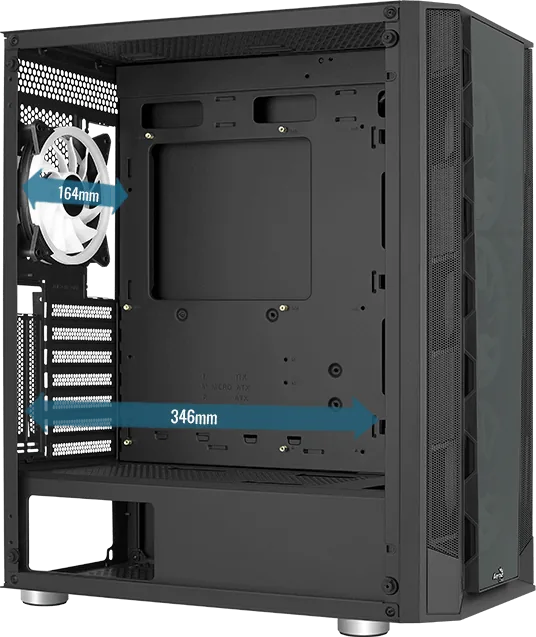
max. 6.5" height
Graphics Cards
max. 13.6" (without radiator)
Color
black, black interior
Dimensions (WxDxH)
8.5x18.8x15.9"
Volume
1.47 cu ft
Case Type
Midi-Tower
Front
closed, mostly glass, side ventilation slots
Top
partially closed, mostly fan grille, dust filter outside
Bottom
partially closed, fan grille at back, dust filter outside
Left
closed, glass
Right
closed
Rear
partially closed, fan grille top right, PCI slots (7x horizontal, 2x vertical)
Front I/O Position
Case side: top, Height: middle, Position: right
Features
Cable management, dust filters, graphics card mountable vertically, glass window
USB Spelling
Link
Product Description
AeroCool Prism: The Mid Tower Case for Modern Builds
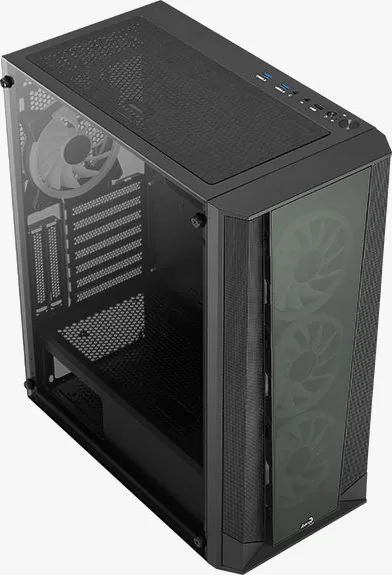
The AeroCool Prism is a versatile mid-tower computer case designed to help enthusiasts save money while building better systems. This chassis offers a robust framework for assembling high-performance PCs, featuring ample space for component installation and advanced cooling solutions. Whether you are installing a 3.5-inch hard drive or a 2.5-inch SSD, the Prism provides dedicated mounting points that ensure your storage devices are secure and organized.
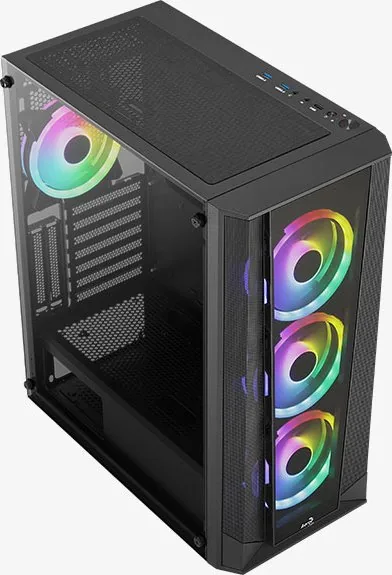
One of the standout features of the AeroCool Prism is its support for extensive RGB lighting customization. It includes an integrated RGB Fan Hub that allows seamless synchronization with popular motherboard software suites like ASUS Aura Sync, MSI Mystic Light Sync, and GIGABYTE RGB Fusion. This compatibility ensures that your system's aesthetic matches your personal style perfectly. The case supports various fan configurations, including front, top, and rear mounts for 120mm and 140mm fans, as well as options for radiators up to 360mm for liquid cooling setups.
Installation is straightforward, with clear guidance on connecting the power supply unit, motherboard, and expansion cards. The I/O panel is equipped with essential connectivity, including USB 3.0 ports, HD Audio jacks, and microphone inputs. Additionally, the reset button doubles as an LED control switch when connected to the hub, offering convenient access to lighting modes without entering your operating system. The Prism combines functionality with style, making it an ideal choice for builders who value both performance and visual appeal.
Search for 67,706 Manuals online


Type-in Brand or Model