
AeroCool Prime Manual
PDF manual · 2 Pages
English



Quick check
Incorrect answer, please try again.
Chat with your AeroCool Prime manual using AI
Get instant AI answers from your AeroCool Prime manual
Ask anything about the AeroCool Prime. Answers come from this manual, with the pages they are based on.
Ask a Question
Do you recommend Prime?
Yes NoVideo Manual
How I Built This Gaming PC! - Aerocool P500A - Full Build ASMR
Frequently Asked Questions
The Prime supports one 3.5" HDD and up to three 2.5" SSDs, allowing a mix of traditional and solid-state storage for typical desktop needs.
Is this answer helpful?
You can install up to two front fans, one top fan, and one rear fan. Radiator support includes common compact sizes such as 120mm and 140mm in supported positions for small AIO coolers.
Is this answer helpful?
Pressing the LED button cycles lighting modes and can turn LEDs off. Press and hold for three seconds to hand LED control to a compatible motherboard; click once to revert to the case button control.
Is this answer helpful?
ARGB is supported on compatible versions. For proper connection and header pinouts, refer to AeroCool’s product page or your motherboard manual to ensure matching ARGB headers and protocols.
Is this answer helpful?
The Prime is compact and may restrict very large GPUs or extensive custom water-cooling loops. Verify GPU length and radiator thickness against the case’s clearance specifications before purchase.
Is this answer helpful?
The front panel provides a USB 3.0 port, HD audio and mic jacks, a power button, and an LED control button for quick access to connectivity and lighting control.
Is this answer helpful?
Yes, the case supports standard ATX and micro-ATX motherboards, offering mounting points and clearance for typical builds and expansion cards.
Is this answer helpful?
Advantages and Disadvantages
Advantages

- Supports one 3.5" HDD and three 2.5" SSDs for flexible storage layouts.
- Multiple fan mounts (front x2, top x1, rear x1) for adaptable airflow options.
- Front-panel USB 3.0 and HD audio make connectivity convenient.
- LED control button with option to hand control to motherboard for ARGB integration.
- Compact, builder-friendly internal layout suitable for ATX/micro-ATX setups.
Disadvantages

- Limited to a single PSU mount, which may restrict non-standard power supplies.
- Radiator support is limited to smaller sizes (120mm/140mm) — not for large radiators.
- Space constraints can limit very large GPUs or extensive custom cooling loops.
- ARGB functionality requires compatible motherboard headers for advanced control.
- Only one 3.5" bay may be insufficient for heavy mass-storage needs.
Product Specification
External
N/A
Internal
1x 2.5"/3.5" (horizontal, HDD cage), 1x 3.5" (horizontal, HDD cage), 2x 2.5"
Ports
2x USB-A 3.0 (5Gb/s), 1x 0.14in jack (Line-Out), 1x 0.14in jack (Line-In)
PCI slots
7
Fan (left)
N/A
Fan (right)
N/A
Fan (top)
1x 4.72in (optional)
Fan (bottom)
N/A
Fan (other)
N/A
Radiator sizes
4.72/9.45in front, N/A top, 4.72in rear
Motherboard
up to ATX
Supported motherboards
Mini-ITX (6.7"x6.7")/µATX (9.6"x9.6")/ATX (12"x9.6")
PSU
ATX (max. 6.30in deep)
PSU position
bottom
CPU cooler
max. 6.26in height
Graphics cards
max. 11.89in (without radiator)
Color
black, interior black
Dimensions (WxHxD)
8.07x17.40x14.84in
Volume
9.02 gal
Case type
Midi-Tower
Front
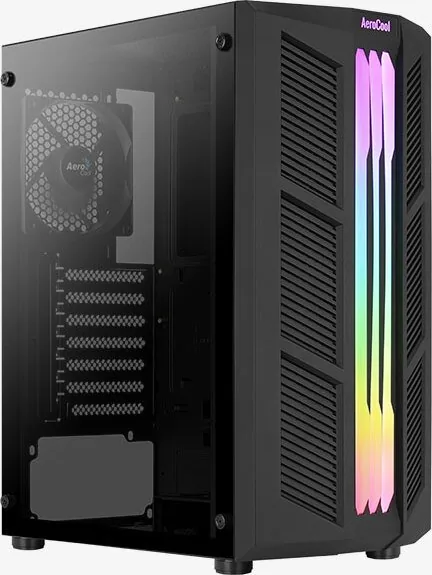
partially closed, partially mesh, side ventilation slots
Top
partially closed, rear fan grille, external dust filter
Bottom
partially closed, rear fan grille, external dust filter
Left
closed, glass
Right
closed
Rear
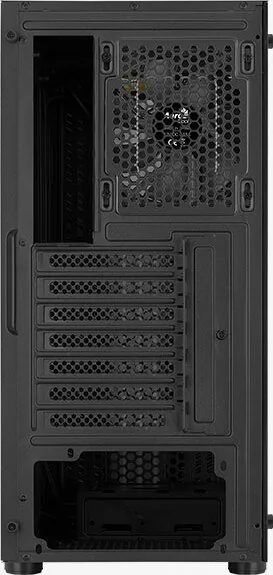
partially closed, top right fan grille, PCI slots (7x horizontal)
Front I/O Position
Case side: top, Height: Front, Position: middle
Features
Cable management, Dust filter, Glass side panel
USB notation
Link
Product Description
AeroCool Prime Manual — Quick Product Overview
The AeroCool Prime is a compact, user-friendly PC case designed for straightforward assembly and flexible cooling options. Built for builders who want a clean, efficient chassis without sacrificing expandability, the Prime supports a variety of storage, cooling, and expansion configurations while keeping cable routing and user controls accessible.
Design and Layout
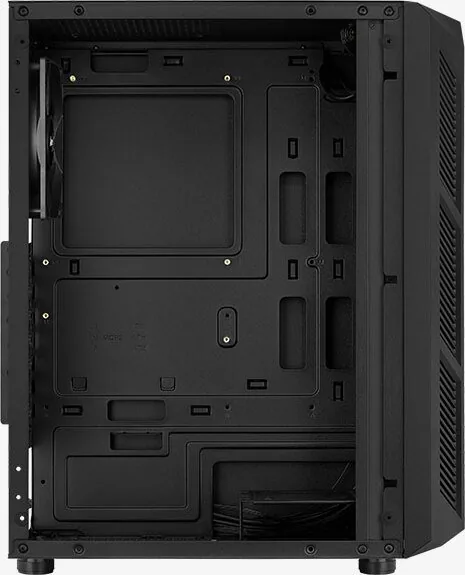
The Prime offers dedicated mounting points for multiple storage devices: one 3.5" HDD bay and three 2.5" SSD mounts, giving a balance between traditional drives and modern solid-state storage. The internal layout is optimized for simple installation of a standard ATX or micro-ATX motherboard and additional add-on cards, with clearly labeled positions to guide first-time builders.
Cooling and Radiator Support
Airflow and liquid-cooling flexibility are key strengths. The case can accommodate up to two front fans, one top fan, and one rear fan, plus radiator support in front and rear for compact AIOs: common sizes like 120mm and 140mm are supported. The Prime makes it easy to configure a multi-fan setup or add a small radiator to boost thermal performance in a tight build.
Front Panel and Controls
Front-panel features include a power button, USB 3.0 port, HD audio and mic jacks, and an LED control button. The LED control allows quick local control of lighting modes; pressing and holding the LED button for three seconds hands LED control to the motherboard (if supported), while a single press returns direct button control. Cycling through LED modes can also turn lighting off.
Compatibility and Ease of Use
AeroCool Prime is suitable for budget-conscious builders and those assembling compact, performance-oriented systems. The case supports a single PSU mount and straightforward access for installing add-on cards. Clear labeling and accessible bays reduce assembly time and friction.
Notes
- For ARGB compatibility and wiring specifics, consult the AeroCool product page or the manufacturer’s support resources.
- Ensure radiator and fan clearances before purchasing larger cooling components.
- Use motherboard-controlled ARGB only if your board supports the required headers and protocols.
Search for 67,706 Manuals online


Type-in Brand or Model