
AeroCool Menace Saturn Manual
PDF manual · 2 Pages
English



Quick check
Incorrect answer, please try again.
Chat with your AeroCool Menace Saturn manual using AI
Get instant AI answers from your AeroCool Menace Saturn manual
Ask anything about the AeroCool Menace Saturn. Answers come from this manual, with the pages they are based on.
Ask a Question
Do you recommend Menace Saturn?
Yes NoFrequently Asked Questions
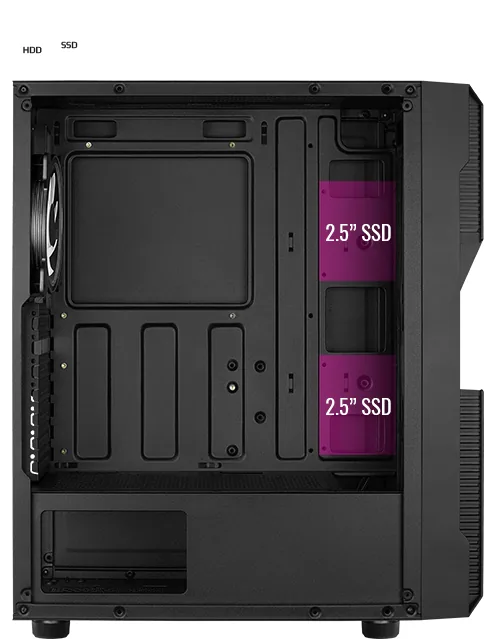
The case supports up to two 2.5-inch SSDs, providing ample space for fast storage solutions alongside larger hard drives.
Is this answer helpful?
You can install radiators at the front, top, and rear positions, offering maximum flexibility for custom liquid cooling loops.
Is this answer helpful?
The product description does not specify pre-installed fans, so you may need to purchase them separately based on your cooling needs.
Is this answer helpful?
Use the LED Control Button located on the rear panel. Hold the switch for two seconds to turn off LEDs or cycle through modes.
Is this answer helpful?
The case is designed to accommodate standard ATX power supply units, ensuring compatibility with most major brands and models.
Is this answer helpful?
Advantages and Disadvantages
Advantages

- Supports multiple radiator placements for superior liquid cooling flexibility
- Includes easy-to-use LED mode switch for instant color customization
- Provides ample space for both 3.5-inch HDDs and 2.5-inch SSDs
Disadvantages

- Manual text is multilingual which may make specific steps harder to isolate quickly
- No mention of pre-installed fans requiring separate purchases for full setup
- Specifications may vary by region potentially affecting local availability
Product Specification
External
N/A
Internal
1x 3.5" (horizontal, HDD cage), 1x 2.5"/3.5", 2x 2.5"
Ports
2x USB-A 3.0 (5Gb/s), 1x 3.5mm jack (Line-Out), 1x 3.5mm jack (Line-In)
PCI Slots
7
Fan (front)
1x 120mm (RGB lit) or 3x 120mm (optional) or 2x 140mm (optional)
Fan (left)
N/A
Fan (right)
N/A
Fan (top)
2x 120mm (optional)
Fan (bottom)
N/A
Fan (other)
2x 120mm (optional)
Radiator sizes
120/240mm front, N/A top, 120mm rear
Motherboard
up to ATX
Supported Motherboards
Mini-ITX (6.7"x6.7")/µATX (9.6"x9.6")/ATX (12"x9.6")
Power Supply
ATX (max. 7.56" deep)
PSU Position
bottom
CPU Cooler
max. 6.18" height
Graphics Cards
max. 12.48"
Color
black, black interior
Lighting
lit fans
Dimensions (WxDxH)
8.07x17.99x15.43in
Volume
2.24cu ft
Chassis Type
Midi-Tower
Front
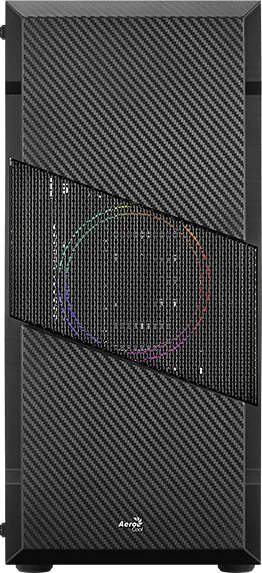
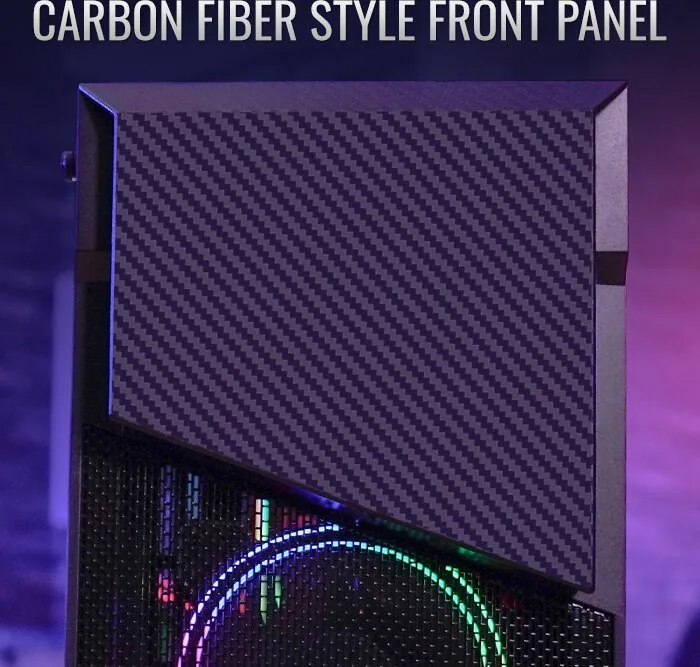
partially closed, partially mesh
Top
partially closed, mostly fan grille, dust filter outside
Bottom
partially closed, fan grille rear, dust filter outside
Left
closed, glass
Right
closed
Rear
partially closed, fan grille right top, PCI slots (7x horizontal)
Front I/O Position
Chassis side: top, Height: Front, Position: center
Features
Cable management, dust filter, glass window
USB Writing
Link
Product Description
Discover the AeroCool Menace Saturn: A Masterpiece of Build Flexibility
The AeroCool Menace Saturn stands as a testament to modern PC engineering, designed for enthusiasts who demand both aesthetic flair and functional robustness. This chassis invites builders to create systems that are not only powerful but also visually stunning, thanks to its support for extensive RGB lighting configurations and versatile cooling options. Whether you are constructing a high-performance gaming rig or a workstation capable of handling heavy workloads, the Menace Saturn provides the foundational stability required.
At the heart of this case lies an emphasis on ease of installation. The manual guides users through every critical step, from securing the motherboard to managing power supply units. The interior layout is thoughtfully designed to accommodate various component sizes, ensuring that cable management remains tidy even in complex builds. The front I/O panel offers convenient access to essential ports, including USB 3.0 connections and audio jacks, streamlining daily interactions with your machine.
Cooling capabilities are where the Menace Saturn truly shines. It supports multiple radiator placements, allowing for liquid cooling setups at the front, top, and rear. This flexibility ensures optimal thermal performance regardless of your chosen configuration. Additionally, the case accommodates numerous fans, enabling precise airflow control to maintain low temperatures under load. The inclusion of dedicated mounting points for 3.5-inch HDDs and 2.5-inch SSDs further enhances storage versatility, catering to users who require massive data capacity alongside rapid boot speeds.
A standout feature is the advanced LED control system. With a dedicated button on the rear panel, users can easily toggle between various color modes, creating dynamic lighting effects that sync with their system's mood. The ability to switch colors instantly adds a layer of personalization that transforms the computer into a centerpiece of any room. From deep purples to vibrant cyans, the lighting possibilities are endless, making every build unique.
Building with the Menace Saturn is an experience defined by precision and user-friendliness. The clear instructions provided in the documentation ensure that even novice builders can assemble their machines with confidence. Every screw, standoff, and bracket is accounted for, eliminating guesswork during the assembly process. As you install components like add-on cards and radiators, you will appreciate the thoughtful spacing that prevents bottlenecks and simplifies maintenance.
In conclusion, the AeroCool Menace Saturn is more than just a box; it is a platform for creativity and performance. Its blend of robust construction, flexible cooling options, and customizable lighting makes it an ideal choice for those seeking a premium building experience.
Search for 67,706 Manuals online


Type-in Brand or Model