
AeroCool Cylon Manual
PDF manual · 2 Pages
English



Quick check
Incorrect answer, please try again.
Chat with your AeroCool Cylon manual using AI
Get instant AI answers from your AeroCool Cylon manual
Ask anything about the AeroCool Cylon. Answers come from this manual, with the pages they are based on.
Ask a Question
Do you recommend Cylon?
Yes NoFrequently Asked Questions
The Cylon supports ATX, Micro-ATX, and Mini-ITX motherboards, providing mounting standoffs and screw types for standard installations.
Is this answer helpful?
You can install up to two 2.5" SSDs and two 3.5" HDDs. The case provides dedicated mounting points and included screws for both drive sizes.
Is this answer helpful?
No; lighting is controlled via a hardware LED mode switch and onboard RGB headers. Preset colors and an LED on/off hold function are available, but there is no advanced software customization.
Is this answer helpful?
Front I/O typically includes USB 2.0, USB 3.0, HD Audio, Power and Reset buttons, and on some variants, a card reader. Front-panel connectors follow standard motherboard F_PANEL pinouts.
Is this answer helpful?
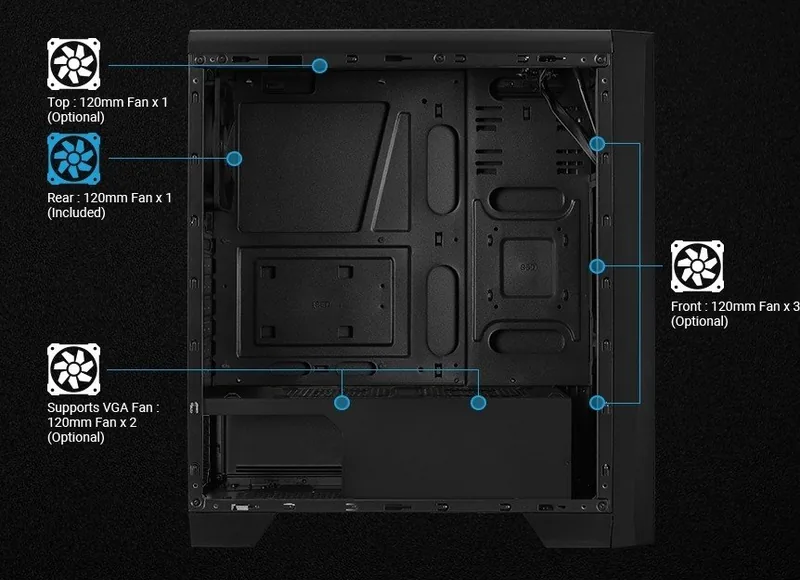
Yes; the Cylon supports multiple case fans with dedicated mounting locations. While airflow is decent for mid-range builds, it is not as optimized as high-end mesh-front cases. Fan screws and guidance are included.
Is this answer helpful?
No; the case includes an accessory bag with MB screws, PSU screws, standoffs, and a multilingual installation guide that covers PSU, motherboard, drives, fans, and expansion cards to simplify assembly.
Is this answer helpful?
Most mainstream GPUs fit, but very long or heavily cooled high-end cards may be constrained by the compact interior. Check GPU length specifications against the case clearance before purchase.
Is this answer helpful?
Advantages and Disadvantages
Advantages

- Attractive front RGB LED strip with multiple preset colors and LED mode switch.
- Supports ATX/Micro-ATX/Mini-ITX motherboards and common PSU form factors.
- Includes mounting hardware and clear step-by-step installation guidance.
- Storage flexibility: up to two 2.5" SSDs and two 3.5" HDDs.
- Affordable mid-tower option for first-time builders seeking style and function.
Disadvantages

- Basic cable management; limited advanced routing or tie-down points.
- RGB control is hardware-based only; no advanced software customization.
- Airflow limited compared with high-end mesh-front designs.
- Compact interior may restrict large GPU or complex cooling setups.
- Front I/O and features are minimal compared to premium cases.
Product Specification
External
N/A
Internal
2x 2.5"/3.5" (transverse, drive rails), 3x 2.5"
PCI Slots
7
Fans (front)
3x 4.72in (optional)
Fans (rear)
1x 4.72in
Fans (left)
N/A
Fans (right)
N/A
Fans (top)
1x 4.72in (optional)
Fans (bottom)
N/A
Fans (other)
2x 4.72in (optional)
Motherboard
up to ATX
Supported Motherboards
Mini-ITX (6.7"x6.7")/µATX (9.6"x9.6")/ATX (12"x9.6")
Power supply
ATX (max. 7.09in deep)
Power supply position
bottom
CPU cooler
max. 6.10in height
Graphics cards
max. 13.62in (14.61in without front fans)
Lighting
integrated RGB-LED lighting
Dimensions (WxHxD)
7.80x18.07x16.26in
Volume
9.92 gal
Case type
Midi-Tower
Front
closed
Top
partially closed, fan grille at rear, dust filter outside
Bottom
partially closed, fan grille at rear, dust filter outside
Right
closed
Rear
partially closed, fan grille top right, PCI slots (7x horizontal)
Front I/O Position
Case side: top, Height: central, Position: central
Product Description
AeroCool Cylon — Sleek RGB Mid-Tower with Practical Features
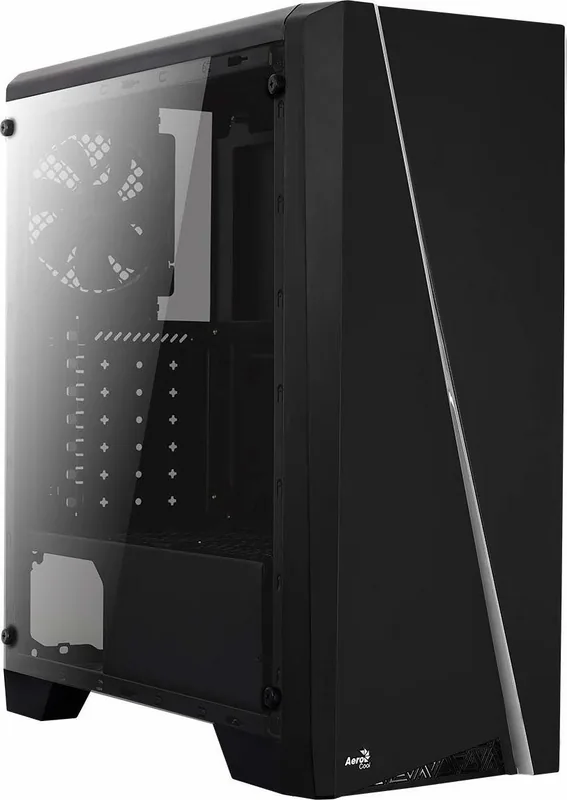
AeroCool Cylon is an affordable mid-tower case that blends a distinct LED-infused front design with practical internal layout and straightforward installation. Built for budget-conscious builders and first-time PC assemblers, the Cylon emphasizes style and usability: a sculpted front panel with an RGB LED strip, support for multiple storage drives, basic cable routing, and room for standard ATX components.
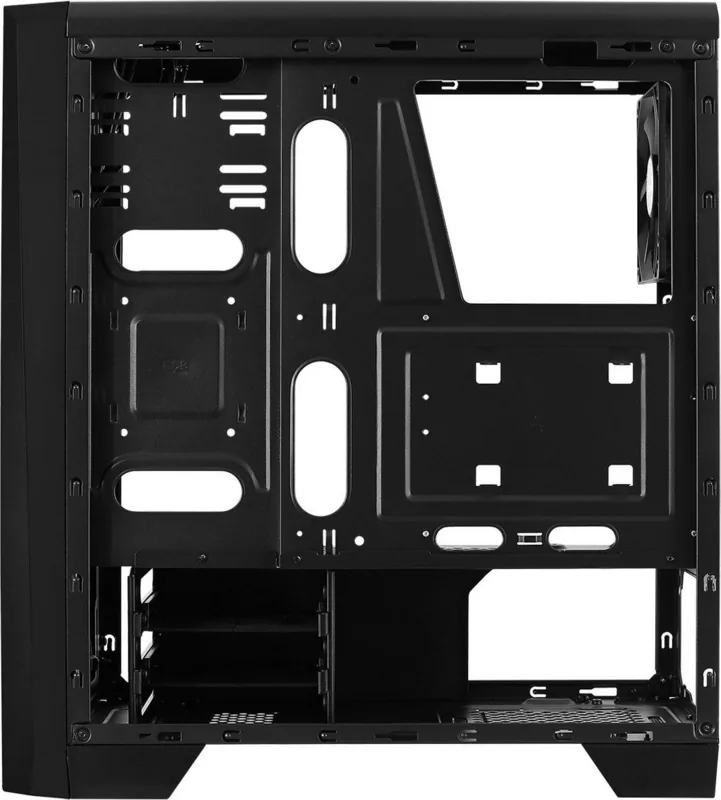
Inside, the Cylon accommodates ATX, Micro-ATX, and Mini-ITX motherboards and provides mounting points for up to two 2.5" SSDs and two 3.5" HDDs. The case includes pre-drilled standoffs and labeled screw types (MB screws, PSU screws, PCI screws) to simplify assembly. There is space for several case fans to maintain airflow; typical configurations allow multiple fan mounts and a front LED/RGB control with an LED mode switch and a hold-to-turn-off function for lighting.
Front I/O is straightforward: USB2.0, USB3.0, HD Audio, power and reset buttons, and card reader options on some variants. Front-panel connectors follow standard F_PANEL pinouts (POWER+, POWER-, HDD LED, POWER SW, RESET SW) and an HD Audio header. The manual stresses consulting the motherboard’s documentation for proper front-panel connections and shows multilingual guidance for installing the PSU, motherboard, drives, fans, and expansion cards.
Cable management is basic but usable for neat builds: there are routing paths for front I/O and fan cables, plus labeled connectors for RGB and LED control (RGB1–RGB6). The LED control offers preset colors like purple, cyan, yellow, white, blue, green, and red. The design focuses on quick, tool-assisted installation—screws and standoffs are included in the accessory bag, and typical step-by-step guidance is provided for mounting the PSU, inserting expansion cards, and fitting storage devices.
Overall, the AeroCool Cylon is a value-oriented chassis that pairs eye-catching front-panel lighting with an uncomplicated interior suited to common gaming and productivity builds. It’s particularly appealing to users who want RGB aesthetics without complex software ecosystems and who appreciate predictable, multilingual installation instructions.
Notes
- Supports ATX, Micro-ATX, Mini-ITX motherboards.
- Storage: up to two 2.5" SSDs and two 3.5" HDDs.
- Front I/O: USB2.0, USB3.0, HD Audio, Power, Reset; LED mode switch included.
- Includes accessory bag with screws, standoffs, and installation hardware.
Search for 67,706 Manuals online


Type-in Brand or Model