
AeroCool Cylon Mini Manual
PDF manual · 2 Pages
English



Quick check
Incorrect answer, please try again.
Chat with your AeroCool Cylon Mini manual using AI
Get instant AI answers from your AeroCool Cylon Mini manual
Ask anything about the AeroCool Cylon Mini. Answers come from this manual, with the pages they are based on.
Ask a Question
Do you recommend Cylon Mini?
Yes NoFrequently Asked Questions
It is well suited for compact gaming builds, budget PCs, or small everyday systems where you want practical hardware support and a stylish look without a large footprint.
Is this answer helpful?
The accessory kit includes mounting hardware such as PSU screws, motherboard standoffs, SSD screws, motherboard screws, PSU screws, and PCI screws for the main build steps.
Is this answer helpful?
The layout shown supports up to two 3.5-inch HDDs and three 2.5-inch SSDs, giving you a flexible mix of capacity and speed in a compact chassis.
Is this answer helpful?
Yes. The front panel includes common connections such as HD audio, power switch, HDD LED, USB headers, and related motherboard connectors for basic case functions.
Is this answer helpful?
Yes. The LED mode switch can be held for about two seconds to turn the lighting off, which is useful if you want a cleaner or less distracting look.
Is this answer helpful?
The manual presents the steps in a simple order, which helps with installation. It is still a compact case, so careful placement of cables and drives will make the process easier.
Is this answer helpful?
Advantages and Disadvantages
Advantages

- Compact case design with a clean gaming style.
- Supports both 3.5-inch HDDs and 2.5-inch SSDs.
- Clear front-panel and USB connection layout.
- LED modes can be changed or turned off easily.
Disadvantages

- Compact size may limit very large hardware choices.
- Cable connections may require careful motherboard matching.
- Lighting options are simple rather than advanced.
- Drive and card installation may feel tight in smaller builds.
Product Specification
External
N/A
Internal
2x 2.5"/3.5" (transverse, drive rails), 3x 2.5"
PCI slots
4
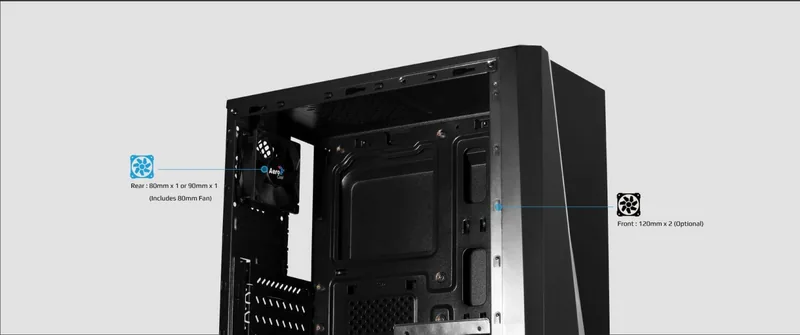
Fan (front)
2x 4.72" (optional)
Fan (rear)
1x 3.15" or 1x 3.54" (optional)
Fan (left)
N/A
Fan (right)
N/A
Fan (top)
N/A
Fan (bottom)
N/A
Fan (other)
N/A
Motherboard
up to Micro-ATX
Supported Motherboards
Mini-ITX (6.7"x6.7")/Micro-ATX (9.6"x9.6")
Power supply
ATX (max. 7.09" deep)
Power supply position
bottom
CPU cooler
max. 5.79" height
Graphics cards
max. 11.81"
Lighting
integrated RGB LED lighting
Dimensions (WxHxD)
6.89x15.00x14.17in
Volume
6.34 gal
Weight
5.73 lb
Case type
Mini-Tower
Front
closed
Top
partially closed, fan grille at rear, external dust filter
Bottom
partially closed, fan grille at rear, external dust filter
Right
closed
Rear
partially closed, fan grille top right, PCI slots (4x horizontal)
Front I/O position
Case side: top, Height: Front, Position: center
Product Description
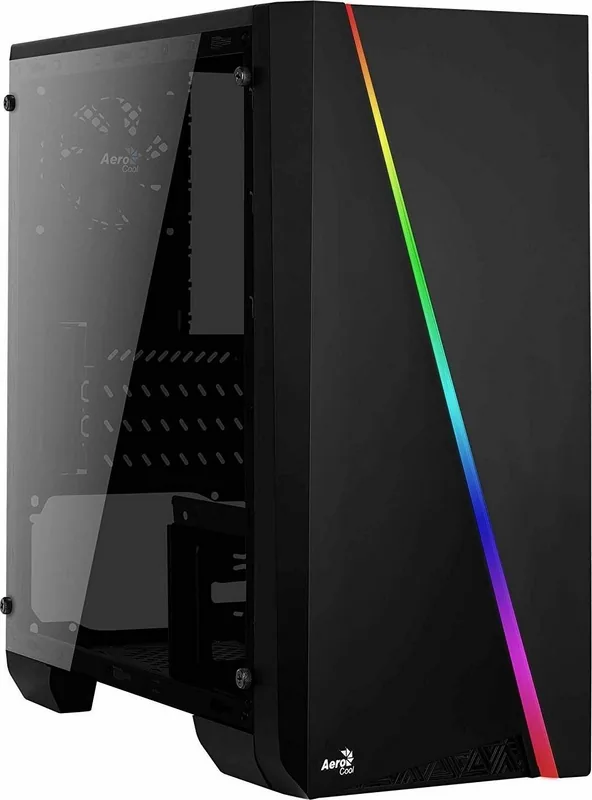
AeroCool Cylon Mini: Compact Style with a Practical Build
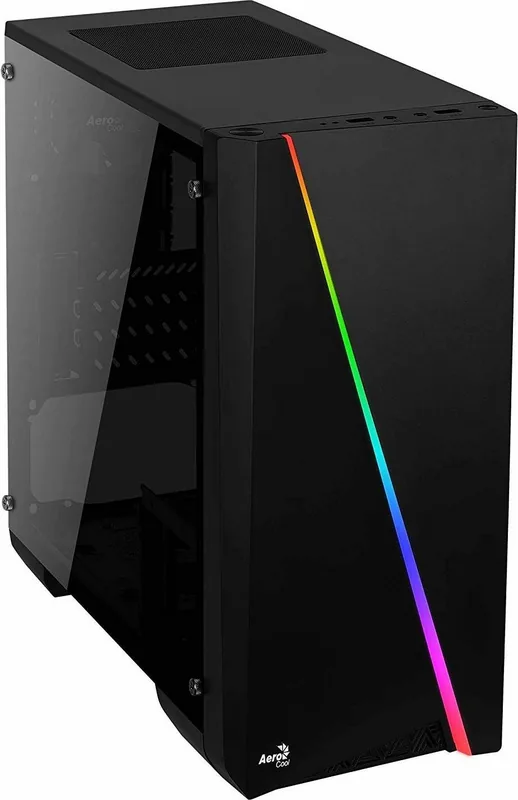
The AeroCool Cylon Mini is a compact case that blends everyday usability with a clean gaming look. The included AeroCool Cylon Mini Manual focuses on straightforward assembly, making it easier for first-time builders and experienced PC users alike to put together a neat system without unnecessary confusion. From the start, the build process feels organized: the accessory bag includes the essential screws and standoffs needed for the PSU, motherboard, SSD, and expansion cards.
What stands out most is how the interior is laid out for flexible hardware support. The case guides you through installing the power supply, motherboard, add-on cards, and multiple storage drives. It supports both 3.5-inch HDDs and 2.5-inch SSDs, which gives builders room to mix larger-capacity drives with faster storage. That balance makes the Cylon Mini appealing for a budget gaming setup, a home workstation, or a compact everyday PC.
The front I/O and connection layout is another practical highlight. The manual clearly points to the usual motherboard headers for power, reset, HDD LED, HD audio, USB, and other front-panel connections. This makes cable routing more manageable and helps keep the build process approachable. The presence of USB 2.0 and USB 3.0 support also adds everyday convenience for peripherals, storage devices, and accessories.
Lighting is part of the case’s identity, but it is handled with a simple switch rather than complicated setup. The LED mode switch offers multiple color options, and holding the switch for a couple of seconds turns the lighting off when a quieter look is preferred. That flexibility is useful for users who want a more vivid desktop at times and a cleaner appearance at others.
Overall, the AeroCool Cylon Mini is about making a small PC feel complete. It combines essential mounting support, user-friendly cable connections, and customizable lighting in a compact design. For builders who want a straightforward case with a bit of visual flair, it delivers a solid mix of form and function.
Notes
- Keep the included screws and standoffs sorted before starting the build.
- Match each cable carefully to the motherboard labels for a smoother setup.
- Use the LED switch to quickly adapt the look of the system to your workspace.
Search for 67,706 Manuals online


Type-in Brand or Model