
AeroCool Cylon 4 ARGB Manual
PDF manual · 1 Pages
English


Quick check
Incorrect answer, please try again.
Chat with your AeroCool Cylon 4 ARGB manual using AI
Get instant AI answers from your AeroCool Cylon 4 ARGB manual
Ask anything about the AeroCool Cylon 4 ARGB. Answers come from this manual, with the pages they are based on.
Ask a Question
Do you recommend Cylon 4 ARGB?
Yes NoFrequently Asked Questions
The cooler supports Intel LGA 2066, LGA 2011, LGA 1200, LGA 115X, and LGA 1700 sockets. Use the mounting components intended for your specific socket family.
Is this answer helpful?
Yes. AMD AM5 is listed among the supported sockets. The cooler also supports AM4, AM3+, AM3, AM2+, AM2, FM2, and FM1 platforms.
Is this answer helpful?
PWM allows a compatible motherboard to regulate fan speed based on CPU temperature. This helps the system balance cooling performance with lower fan activity during lighter workloads.
Is this answer helpful?
Connect the ARGB lead to a compatible ARGB motherboard header or an ARGB hub. Check the connector type and your motherboard documentation before making the connection.
Is this answer helpful?
Both are part of the AeroCool PWM and ARGB CPU air cooler range. Confirm the precise package contents, physical specifications, and included accessories for the version you choose.
Is this answer helpful?
Verify CPU socket compatibility, select the matching mounting hardware, confirm case clearance, and ensure your motherboard has suitable PWM and ARGB connections if you plan to use those features.
Is this answer helpful?
Advantages and Disadvantages
Advantages

- Supports Intel LGA 2066, 2011, 1200, 115X, and 1700 platforms.
- Supports AMD AM5, AM4, AM3+, AM3, AM2+, AM2, FM2, and FM1 sockets.
- PWM fan control can automatically respond to CPU temperature.
- ARGB connection supports compatible motherboards and lighting hubs.
- Cylon 4 and Cylon 4F provide options within the same cooler family.
Disadvantages

- ARGB effects require a compatible ARGB motherboard header or hub.
- Installation requires selecting the correct hardware for the CPU socket.
- Case clearance should be checked before purchase and installation.
- Exact included accessories may vary by Cylon 4 or Cylon 4F version.
Product Specification
Design
Tower cooler
Dimensions with fan
4.98 x 6.30 x 2.99 in (W x H x D)
Fan
1 x 4.72 x 4.72 x 0.98 in, 800-1,800 rpm, 26.1-52.5 CFM, 14-26 dB(A), 0.03-0.05 in H2O
Weight with fan
1.65 lb
Connector
4-pin PWM, 3-pin ARGB (+5V/DATA/GND)
AMD socket
AM4, AM2/AM2+/AM3/AM3+, FM1/FM2/FM2+
Intel socket
2011-0/2011-1/2011-3/2066, 1150/1151/1155/1156/1200, 775
TDP rating
145 W
Lighting
RGB
Features
4 heat pipes (0.24 in), heat pipe direct touch, black heatsink
Product Description
AeroCool Cylon 4 ARGB - Read, Download & Print Free
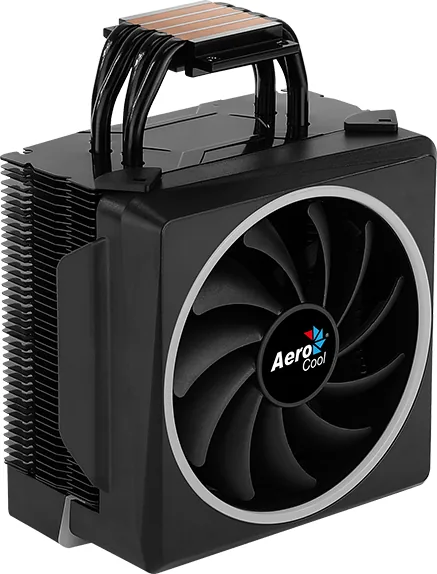
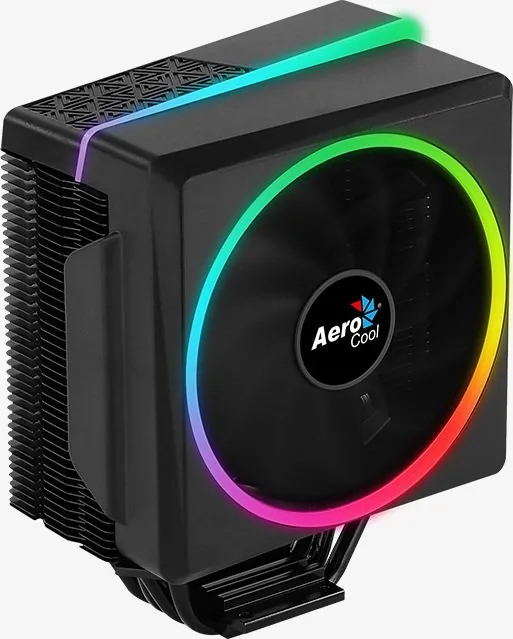
The AeroCool Cylon 4 ARGB is a PWM CPU air cooler designed for builders who want dependable processor cooling with a distinctive addressable RGB look. Its tower-style design is made to fit a broad range of modern and legacy desktop platforms, making it a practical option for upgrades, replacement builds, and custom gaming systems.
Broad socket compatibility
A major benefit of the Cylon 4 series is its flexible mounting support. Intel compatibility includes LGA 2066, 2011, 1200, 115X, and 1700 sockets. AMD support covers FM1, FM2, AM5, AM4, AM3+, AM3, AM2+, and AM2. This wide coverage helps builders keep their cooler choice simple when working with different motherboard generations.
The package includes separate mounting parts for Intel and AMD installations. Careful bracket selection is important, especially when moving between LGA 2011/2066 and LGA 1200/115X/1700 platforms. The mounting layout is intended to secure the heatsink firmly while keeping installation organized.
PWM cooling and ARGB lighting
The cooler uses PWM fan control, allowing compatible motherboards to adjust fan speed according to processor temperature. This can help balance cooling output and everyday noise levels without requiring constant manual adjustment. For users building systems that run demanding games, creative applications, or multitasking workloads, PWM control adds useful flexibility.
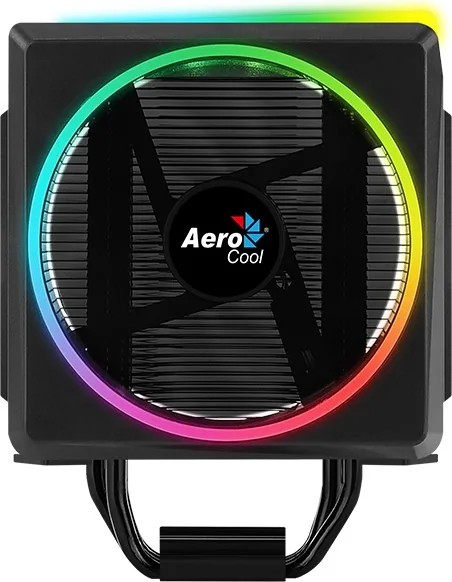
ARGB connectivity is another central feature. The lighting connection can be linked to an ARGB-enabled motherboard or a compatible hub, allowing the cooler to join the rest of a synchronized lighting setup. It is a good match for cases and components that already use addressable RGB effects, from subtle color themes to more animated profiles.
Cylon 4 and Cylon 4F options
The AeroCool Cylon 4 ARGB family includes Cylon 4 and Cylon 4F versions. Both are presented as PWM and ARGB CPU air coolers with the same broad platform focus. Before installation, confirm the included hardware, available motherboard headers, case clearance, and the exact version being purchased. These checks help ensure the best fit for a clean and reliable build.
Notes
- Connect the fan to a PWM-capable CPU fan header for automatic speed control.
- Connect ARGB lighting only to a compatible ARGB motherboard header or hub.
- Verify socket support and mounting hardware before beginning installation.
- Keep cables clear of the fan and other moving components.
Search for 67,706 Manuals online


Type-in Brand or Model
Jena Hayes
5 months ago
Is this CPU cooler difficult to install on an AM4 motherboard, and can its RGB lighting be controlled through motherboard software?
Manual.ly
5 months ago
Installation can be somewhat fiddly because the plastic cover may catch on the cooling fins when it is removed or refitted. For AM4, the cover must be removed to install the mounting clips. Once fitted, the cooler performs quietly and offers good temperatures. Its 3-pin ARGB connector supports control through compatible motherboard RGB software such as Asus Aura, RGB Fusion, MSI Mystic Light, and Polychrome RGB.