
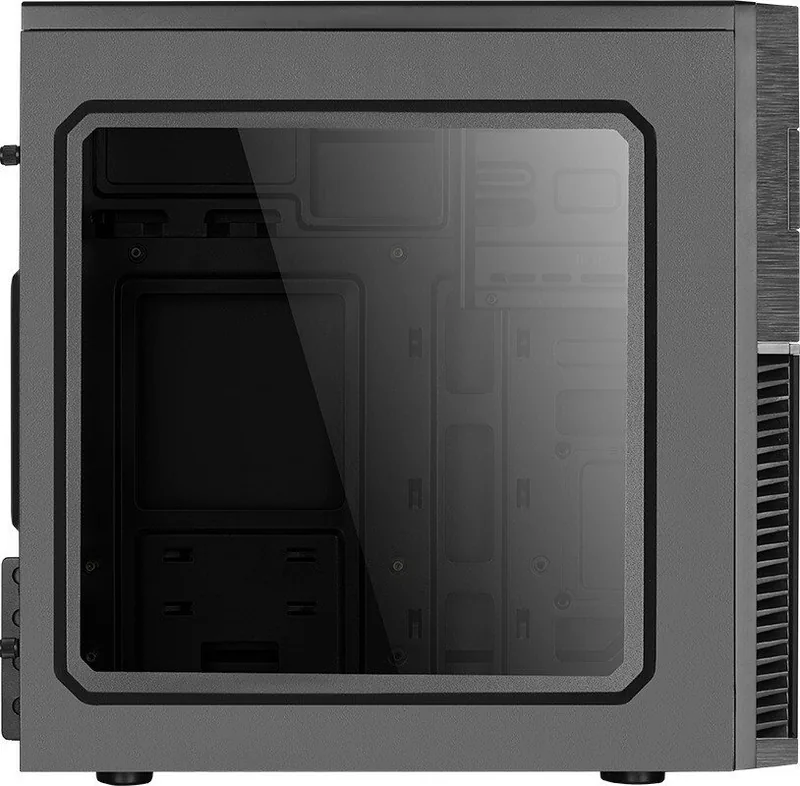
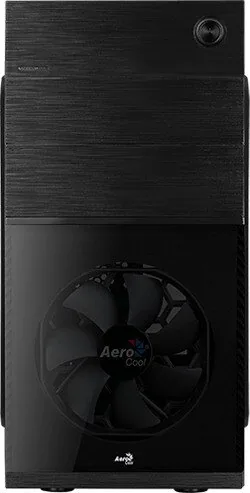
AeroCool CS-105 Manual
PDF manual · 2 Pages
English



Quick check
Incorrect answer, please try again.
Chat with your AeroCool CS-105 manual using AI
Get instant AI answers from your AeroCool CS-105 manual
Ask anything about the AeroCool CS-105. Answers come from this manual, with the pages they are based on.
Ask a Question
Do you recommend CS-105?
Yes NoFrequently Asked Questions
The case is designed to accommodate standard ATX motherboards, providing enough space for most common form factors used in desktop builds.
Is this answer helpful?
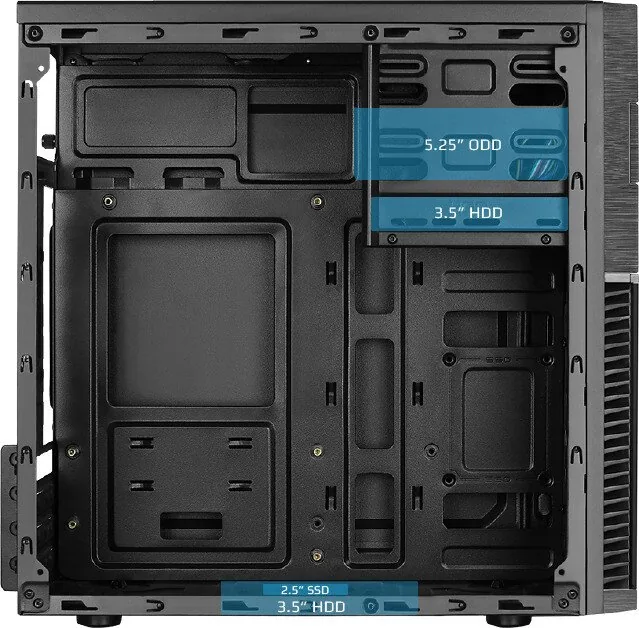
You can install up to two 3.5-inch hard disk drives and two 2.5-inch solid-state drives simultaneously within the available bays.
Is this answer helpful?
No, the AeroCool CS-105 does not include fans. You will need to purchase and install them separately if you require active cooling.
Is this answer helpful?
Yes, the front I/O panel features one USB 3.0 port along with one USB 2.0 port for versatile peripheral connectivity.
Is this answer helpful?
Absolutely. The chassis includes a dedicated bay for one 5.25-inch optical disc drive to support older media formats.
Is this answer helpful?
Advantages and Disadvantages
Advantages

- Supports multiple storage configurations including dual 3.5 HDDs and dual 2.5 SSDs
- Includes USB 3.0 and USB 2.0 ports on the front I/O panel for fast connectivity
- Clear labeling and organized screw compartments simplify the installation process
Disadvantages

- Limited cable management space compared to premium mid-tower cases
- No included fans which may require additional purchases for optimal cooling
- Basic construction materials may feel less robust than higher-end models
Product Specification
External
1x 5.25"
Internal
1x 3.5", 1x 2.5"/3.5", 1x 2.5"
PCI Slots
4
Rear Fan
1x 80mm (optional)
Right Fan
N/A
Top Fan
N/A
Bottom Fan
N/A
Other Fans
N/A
Radiator Sizes
120mm front, N/A top
Motherboard
up to µATX
Supported Motherboards
Mini-ITX (6.7"x6.7")/µATX (9.6"x9.6 ")
Power Supply
ATX
Power Supply Position
top
CPU Cooler
max. 5.83" height
Graphics Cards
max. 12.60"
Dimensions (WxDxH)
7.36x14.21x13.98 in
Volume
1.46 cu ft
Weight
4.96 lbs
Chassis Type
Mini-Tower
USB Notation
Link
Product Description
AeroCool CS-105: The Essential Foundation for Your Build
The AeroCool CS-105 stands as a reliable entry-level chassis designed to bring your computer vision to life. This case offers a streamlined approach to PC assembly, prioritizing ease of installation and essential functionality for users building their first system or upgrading an existing rig. With its compact yet spacious interior, the CS-105 accommodates standard ATX motherboards while maintaining a low profile that fits easily on desks or under tables.
At the heart of this build experience is the thoughtful layout of internal components. The design simplifies the process of installing the motherboard, power supply unit, and storage drives. Users can effortlessly mount up to two 3.5-inch hard disk drives and two 2.5-inch solid-state drives, ensuring ample room for both massive data storage and lightning-fast boot speeds. The inclusion of support for optical drives allows legacy media compatibility without sacrificing modern storage options.
Connectivity is handled with practicality in mind. The front I/O panel provides quick access to essential ports, including USB 3.0 and USB 2.0 connections alongside audio jacks for headphones and microphones. These features ensure that peripherals are always within reach during intense gaming sessions or creative work. The rear panel offers additional expansion slots for add-on cards, allowing users to upgrade graphics capabilities or network performance as their needs evolve.
Assembly is further aided by clear labeling and accessible mounting points. The case includes dedicated standoffs and screws for various drive types, reducing clutter and preventing accidental damage during the build process. Cable management is simplified through strategic routing channels, helping maintain airflow and a clean aesthetic even in a budget-friendly enclosure. Whether you are a student, a casual gamer, or a home office user, the AeroCool CS-105 delivers a solid platform for your computing adventures.
Important Notes
Ensure all screws are tightened securely before powering on the system. Always ground yourself before touching internal components to prevent static discharge. Keep the manual handy for specific connector pinouts and detailed installation steps.
Search for 67,706 Manuals online


Type-in Brand or Model