
AeroCool CS-102 Manual
PDF manual · 2 Pages
English



Quick check
Incorrect answer, please try again.
Chat with your AeroCool CS-102 manual using AI
Get instant AI answers from your AeroCool CS-102 manual
Ask anything about the AeroCool CS-102. Answers come from this manual, with the pages they are based on.
Ask a Question
Do you recommend CS-102?
Yes NoFrequently Asked Questions
It is best suited for practical everyday systems, including home PCs, office machines, and budget builds. Its layout focuses on essential compatibility and straightforward installation rather than premium extras.
Is this answer helpful?
The layout shown in the guide supports one optical drive, up to three 3.5-inch HDDs, and two 2.5-inch SSDs. That makes it flexible for users who want both capacity and speed.
Is this answer helpful?
Yes. The accessory bag includes mounting items such as motherboard standoffs, screws for SSDs, ODDs, PSUs, PCI parts, and fans. This helps make the build process more convenient.
Is this answer helpful?
Yes. The front-panel wiring is labeled with items like power, reset, HDD LED, power LED, and audio. This makes cable connection easier, especially for first-time builders.
Is this answer helpful?
It can be. The illustrated installation steps and included hardware make it easier to understand how parts fit together. Users still need to follow motherboard-specific instructions for final connections.
Is this answer helpful?
Yes. It is designed to support both hard drives and SSDs, so users can combine larger storage drives with faster solid-state storage in one build.
Is this answer helpful?
Advantages and Disadvantages
Advantages

- Supports a practical mix of motherboard, PSU, ODD, HDD, and SSD installations.
- Includes a full accessory bag with screws and standoffs for easier assembly.
- Front-panel connections are clearly identified for cleaner wiring.
- Compact layout is well suited for simple home, office, or budget builds.
Disadvantages

- Design appears focused on function rather than premium styling or advanced features.
- Storage and expansion options may be limited compared with larger cases.
- Airflow and cooling details are not emphasized in the provided material.
- The compact form may feel restrictive for users planning larger upgrades.
Product Specification
External
1x 5.25"
Internal
3x 3.5", 2x 2.5"
Ports
1x USB-A 3.0 (5Gb/s), 1x USB-A 2.0 (480Mb/s), 1x 0.14in jack (Line-Out), 1x 0.14in jack (Line-In)
PCI Slots
4
Fan (front)
N/A
Fan (rear)
1x 3.15in, 1600rpm, 25dB(A)
Fan (left)
1x 4.72in (optional)
Fan (right)
N/A
Fan (top)
N/A
Fan (bottom)
N/A
Fan (other)
N/A
Motherboard
up to µATX
Supported Motherboards
µATX (9.6"x9.6")
Power Supply
ATX
Power Supply Position
top
CPU Cooler
max. 5.91in height
Graphics Cards
max. 9.45in
Color
black, interior black
Lighting
no lighting
Dimensions (WxHxD)
7.48x13.58x14.65in
Volume
6.44gal
Weight
4.19lb
Case Type
Mini-Tower
Front
closed, ventilation slots bottom
Top
closed
Bottom
closed
Left
partially closed, fan grille center
Right
closed
Rear
partially closed, fan grille right center, PCI slots bottom (4x horizontal)
Front I/O Position
Case side: Front, Height: center, Position: right
Special Features
Cable management
USB Notation
Link
Product Description
AeroCool CS-102: A Compact Case Built for Practical Everyday Builds
The AeroCool CS-102 Manual points to a case that is all about simple, organized assembly. The CS-102 is a compact chassis that focuses on the essentials: a clean internal layout, clear installation steps, and support for the parts most users need in a small-to-midrange system. It is the kind of case that feels approachable whether you are building a first PC or refreshing an older setup.
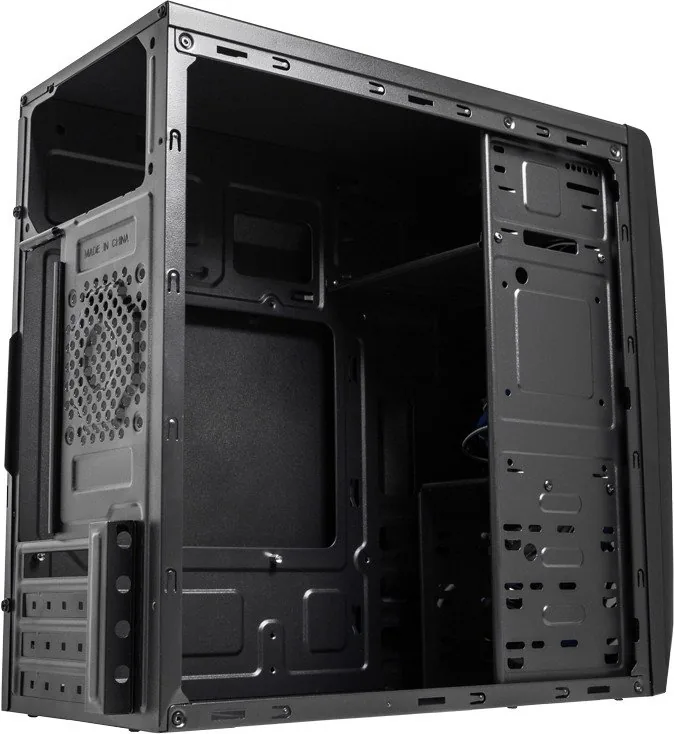
One of its biggest strengths is the way it balances storage and hardware support. The layout shown in the guide highlights space for a motherboard, PSU, one optical drive, up to three 3.5-inch HDDs, and two 2.5-inch SSDs. That gives the case a flexible profile for mixed storage setups, especially for users who still rely on a combination of fast SSD performance and larger hard-drive capacity. The internal illustration also helps make the placement of each component easier to understand.
The front-panel connection area is another practical detail. Buttons, audio, USB, and LED connectors are all grouped for tidy wiring, which is helpful when you want the build to look cleaner and be easier to maintain. The accessory bag includes the necessary screws, standoffs, and mounting hardware, so the installation process feels more complete and ready to go right out of the box.
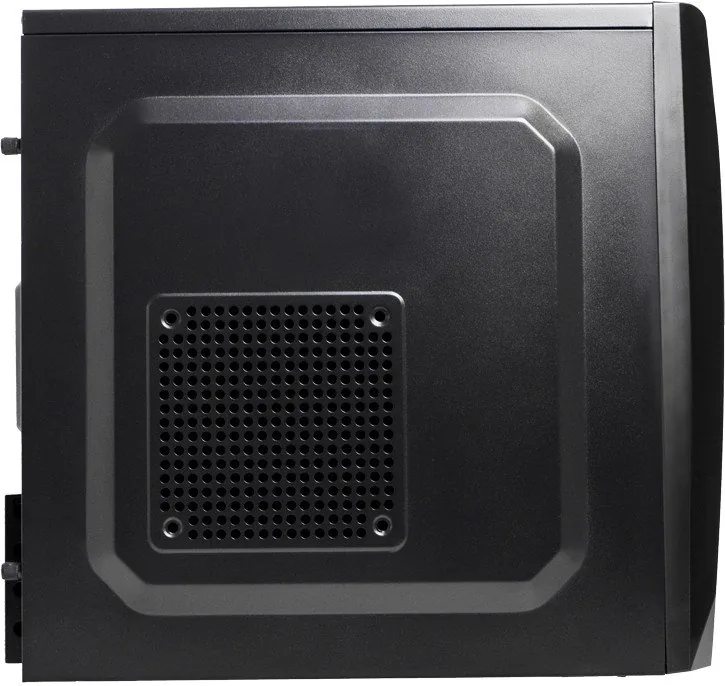
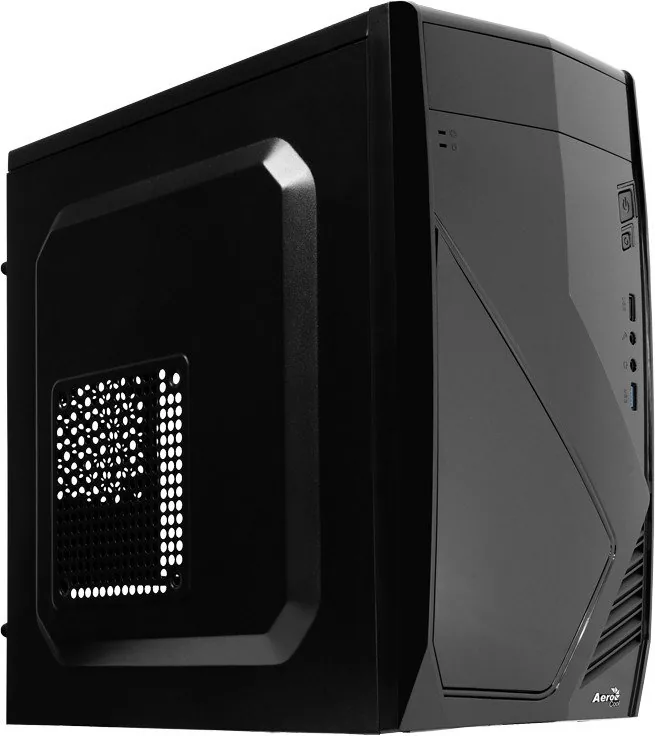
AeroCool also makes the structure easy to inspect from different angles, with left, right, top, front, and rear views shown for reference. That helps users visualize airflow paths, drive placement, and the general flow of the build before assembly begins. For a case in this category, that kind of visual guidance is a real advantage.
Overall, the CS-102 is best described as a practical, no-nonsense case for users who value compatibility and organized assembly over flashy extras. It suits office machines, home PCs, and budget-friendly systems that still need dependable storage support. If you are looking for a straightforward enclosure with a helpful layout and broad basic compatibility, the AeroCool CS-102 is worth a closer look.
Notes
- Model parts may vary by country.
- Cable routing is simplified by clearly labeled front-panel connectors.
- Included mounting hardware helps reduce setup delays.
Search for 67,706 Manuals online


Type-in Brand or Model
Luca Rossi
10 months ago
I need a very compact case for a budget PC. How solid is it given the thin metal, and will it fit my drives (ATX PSU and a DVD or 3.5-inch HDD)?
Manual.ly
10 months ago
This case is built for price-performance in small spaces, so the steel panels are relatively thin. It is still usable, but you should handle it carefully (avoid pressing or flexing the side/top panels during assembly). For drive fit, it depends on the internal bay layout and PSU size: with an ATX power supply, a front-mounted optical drive (DVD) may not clear the compartment, and some 3.5-inch HDD positions can be tight due to a small internal projection/stop. Cable management is generally better than expected in these models, but plan for slightly cramped routing. If you share your exact PSU dimensions and HDD/DVD model, we can help verify compatibility.