
AeroCool Bolt Manual
PDF manual · 2 Pages
English



Quick check
Incorrect answer, please try again.
Chat with your AeroCool Bolt manual using AI
Get instant AI answers from your AeroCool Bolt manual
Ask anything about the AeroCool Bolt. Answers come from this manual, with the pages they are based on.
Ask a Question
Do you recommend Bolt?
Yes NoFrequently Asked Questions
The guide covers installing motherboards, PSUs, 3.5 inch HDDs, 2.5 inch SSDs, add-on cards, front fans, radiators, and connecting front I/O panels including power switches and USB headers.
Is this answer helpful?
Yes, the documentation includes translations in numerous languages such as English, Spanish, German, French, Chinese, Japanese, Russian, Polish, Portuguese, Turkish, and Kazakh.
Is this answer helpful?
Follow the section on front radiator installation which details removing the front panel, mounting the fan, attaching the radiator, and reconnecting the panel securely.
Is this answer helpful?
Yes, the guide specifies using MB screws, MB standoffs, and PCI screws to ensure proper mounting and stability for the motherboard and expansion cards.
Is this answer helpful?
Absolutely, the text includes specific instructions for installing fans and radiators, making it suitable for both air and liquid cooling configurations.
Is this answer helpful?
The manual details F-PANEL connections for power LED, HDD LED, power switch, reset switch, HD audio, and USB ports with clear labeling.
Is this answer helpful?
Advantages and Disadvantages
Advantages

- Comprehensive multilingual support for global users
- Detailed step-by-step visual guides for component installation
- Clear instructions on cable management and screw types
- Covers both standard HDD/SSD and advanced radiator setups
Disadvantages

- Does not include specific pinout diagrams for every motherboard model
- Requires user to have compatible tools for assembly
- Regional specifications may differ from general guidelines provided
Product Specification
External
N/A
Connectors
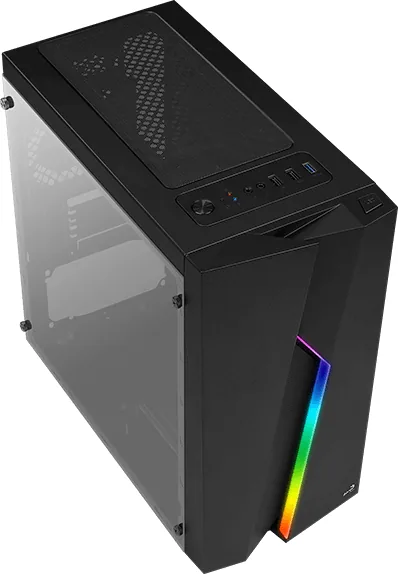
1x USB-A 3.0 (5Gb/s), 2x USB-A 2.0 (480Mb/s), 1x 3.5mm Jack (Line-Out), 1x 3.5mm Jack (Line-In)
Fan (rear)
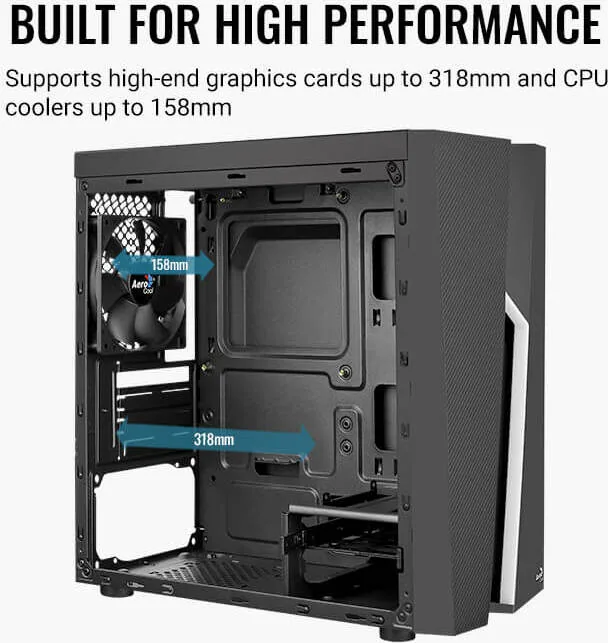
1x 4.72 in
Fan (left)
N/A
Fan (right)
N/A
Fan (top)
2x 4.72 in (optional)
Fan (bottom)
N/A
Power supply position
bottom
Color
black, black inside
Lighting
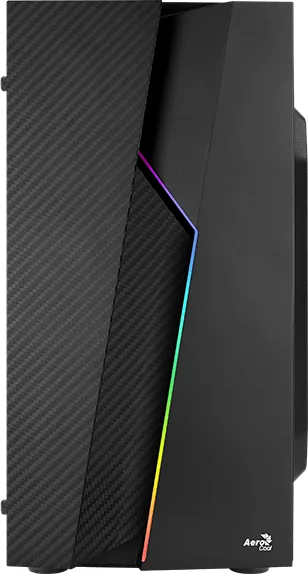
integrated LED controller, integrated RGB lighting
Front
closed
Top
partially closed, mostly fan grille, dust filter outside
Bottom
partially closed, fan grille at rear, dust filter outside
Right
closed
Front I/O Position
Case side: top, Height: middle, Position: middle
USB spelling
Left
Product Description
Discover the AeroCool Bolt: The Ultimate Build Companion
The AeroCool Bolt is designed for enthusiasts who demand precision and ease during their PC assembly journey. This product serves as an essential guide, transforming the complex process of building a custom computer into a streamlined experience. Whether you are a seasoned builder or a first-time assembler, the AeroCool Bolt provides clear instructions that cover every critical step.
At the heart of the AeroCool Bolt experience is its comprehensive coverage of hardware installation. The manual details the precise placement of 3.5-inch hard drives and 2.5-inch solid-state drives, ensuring optimal storage configuration. It guides users through the intricate task of connecting front I/O panels, managing cable ties, and securing motherboard standoffs with specific screw types like MB screws and PCI screws. The documentation also addresses power supply unit (PSU) installation, highlighting the correct positioning for top and PSU case fans to maintain thermal efficiency.
Beyond basic component mounting, the AeroCool Bolt emphasizes system integration. Users receive step-by-step visuals on installing add-on cards and connecting front panel cables for power switches, reset buttons, and audio jacks. The guide also explores advanced cooling solutions, including the installation of front case fans and radiators for liquid cooling setups. By removing the front panel safely and reattaching it with care, builders can ensure a clean aesthetic while maintaining airflow.
This resource is multilingual, catering to a global audience with translations in English, Spanish, German, French, Chinese, Japanese, Russian, Polish, Portuguese, Turkish, Kazakh, and more. The focus remains on practical application, offering tips for SSD screw placement and cable management that keep the interior tidy. With the AeroCool Bolt, every build becomes a testament to organized craftsmanship and reliable performance.
Important Notes
- Always refer to your specific motherboard manual for connector pinouts.
- Specifications may vary by region; check with local retailers for exact details.
- Ensure all screws are tightened securely to prevent vibration noise.
Search for 67,706 Manuals online


Type-in Brand or Model