
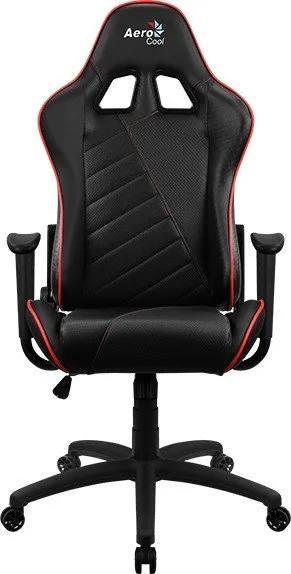
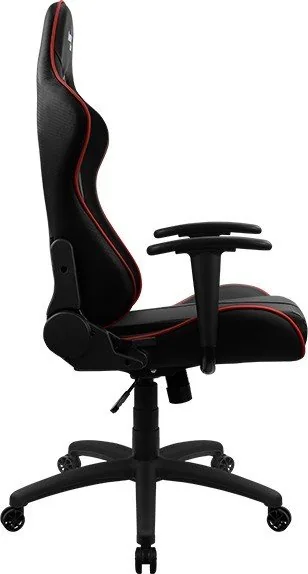
AeroCool AC110 AIR Manual
PDF manual · 13 Pages
English



Quick check
Incorrect answer, please try again.
Chat with your AeroCool AC110 AIR manual using AI
Get instant AI answers from your AeroCool AC110 AIR manual
Ask anything about the AeroCool AC110 AIR. Answers come from this manual, with the pages they are based on.
Ask a Question
Do you recommend AC110 AIR?
Yes NoFrequently Asked Questions
Check the packing list carefully. If any items are missing, contact your local distributor for assistance. You can find local dealer information in the 'Where to Buy' section on the official Aerocool website.
Is this answer helpful?
Grease and oil are applied to parts like the gas lift and screws to facilitate easier installation. You must wash your hands thoroughly after handling these parts to prevent accidentally staining the chair fabric.
Is this answer helpful?
No. The manual explicitly warns that using bare hands on the metal bracket during assembly can cause serious injury due to the spring-loaded mechanism. Protective work gloves are required.
Is this answer helpful?
Return the product to the point of purchase or contact a local agent. Prepare your invoice, a photo of the serial number starting with SN, and photos or videos illustrating the problem.
Is this answer helpful?
No. The limited warranty only covers defects in material or workmanship. Cosmetic issues like scratches, stains, or damage resulting from faulty assembly are not covered.
Is this answer helpful?
The warranty is effective from the date on your invoice or receipt. If you cannot provide proof of purchase, the warranty starts from the packaging date plus one month.
Is this answer helpful?
Advantages and Disadvantages
Advantages

- Robust butterfly mechanism for smooth reclining
- Includes detachable headrest and back cushions for added comfort
- Pre-assembled parts reduce installation time significantly
- Comprehensive multi-language user manual included
- Limited warranty covers material and workmanship defects
Disadvantages

- Some parts come greased which can stain upholstery if hands are not washed
- Requires protective gloves during assembly to avoid injury
- Warranty does not cover cosmetic damage like scratches or stains
- Cushions rely on straps which may require adjustment over time
- Missing parts must be sourced from local distributors rather than direct replacement
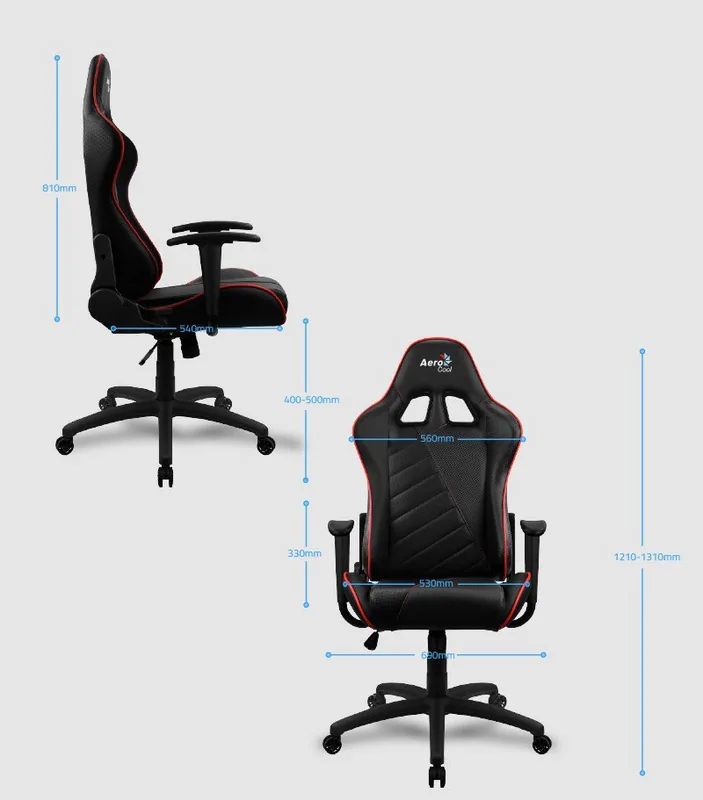
Product Specification
Type
Gaming Chair
Material
Plastic (Pinhole PU)
Seat Width
20.87 inches
Seat Depth
21.26 inches
Seat Height (adjustable)
15.75-19.69 inches
Backrest
yes, 31.89 inches, tiltable, 180 degrees
Armrest
yes
Total Height
47.64-51.57 inches
Load Capacity
330.69 lbs
Special Features
Gas lift, head pillow, lumbar pillow, rocking function (18 degrees, lockable)
Weight
37.48 lbs
Manufacturer Warranty
5 years
Product Description
Elevate Your Gaming Setup with the AeroCool AC110 AIR
The AeroCool AC110 AIR Gaming Chair is designed for gamers who demand both style and long-lasting comfort during intense sessions. This professional gaming chair features a robust butterfly mechanism that allows for smooth reclining, ensuring you stay supported whether you are leaning forward in action or relaxing back after a victory. The sleek design complements any modern gaming room, while the high-quality materials promise durability against daily wear.
Assembly of the AC110 AIR is straightforward but requires attention to safety details. The manual advises using protective gloves when handling specific metal brackets to prevent serious injury from spring-loaded parts. Once assembled, the chair includes adjustable headrest and back cushions that attach easily via straps, providing customizable lumbar support. Users should ensure all parts are present before starting, as missing components can be addressed through local distributors listed on the official website.
A unique feature of this model is the pre-lubricated assembly parts. To avoid accidental stains on the upholstery, users must wash their hands thoroughly after touching the gas lift, levers, and screws. The warranty covers defects in material and workmanship under normal use, excluding damage from improper assembly or cosmetic issues like scratches. For claims, keep your invoice ready along with photos of the serial number and the defect.
Important Assembly Notes
Always tighten screws in an X-pattern to ensure even pressure. Do not force the metal bracket; pull the lever gently while holding the bracket firmly. If parts feel stuck, check for grease residue and clean hands immediately.
Search for 67,706 Manuals online


Type-in Brand or Model