

Free Adonit Manuals – Read, Download & Print
1 Manuals
Manuals
Categories

Free Adonit Manuals - Read, Download & Print
Introduction to Adonit Digital Stylus Technology
Adonit has established itself as a leading manufacturer of high-performance digital styluses designed specifically for tablets and smartphones. Their products are renowned for their precision, responsiveness, and seamless integration with various operating systems including iOS and Android. Whether you are an artist looking to sketch intricate designs, a student needing to take detailed notes during lectures, or a professional requiring accurate annotations on documents, Adonit provides the tools necessary to enhance your digital workflow. However, to fully utilize these advanced devices, understanding their specific features, troubleshooting common issues, and knowing how to maintain them is essential. This is where comprehensive documentation becomes invaluable.
The journey of owning an Adonit device begins with unboxing and setting up the hardware. While many users find the initial setup intuitive, having access to detailed instructions ensures that no feature is overlooked. From pairing the stylus via Bluetooth to configuring pressure sensitivity settings within compatible applications, the user manual serves as the definitive guide. Without this resource, users might struggle with connectivity problems or fail to activate specialized functions like palm rejection or shortcut keys. The availability of free manuals allows every user, regardless of technical expertise, to maximize the potential of their investment without incurring additional costs.
Why Accessing Official Documentation Matters
In the rapidly evolving landscape of digital accessories, software updates and hardware revisions occur frequently. A stylus model released three years ago may have different firmware requirements or button configurations compared to the latest version. Relying on outdated information found in forums or third-party blogs can lead to frustration and ineffective usage. Official manuals provided by Adonit are regularly updated to reflect the current state of the product. They offer accurate diagrams, step-by-step procedures, and safety guidelines that protect both the user and the device.
Furthermore, official documentation often includes troubleshooting sections that address specific error codes or performance anomalies not covered in general online guides. For instance, if a stylus is experiencing latency issues or battery drainage problems, the manual will provide targeted solutions ranging from recalibration steps to checking app permissions. Having a printed copy or a downloadable PDF also means that users can reference the information offline, which is particularly useful when traveling or working in areas with limited internet connectivity. The ability to print these documents ensures that physical copies are available for quick reference during meetings or creative sessions where flipping through a screen might be inconvenient.
Comprehensive Coverage Across Product Lines
Adonit offers a diverse range of styluses catering to different needs and preferences. Each product line comes with its own unique set of capabilities and requirements. The Adonit Note series, for example, is designed for note-taking and typically features a fine tip and palm rejection technology. In contrast, the Adonit Dash series focuses on productivity with programmable buttons and wireless charging capabilities. The Adonit Pixel series targets artists who require varying degrees of pressure sensitivity and tilt recognition similar to traditional pencils.
By providing dedicated manuals for each model, Adonit ensures that users receive information tailored specifically to their device. A manual for the Adonit Note will explain how to use the eraser end effectively and how to adjust the sensitivity for handwriting. Meanwhile, the manual for the Adonit Dash will detail how to customize button shortcuts for actions like taking screenshots or switching between apps. This level of specificity prevents confusion and helps users navigate the unique interface of their particular stylus. The free access to these resources democratizes knowledge, allowing anyone with an Adonit device to become proficient quickly.
How to Navigate the Manual Library
Finding the correct manual for your specific Adonit model is straightforward when utilizing the centralized repository of resources. Users can search for their product by name or model number to locate the corresponding document. Once located, the interface typically offers multiple options for viewing the content. The digital format supports zooming in on diagrams and searching for keywords, making it easy to find specific instructions without scrolling through entire chapters. For those who prefer a tactile experience, the download function allows saving the file locally, while the print option enables creating a hard copy.
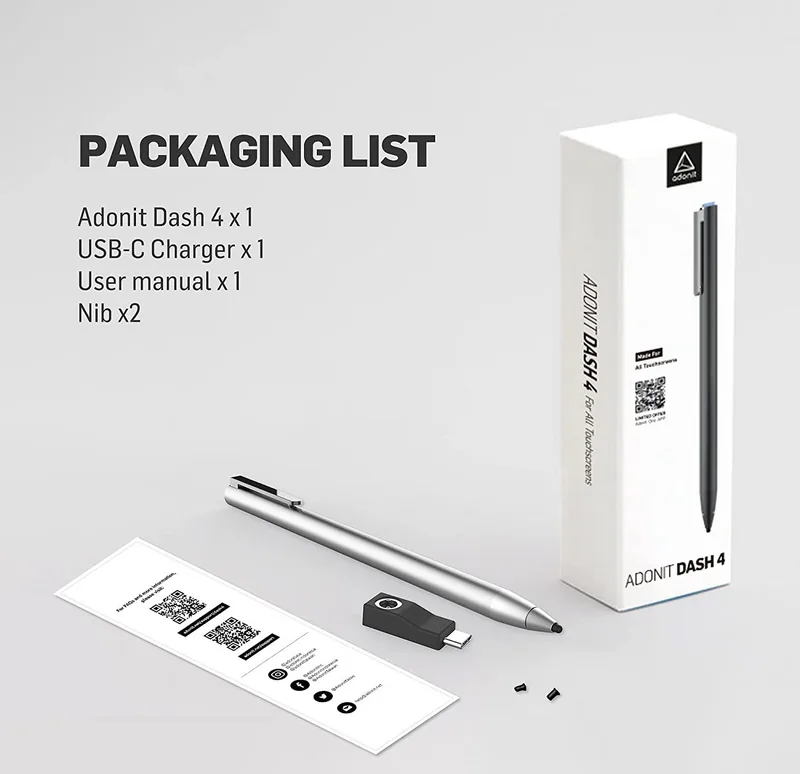
The structure of these manuals is logical and user-friendly. They usually begin with an overview of the package contents, followed by a quick start guide for immediate use. Subsequent sections delve into detailed operation instructions, maintenance tips, and warranty information. Technical specifications are clearly listed, providing data on battery life, tip hardness, and compatibility lists. This organization helps users progress from basic usage to advanced customization at their own pace. Additionally, some manuals include video links or QR codes that direct users to visual tutorials, further enhancing the learning experience.
Maintenance and Longevity Tips
One of the most critical aspects of owning any electronic accessory is proper maintenance. Adonit manuals emphasize the importance of keeping the stylus clean and charged to ensure optimal performance over time. Instructions on how to replace the nibs, which are consumable parts that wear down with use, are included to extend the lifespan of the device. The manuals also advise on storage practices, such as keeping the stylus away from extreme temperatures and moisture, which can damage internal components.
Battery care is another significant topic covered in depth. Users learn about charging cycles, recommended charging times, and signs of battery degradation. Proper handling of the Bluetooth connection is also explained, ensuring that the stylus remains paired correctly with the tablet or phone. By following these guidelines found in the free manuals, users can avoid common pitfalls that lead to premature failure. Regular maintenance as described in the documentation can significantly delay the need for replacement, offering long-term value and reliability.
Conclusion: Empowering Users Through Knowledge
The provision of free Adonit manuals represents a commitment to customer satisfaction and product transparency. These resources empower users to take full control of their digital tools, fostering creativity and efficiency. Whether reading on a screen, downloading for offline access, or printing for a permanent reference library, the availability of these guides removes barriers to entry. It transforms a simple piece of hardware into a versatile instrument capable of meeting complex demands. As technology continues to advance, the role of clear, accessible documentation remains paramount in bridging the gap between innovation and user adoption. By leveraging these free resources, Adonit owners can ensure they are always getting the most out of their devices, enjoying a seamless and productive digital experience.
Search for 67,732 Manuals online


Type-in Brand or Model