
3Dconnexion Keyboard Pro with Numpad Manual
PDF manual · 13 Pages
English



Quick check
Incorrect answer, please try again.
Chat with your 3Dconnexion Keyboard Pro with Numpad manual using AI
Get instant AI answers from your 3Dconnexion Keyboard Pro with Numpad manual
Ask anything about the 3Dconnexion Keyboard Pro with Numpad. Answers come from this manual, with the pages they are based on.
Ask a Question
Do you recommend Keyboard Pro with Numpad?
Yes NoFrequently Asked Questions
You can connect via the integrated receiver in the Keyboard Pro using encrypted wireless, pair directly via Bluetooth, or use the included USB cable. For Bluetooth, you must first unpair the factory link between the keyboard and numpad in the settings.
Is this answer helpful?
These are programmable function keys above the standard rows that detect your active application and environment. They automatically assign the most used commands for that specific software to save time and improve workflow efficiency.
Is this answer helpful?
Yes, within the 3Dconnexion Settings panel under Numpad Pro Key Configuration, you can choose whether the decimal separator follows system settings or manually select between a comma or dot for specific applications.
Is this answer helpful?
The Numpad Pro uses a 350 mAh rechargeable lithium polymer battery. Status is shown via an LED: green indicates sufficient charge, while red signals less than 10% remaining. It charges via the provided USB cable.
Is this answer helpful?
Yes, the communication between the Keyboard Pro and Numpad Pro is fully encrypted to ensure data security when operating in 3Dconnexion wireless mode.
Is this answer helpful?
Advantages and Disadvantages
Advantages

- Context-aware keys automatically adjust commands based on the active application
- Dual wireless connectivity options including encrypted 3Dconnexion mode and Bluetooth
- Highly customizable with support for macros, radial menus, and global key mapping
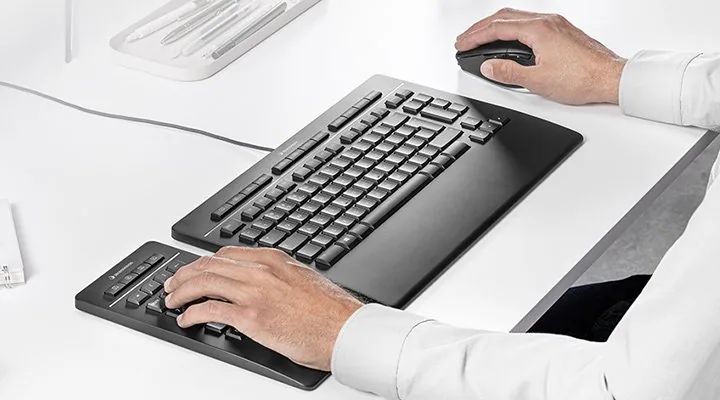
- Ergonomic design separates the numpad for better posture and reduced strain
- Integrated receiver allows pairing up to five additional 3Dconnexion devices
Disadvantages

- Requires installation of 3DxWare driver software for full functionality
- Numpad must be factory paired with the keyboard before switching to Bluetooth
- On-Screen Display feature is disabled by default on the Numpad Pro
- Battery life depends on usage frequency and requires periodic charging
- Higher price point compared to standard office keyboards
Product Specification
Layout
DE
Type
Rubber Dome
Lighting
N/A
Keycap Level
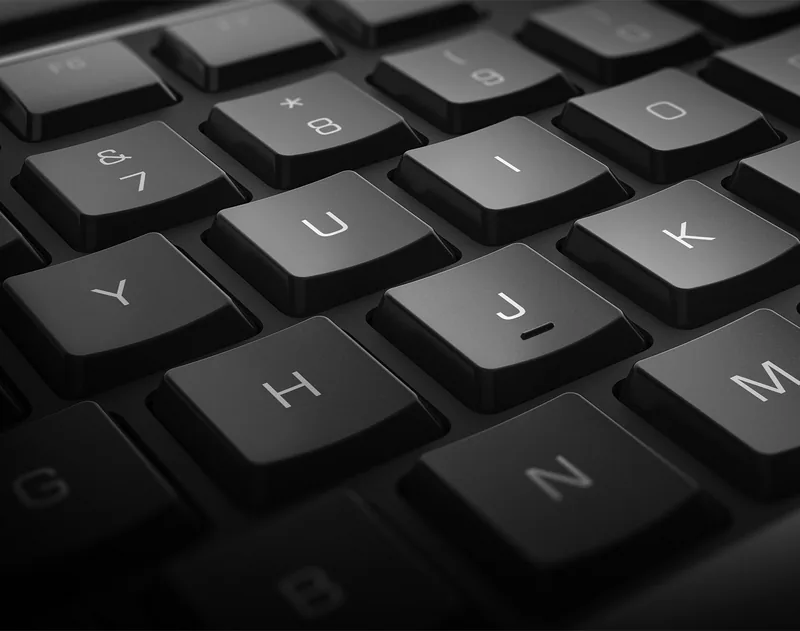
regular, with frame, chiclet
Keycap Format
flat
Keycap Dome
concave
Numpad
separate
Cursor Block
offset
Control Keys
proprietary
Enter Key
standard
Delete Key
enlarged
Status Indicator
Caps Lock
Wrist Rest
fixed
Housing
plastic
Housing Color
solid black
Keycap Finish
solid black
Key Legend
solid white
Connection
wired (1.5m), USB-A (keyboard) or wireless (2.4GHz, numpad) or wireless (Bluetooth LE), detachable cable (USB-C port, numpad)
Power Supply
battery (numpad), USB (keyboard)
Dimensions (WxDxH)
14.4 x 0.63 x 9.0 inches (keyboard), 4.5 x 0.63 x 9.0 inches (numpad)
Weight
1.94 lbs (keyboard), 0.55 lbs (numpad)
Features
16 multimedia keys, FN key
Product Description
Elevate Your Workflow with the 3Dconnexion Keyboard Pro with Numpad
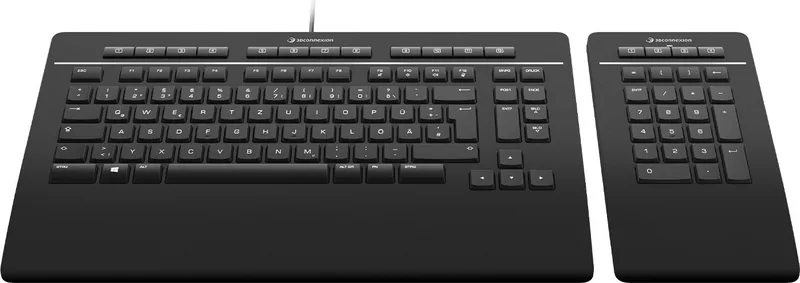
The 3Dconnexion Keyboard Pro with Numpad represents a significant leap forward in productivity peripherals for professionals who demand precision and speed. Designed specifically for CAD, engineering, and creative workflows, this innovative device combines a full-sized keyboard with an ergonomic wireless numpad to create a seamless input experience. Unlike standard keyboards, this system integrates programmable function keys that adapt instantly to the software you are currently using, automatically assigning the most relevant commands to your fingertips.
At the heart of the experience is the 3Dconnexion Keys feature. The main keyboard boasts twelve additional programmable keys located above the standard row, while the Numpad Pro adds four more dedicated function keys plus five globally programmable keys. These keys work in tandem with the 3DxWare driver to provide context-sensitive shortcuts. When you switch from AutoCAD to Blender, the keys reconfigure themselves to match the new environment, eliminating the need to hunt through menus or memorize complex key combinations. An On-Screen Display (OSD) can be enabled to visually remind users of current assignments, though it can be hidden for a cleaner desktop view.
Connectivity is handled with remarkable flexibility. The Keyboard Pro features an integrated receiver that allows the Numpad Pro to connect wirelessly via encrypted 3Dconnexion wireless technology or Bluetooth Swift Pair. This dual-mode support ensures stability whether you are working on a fixed desk or moving around. The Numpad itself is powered by a rechargeable lithium polymer battery, indicated by a multi-colored LED status light that shows charge levels and connection modes. Charging is simple via the included USB cable.
Customization is limitless through the 3Dconnexion Settings panel. Users can assign quick macros, create radial menus for complex tool selection, or map specific application commands. Advanced settings allow for system-wide adjustments like disabling the Windows key or modifying repeat rates. The Smart Print-Key offers instant screenshot capabilities, while media keys controlled by the FN button manage volume and playback during virtual meetings. With a sleek profile and robust build quality, this keyboard set is built to last, backed by a three-year limited hardware warranty.
Search for 67,706 Manuals online


Type-in Brand or Model