
Zyxel WRE6505 Manual
PDF manual · 116 Pages
English



Quick check
Incorrect answer, please try again.
Chat with your Zyxel WRE6505 manual using AI
Get instant AI answers from your Zyxel WRE6505 manual
Ask anything about the Zyxel WRE6505. Answers come from this manual, with the pages they are based on.
Ask a Question
Do you recommend WRE6505?
Yes NoFrequently Asked Questions
It is designed to extend wireless coverage and improve connectivity in areas where the main router signal is weak. It can work as a repeater or an access point, depending on how you want to use it.
Is this answer helpful?
Yes. It supports dual-band wireless networking, which lets you work with both 2.4 GHz and 5 GHz connections. That makes it more flexible for different devices and home layouts.
Is this answer helpful?
Use the default IP address 192.168.1.2 in a web browser. The default username is admin and the password is 1234. After logging in, it is best to change the password right away.
Is this answer helpful?
The single LAN port lets you connect one wired device such as a PC, printer, or other network hardware. It also helps during setup when a direct connection is easier than using Wi-Fi.
Is this answer helpful?
Yes. WPS is supported for quick and secure wireless pairing. You can use button-based or PIN-based setup, depending on the mode and the device you are connecting to.
Is this answer helpful?
Hold the WPS button for about 5 to 10 seconds until the power LED starts flashing. This restores the factory configuration, including the default IP address and login details.
Is this answer helpful?
The LEDs show power, wireless activity, LAN connection status, and WPS behavior. The 2.4 GHz and 5 GHz indicators also use color to help judge signal strength and placement quality.
Is this answer helpful?
Advantages and Disadvantages
Advantages

- Dual-band 2.4 GHz and 5 GHz support helps improve coverage with more flexible performance options.
- AP and repeater modes make the device useful for both extending Wi-Fi and creating a new wireless zone.
- WPS and web-based setup simplify installation for users who want a faster configuration process.
- LED indicators provide clear feedback for power, wireless activity, LAN link, and signal strength.
- Backup, firmware, scheduling, and filtering tools add useful control for long-term network management.
Disadvantages

- Only one LAN port is available, so wired expansion is limited.
- Initial setup can be confusing if the mode switch or IP settings are not matched correctly.
- The default admin password is weak and should be changed immediately.
- Changing operating mode causes a reboot, which can interrupt access during setup.
- Some advanced functions may feel more technical than casual users expect.
Product Specification
LAN
1x 100Base-TX
Wireless
WLAN 802.11a/b/g/n/ac (Wi-Fi 5), simultaneous
Transfer rate
300Mbps (2.4GHz), 433Mbps (5GHz)
Security
64/128bit WEP, WPA, WPA2, WPS
Antennas
internal
Power consumption
3W (operating), not specified (max. power adapter output)
Dimensions
3.58x2.45x1.83in
Band capability
Dual Band (simultaneous)
Product Description
ZyXEL WRE6505 1x LAN: Practical Dual-Band Coverage in a Compact Form
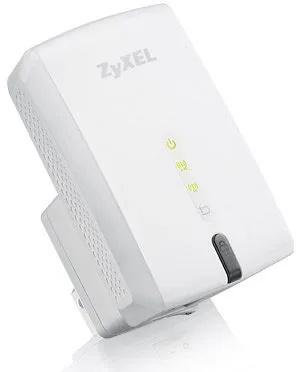
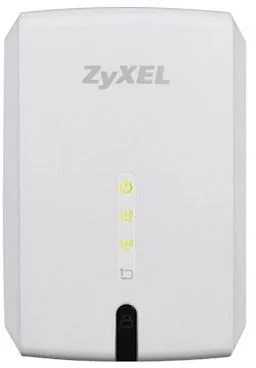
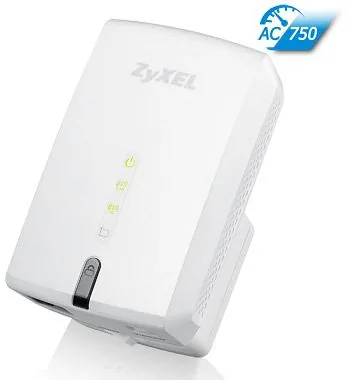
The ZyXEL WRE6505 is built for one clear purpose: to make wireless coverage easier to extend without turning setup into a long project. As a Wireless AC750 range extender, it supports both 2.4 GHz and 5 GHz connections, helping users improve signal reach in rooms where a router alone may not be enough. Its compact design and wall-plug form factor make it a discreet addition to a home or small office network.
Flexible networking in everyday use
One of the strengths of this device is its dual personality. In Universal Repeater mode, it can connect to an existing wireless network and rebroadcast it, giving clients a wider usable range. In Access Point mode, it can bridge a wired connection into a wireless one, which is helpful when you want to create a fresh Wi‑Fi zone from an Ethernet source. The single LAN port adds a useful wired option for a desktop, printer, or other device that benefits from a stable connection.
Simple setup with practical control
The WRE6505 is designed to be managed through a web configurator, with a default IP address and login details that make first access straightforward. For faster setup, WPS support allows button-based pairing or PIN-based connection, reducing the need to enter wireless settings manually. The interface also includes tools for SSID, security, MAC filtering, scheduling, firmware updates, backup and restore, and language selection, so it feels adaptable rather than basic.
Status awareness and signal guidance
Built-in LEDs provide more than simple power feedback. They show wireless activity, LAN status, WPS progress, and even signal quality with color cues, helping users find a stronger installation spot. This makes the extender especially useful in environments where placement matters as much as configuration.
Notes
- Change the default password during first use.
- Back up the configuration after setup is complete.
- Recheck mode selection before saving changes, since switching modes triggers a reboot.
- Use the LED indicators to find the best location for signal performance.
Search for 67,732 Manuals online


Type-in Brand or Model