
Zyxel WAC5302D-S Manual
PDF manual · 242 Pages
English



Quick check
Incorrect answer, please try again.
Chat with your Zyxel WAC5302D-S manual using AI
Get instant AI answers from your Zyxel WAC5302D-S manual
Ask anything about the Zyxel WAC5302D-S. Answers come from this manual, with the pages they are based on.
Ask a Question
Do you recommend WAC5302D-S?
Yes NoFrequently Asked Questions
It is a business-focused wireless access point built to extend network coverage, support multiple wireless networks, and provide flexible management in standalone or controller-based environments.
Is this answer helpful?
Yes. It can run in standalone AP mode and be managed through its web configurator. It can also be placed under a Zyxel AP controller when centralized management is preferred.
Is this answer helpful?
Yes. The device supports Multiple BSSID, so you can create several SSID profiles and run them simultaneously. This is useful for separating guest, staff, and priority traffic.
Is this answer helpful?
Connect to the device in standalone mode, open its IP address in a supported browser, and log in with the administrator credentials. After the first login, it is best to change the default password.
Is this answer helpful?
The WAC5302D-S supports IEEE 802.11a, b, g, n, and ac, giving it compatibility with older clients while still offering modern high-speed wireless connectivity.
Is this answer helpful?
You can use the dashboard, monitor pages, log viewer, firmware upload tools, diagnostics, reboot options, and shutdown controls. It also supports CLI, FTP, and SNMP for advanced administration.
Is this answer helpful?
Advantages and Disadvantages
Advantages

- Dual-band 802.11ac support helps deliver faster, more flexible wireless performance.
- Multiple SSIDs allow separate networks for staff, guests, and priority users.
- Web-based management simplifies setup, monitoring, and maintenance tasks.
- Supports standalone and managed AP modes for different deployment needs.
Disadvantages

- Some advanced features depend on controller support or matching firmware.
- Wireless repeater and WDS setups may require careful security matching.
- LED and hardware behavior vary by mode, which can confuse first-time users.
- Default access and configuration settings should be changed immediately for safety.
Product Specification
LAN
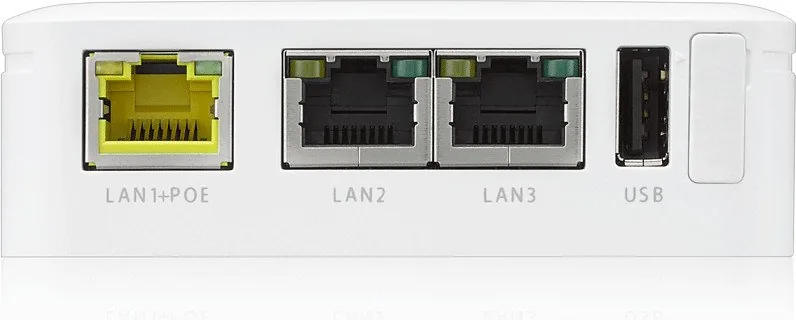
3x 1000Base-T (1x PoE PD)
Wireless
WLAN 802.11a/b/g/n/ac (Wi-Fi 5), simultaneous
Data Rate
300Mbps (2.4GHz), 867Mbps (5GHz)
Security
64/128bit WEP, WPA, WPA2
Antennas
internal
Ports
1x USB-A 2.0
Power Consumption
17W (consumption, operation), no information (max. power supply output)
Dimensions
6.69x3.54x1.14in
Features
IPv6
Band Capability
Dual Band (simultaneous)
Manufacturer Warranty
lifetime (10 years in AT/DE)
Product Description
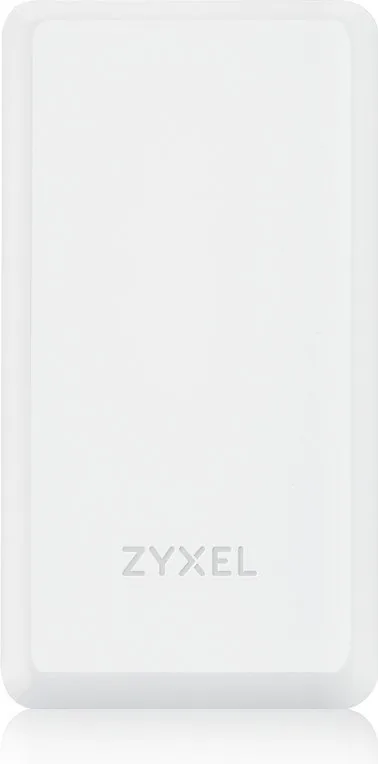
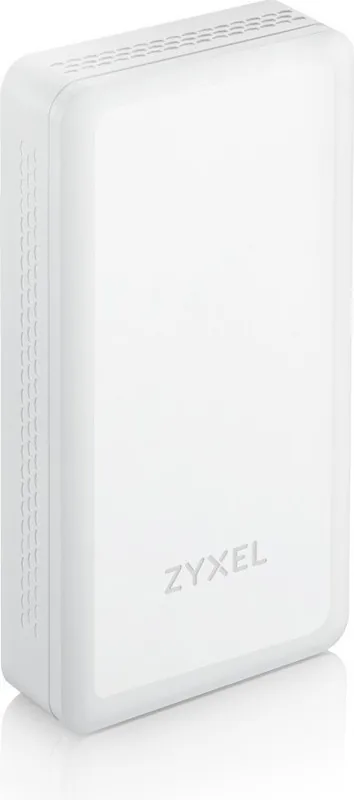
ZyXEL WAC5302D-S: Flexible Business Wi‑Fi with Practical Control
The ZyXEL WAC5302D-S Manual highlights a wireless access point built for organizations that want stable, manageable networking without unnecessary complexity. The WAC5302D-S is part of Zyxel’s NWA/WAC family, and it is designed to support modern office environments with 802.11a/b/g/n/ac connectivity, dual-band wireless coverage, and a management style that fits both standalone and controller-based deployments.
What stands out first is its balance between performance and control. In a busy workspace, you can use the 2.4 GHz band for everyday access while reserving 5 GHz for faster or more sensitive traffic such as video calls, streaming, or gaming-style low-latency applications. The device also supports Multiple BSSID, which means one access point can present several virtual networks at the same time. That makes it easy to separate staff, guest, and priority users into different wireless segments.
The WAC5302D-S is also built for administrators who value visibility. Through the web configurator, you can check dashboards, monitor radio activity, review connected stations, inspect logs, and manage wireless profiles from a browser. This makes it easier to maintain a healthy network day to day. The interface also supports useful tools such as reboot, shutdown, diagnostics, firmware uploads, and configuration backup, so routine maintenance feels organized rather than disruptive.
Another strength is deployment flexibility. The WAC5302D-S can operate as a standalone AP or as a managed AP under a controller. It also supports WDS functions, including root AP and repeater-style use cases, which helps extend coverage where cabling is difficult. Layer-2 isolation, MAC filtering, security profiles, and certificate support add more ways to tighten access and improve network hygiene.
For installers, the hardware experience is equally practical. The unit includes clear status LEDs, support for power detection, and management options that make it easier to confirm device state at a glance. When combined with the straightforward browser-based setup described in the ZyXEL WAC5302D-S Manual, the result is a device that feels approachable while still offering business-grade features.
Notes
- Best suited for small to medium business wireless deployments.
- Good fit for segmented networks with guest and staff access.
- Use controller mode when centralized policy management is needed.
- Back up settings regularly before major changes.
Search for 67,732 Manuals online


Type-in Brand or Model