
Zyxel VMG8825-T50K Manual
PDF manual · 424 Pages
English



Quick check
Incorrect answer, please try again.
Chat with your Zyxel VMG8825-T50K manual using AI
Get instant AI answers from your Zyxel VMG8825-T50K manual
Ask anything about the Zyxel VMG8825-T50K. Answers come from this manual, with the pages they are based on.
Ask a Question
Do you recommend VMG8825-T50K?
Yes NoFrequently Asked Questions
The VMG8825-T50K supports VDSL/G.fast, Ethernet WAN and cellular USB dongle backup, allowing flexible broadband options and automatic failover when configured.
Is this answer helpful?
Use the built-in WPS button for quick pairing with WPS-capable clients, or configure WPA(2)-PSK via the web configurator to set a secure SSID and passphrase for 2.4 GHz and 5 GHz bands.
Is this answer helpful?
Yes. The USB 3.0 port supports file sharing, FTP access, and DLNA media serving. It also accepts supported cellular dongles for WAN backup; some dongles may require an updated WWAN package from Zyxel.
Is this answer helpful?
Open a browser and go to the device LAN IP (commonly http://192.168.1.1), log in with the default username (admin) and the password printed on the device label, then configure broadband, Wi‑Fi, QoS and security settings.
Is this answer helpful?
Press and hold the RESET button while the device is powered on until the POWER LED blinks. This restores factory defaults, resets the admin password to the label value, and reverts LAN settings to the default IP.
Is this answer helpful?
Yes. The device supports VoIP with SIP accounts and multiple phone ports; depending on the exact model, you can register up to two SIP accounts to make and receive calls via a VoIP service provider.
Is this answer helpful?
Use the web configurator's Maintenance > Firmware Upgrade screen to upload firmware specific to your exact model (check the model label). Regular updates ensure feature compatibility and security fixes.
Is this answer helpful?
Advantages and Disadvantages
Advantages

- Flexible WAN options: VDSL/G.fast, Ethernet WAN and cellular USB backup.
- Dual-band Wi‑Fi with WPS for easy and secure wireless setup.
- SFP port and Gigabit Ethernet for fiber-speed connectivity and wired performance.
- Built-in USB 3.0 supports file sharing, media server and failover connectivity.
- Comprehensive features: QoS, firewall, parental controls, VLANs and VoIP support.
Disadvantages

- Firmware and feature variations across models require careful model-specific updates.
- Advanced configuration may be complex for casual users unfamiliar with networking.
- Some USB dongles may require WWAN package updates to ensure compatibility.
- Resetting to factory defaults is needed to recover from forgotten passwords.
- Not all features (e.g., G.fast or SFP) are available on every variant—check the model label.
Product Specification
Modem
VDSL2/ADSL2+, POTS
Modem port
1x RJ-11
WAN
1x 1000Base-T, 1x SFP
LAN
4x 1000Base-T
Telephone
2x analog
Wireless
WLAN 802.11a/b/g/n/ac (Wi-Fi 5)
Transfer rate
600Mbps (2.4GHz), 1733Mbps (5GHz)
Security
64/128bit WEP, WPA, WPA2, WPS
Antennas
internal
Ports
1x USB-A 3.0, 1x USB-A 2.0
Power consumption
not specified, not specified (max. power supply output)
Dimensions
8.66x7.87x2.95in
Features
MU-MIMO, VLAN, IPv6, VoIP, VDSL2-Vectoring (Profile 17a), VDSL2-SuperVectoring (Profile 35b), supports mobile broadband modems (3G/4G), WLAN on/off switch, Wi-Fi certified EasyMesh
Band capability
Dual Band, Mesh
Product Description
ZyXEL VMG8825-T50K Overview
The ZyXEL VMG8825-T50K is a versatile VDSL/G.fast gateway designed for high-speed home and small office networks. Built to handle multiple WAN types, dual-band Wi‑Fi, USB-based services and VoIP, it balances performance and utility for users who need reliable broadband, smart home connectivity and integrated telephony.
Key Features and Capabilities
This model supports VDSL/G.fast and Ethernet WAN inputs, allowing ISPs or end users to choose fiber-to-the-distribution or traditional DSL infrastructures. It provides dual-band Wi‑Fi (2.4 GHz and 5 GHz) with WPS support for fast, secure wireless setup, as well as robust QoS, firewall and parental controls to manage bandwidth and protect the network. The device includes Gigabit Ethernet ports, an SFP slot for fiber connectivity, and USB 3.0 for cellular backup, file sharing and media server functionality.
Practical Usage Scenarios
For households streaming 4K media, gaming and making VoIP calls simultaneously, the VMG8825-T50K’s WAN prioritization and traffic shaping help reduce latency and packet loss. The USB port supports a cellular dongle for automatic broadband failover and offers NAS-style file sharing and DLNA media serving. Small offices benefit from VLAN grouping, static routing and NAT/port-forwarding features that enable remote access and service segregation.
Security and Management
The gateway exposes a web configurator for detailed setup—covering broadband, wireless, QoS, firewall rules, parental control scheduling and firmware upgrades. It supports secure Wi‑Fi modes including WPA(2)-PSK and convenient WPS provisioning. Administrators can back up configurations, restore defaults and update firmware to keep the device patched and running optimally.
Design and Indicators
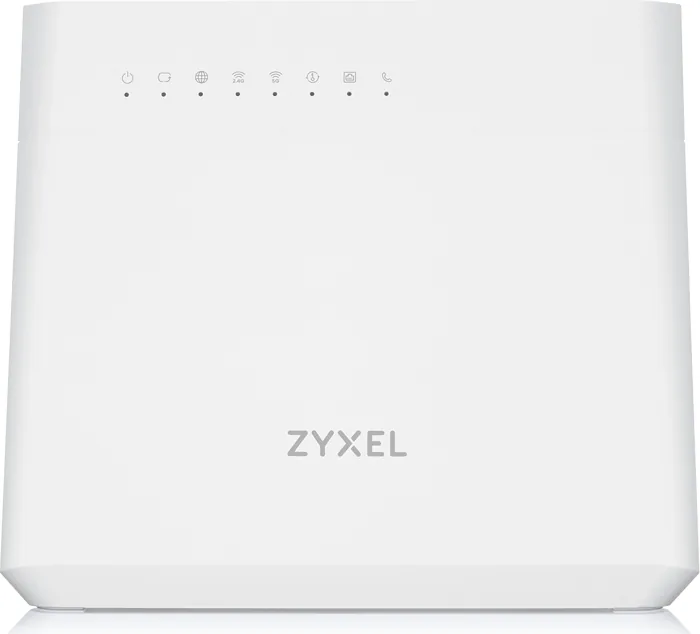
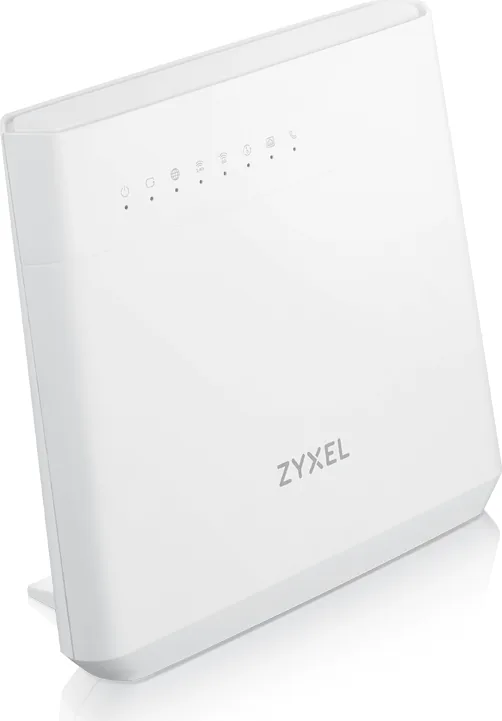
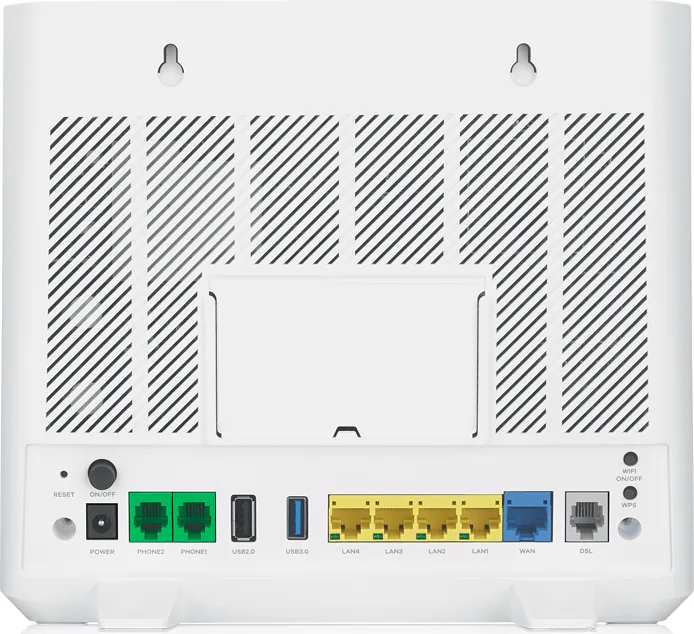
Front LEDs report power, DSL/WAN status, Internet connectivity, LAN activity, dual-band Wi‑Fi/WPS and USB activity. Rear panels include DSL, WAN, LAN, phone ports for VoIP, power and SFP slot. Physical buttons (WPS/WiFi, Reset, Power) enable quick on-device control.
Summary
The ZyXEL VMG8825-T50K is a feature-rich gateway suitable for users needing flexible WAN options, strong wireless coverage and integrated services like VoIP and USB-based backup or media sharing. With advanced configuration options and hardware features such as SFP and Gigabit LAN, it fits both demanding home networks and small enterprise edge deployments.
Notes
- Supports cellular backup via compatible USB dongles (requires WWAN package updates when necessary).
- Use only firmware specific to the exact model printed on the device label.
- Default LAN IP is typically 192.168.1.1; default admin username is admin (password on device label).
Search for 67,732 Manuals online


Type-in Brand or Model