
Zyxel PLA6457 Manual
PDF manual · 50 Pages
English



Quick check
Incorrect answer, please try again.
Chat with your Zyxel PLA6457 manual using AI
Get instant AI answers from your Zyxel PLA6457 manual
Ask anything about the Zyxel PLA6457. Answers come from this manual, with the pages they are based on.
Ask a Question
Do you recommend PLA6457?
Yes NoFrequently Asked Questions
The PLA6457 is a G.hn Wave 2 powerline adapter available as a 2-pack. It extends Ethernet networking over existing electrical wiring, providing a Gigabit RJ-45 interface and AC pass-through so you can add wired devices without new cabling.
Is this answer helpful?
Security is via G.hn using 128-bit AES encryption. Use the ENCRYPT button (press 2–5 seconds) to pair devices with a random or shared domain name, or set a custom pairing password and domain name in the Web Configurator to create a private network.
Is this answer helpful?
Throughput is affected by wiring quality, distance between outlets, electrical noise from appliances, and whether adapters share the same circuit. The advertised PHY rate (up to 1200 Mbps) is theoretical; real-world speeds will be lower.
Is this answer helpful?
Yes. Assign different domain names (via ENCRYPT pairing or Web Configurator) to create separate private G.hn networks that coexist on the same electrical wiring without sharing traffic.
Is this answer helpful?
Use the built-in Web Configurator (HTML5-compatible browsers) accessed via the DHCP-assigned IP or a static IP. You can change domain names, pairing passwords, IP settings, multicast/IGMP options, power-saving, and upload firmware.
Is this answer helpful?
Check the outlet and wiring, ensure both PLAs use the same domain name, verify devices are on the same electrical circuit, avoid extension cords, and try pairing them close together or consult troubleshooting steps in the manual.
Is this answer helpful?
Yes. The Ethernet screen in the Web Configurator allows configuring inactivity detection by ETH link or ETH activity and setting the inactivity timeout (5–86,400 seconds) to put the adapter into standby.
Is this answer helpful?
Advantages and Disadvantages
Advantages

- Gigabit RJ-45 port with AC pass-through maintains outlet availability while providing wired connectivity.
- G.hn Wave 2 support with AES-128 encryption for secure, high-speed powerline communication.
- Simple encrypted pairing via ENCRYPT button plus full Web Configurator for advanced network control.
- Ability to create multiple private G.hn domains on one electrical circuit for network segmentation.
- Power-saving standby mode configurable by Ethernet link or activity to reduce energy use.
Disadvantages

- Performance varies widely with home wiring quality, distance, and electrical interference.
- Max PHY rate (1200 Mbps) is theoretical; real throughput will be lower and dependent on conditions.
- ENCRYPT pairing and RESET require precise button timing (2–5s and 10–15s) which can confuse some users.
- May not traverse power meters or separate electrical circuits—placement and electrician help may be needed.
- Only one Gigabit Ethernet port per unit limits direct multi-device wired connections without a switch.
Product Specification
Type
Powerline Adapter (Standalone), Bundle
Form factor
2x Socket Adapter
Connection
1x RJ-45 (10/100/1000Base-T, 2 Devices)
Connectivity
1x G.hn (2-80MHz, 2 Devices)
Transmission
1x G.hn (2400Mb/s, 2x2 MIMO, OFDM 4096/1024/256/64 QAM, QPSK, BPSK, 128bit AES, 2 Devices)
Dimensions
2.76x5.51x1.61in (WxHxD)
Weight
0.88 lb
Compatibility
G.hn
Features
integrated socket (2 Devices), Bundle (2x Powerline Adapter)
Manufacturer warranty
two years
Product Description
ZyXEL PLA6457 G.hn RJ-45 2-pack — Reliable Powerline Networking
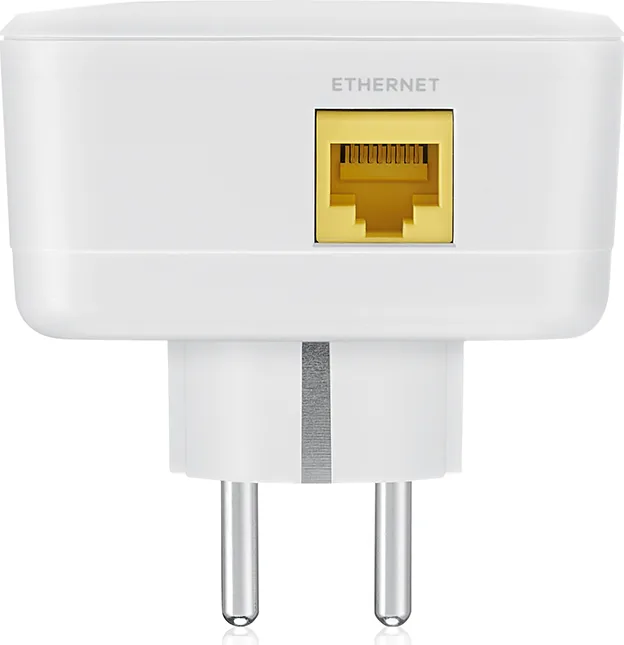
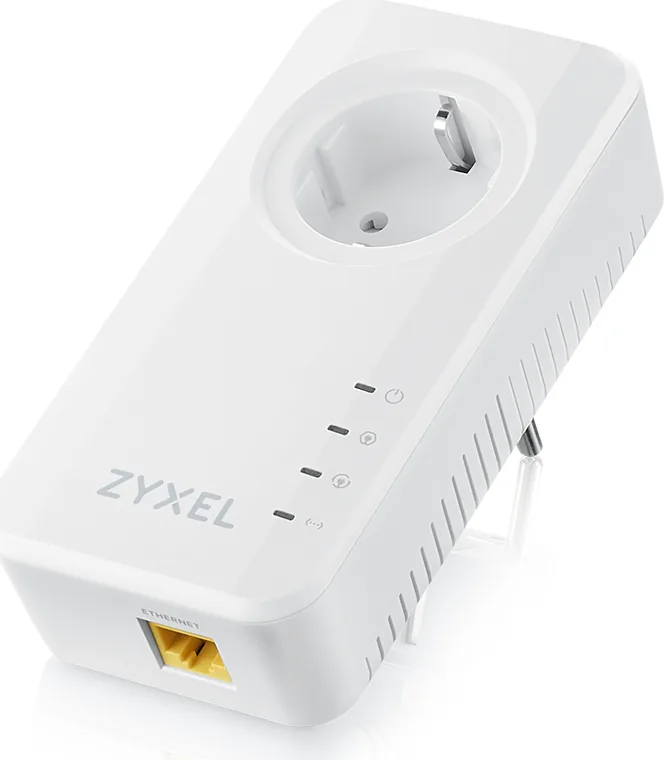
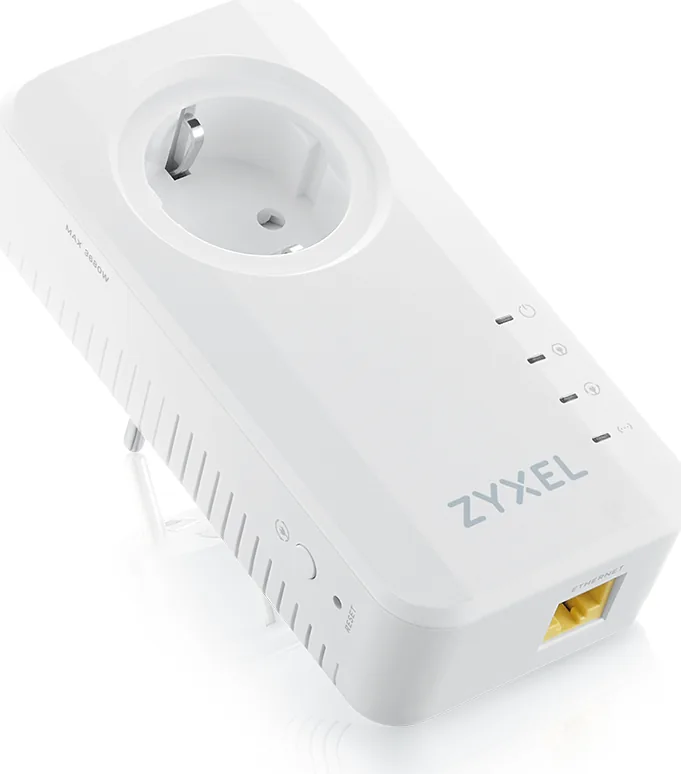
The ZyXEL PLA6457 G.hn RJ-45 2-pack brings fast, secure Ethernet networking over existing household wiring. Each adapter features a single Gigabit RJ-45 port and AC pass-through so you never lose an outlet. Based on the G.hn Wave 2 standard, these adapters provide up to 1200 Mbps PHY rates (theoretical), AES-128 encryption, and simple pairing via an ENCRYPT button or a web configurator for advanced settings. Designed for plug-and-play convenience, the PLA6457 pair can extend your router’s network to rooms without new cabling, powering connections for smart TVs, gaming consoles, NAS devices, or desktop PCs.
Key features and usage
Plug one PLA6457 into an outlet near your gateway and connect it to your modem or router. Plug the second unit into an outlet where you want Ethernet access and attach your device via the Gigabit RJ-45 port. The AC pass-through preserves the outlet for other devices. Status LEDs indicate power, powerline link quality (green/amber/red), Ethernet link/activity, and encrypted pairing state. Use the ENCRYPT button to quickly join or create secure G.hn domains, or manage and harden settings through the HTML5 Web Configurator (DHCP or static IP, domain name, pairing password, firmware updates, multicast/IGMP settings, power-saving inactivity options).
What to expect in practice
Performance depends on house wiring quality, distance, and electrical interference from large appliances; placing adapters on the same electrical circuit yields the best results. The PLA6457 supports creating multiple private G.hn networks on one circuit by assigning different domain names, enabling segmented networks for privacy or separate uses. Standby/power-saving modes reduce consumption when no Ethernet activity is detected. The web interface provides firmware updates, logging to FTP, multicast controls, and role/PHY profile selection (MIMO boost for three-prong sockets, Boost for 2-wire sockets).
Notes:
- Default domain name is "G.hn Network"; change it to create private networks.
- ENCRYPT pairing requires pressing the button for 2–5 seconds; reset requires 10–15 seconds.
- Use the provided Quick Start Guide and Web Configurator for advanced setup and firmware upgrades.
Search for 67,732 Manuals online


Type-in Brand or Model