
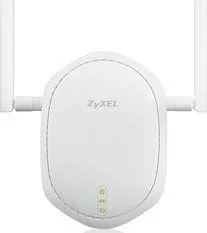
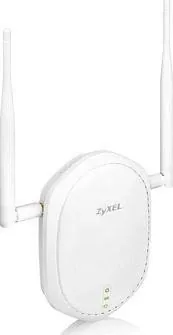
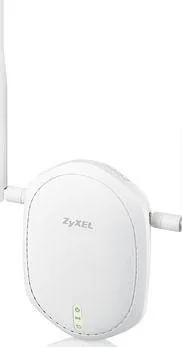
Zyxel NWA1100-NH Manual
PDF manual · 192 Pages
English



Quick check
Incorrect answer, please try again.
Chat with your Zyxel NWA1100-NH manual using AI
Get instant AI answers from your Zyxel NWA1100-NH manual
Ask anything about the Zyxel NWA1100-NH. Answers come from this manual, with the pages they are based on.
Ask a Question
Do you recommend NWA1100-NH?
Yes NoFrequently Asked Questions
It is used as a wireless access point to extend network coverage, manage wireless users, and support flexible network layouts in small offices or similar environments.
Is this answer helpful?
Yes. In MBSSID mode, it can broadcast multiple SSIDs so different user groups can have separate access rules, security settings, and traffic priorities.
Is this answer helpful?
Yes. It supports WPA2 and WPA2-PSK, along with MAC filtering, RADIUS authentication, hidden SSID settings, and layer-2 isolation for better control.
Is this answer helpful?
It is managed mainly through a web configurator. You can also use Telnet, FTP for backup or firmware tasks, and SNMP for monitoring in supported environments.
Is this answer helpful?
You can use the RESET button to restore factory defaults. This returns the password to the default value, but it also removes your custom configuration.
Is this answer helpful?
Yes. It supports QoS settings and multiple SSIDs, which makes it easy to prioritize VoIP traffic while creating a separate guest network with limited access.
Is this answer helpful?
Advantages and Disadvantages
Advantages

- Flexible operating modes support AP, repeater, client, and multi-SSID setups.
- Strong wireless controls include WPA2, MAC filtering, RADIUS support, and hidden SSID options.
- Web-based management makes monitoring, setup, and maintenance straightforward.
- QoS and multiple SSIDs help separate voice, guest, and standard user traffic.
Disadvantages

- WEP and older security options are less secure and may reduce wireless performance.
- Advanced setup can be confusing for users unfamiliar with channels, SSIDs, and security profiles.
- Resetting the device can erase custom settings if no backup is available.
- Some features vary by model, so not every NWA1000 device supports the same options.
Product Specification
LAN
1x 1000Base-T (PoE)
Wireless
WLAN 802.11b/g/n (Wi-Fi 4)
Transmission Rate
300Mbps (2.4GHz)
Security
64/128bit WEP, WPA, WPA2
Antennas
2x external
Power Consumption
6W (consumption, operation), no specification (max. power supply output)
Dimensions
6.02x4.33x1.50in
Special Features
IPv6
Band Capability
Single Band
Product Description
ZyXEL NWA-1100-NH: A Practical Wireless AP for Small Networks
The ZyXEL NWA-1100-NH is a compact wireless access point designed to extend network coverage without the hassle of extra wiring. It is built for small offices, home offices, and shared workspaces that need reliable connectivity, easy administration, and flexible wireless control. The ZyXEL NWA-1100-NH Manual highlights how this device balances straightforward setup with useful business-class features, making it a solid choice for everyday wireless deployment.
One of its biggest strengths is operational flexibility. The device can work in several modes, including Root AP, Repeater, Client, and MBSSID. That means it can serve as a standard access point, expand an existing wireless network, connect to another network as a client, or broadcast multiple SSIDs for separate user groups. This versatility is especially helpful when you want to divide traffic for staff, guests, or priority applications like VoIP.
Security is another major focus. The NWA-1100-NH supports common protection methods such as WEP, WPA2, WPA2-PSK, and MAC filtering, along with RADIUS-based authentication for more controlled environments. It also includes Layer-2 isolation and hidden SSID options, which can help reduce unwanted access and keep different user groups separated. For businesses that care about traffic priority, QoS features can help keep voice and time-sensitive applications running smoothly.
Management is handled through a web-based interface, which keeps setup approachable even for users who are not network specialists. From the dashboard, you can monitor system status, wireless clients, logs, channel usage, and performance statistics. Administrative tools also cover firmware updates, configuration backup and restore, password changes, time settings, and remote-access controls. That makes the NWA-1100-NH a practical device for ongoing maintenance, not just initial installation.
Why it stands out
The NWA-1100-NH is best viewed as a dependable and configurable access point rather than a flashy consumer product. It is designed for stable wireless service, clear control over access policies, and smooth management over time. If your goal is to build a secure and organized WLAN with room for expansion, this model offers the essential tools without unnecessary complexity.
Notes
- Dual-band features apply only to certain models in the broader NWA1000 series.
- Use WPA2 or WPA2-PSK when possible for stronger security and better 802.11n performance.
- Back up settings regularly so recovery is easier after configuration changes or resets.
Search for 67,732 Manuals online


Type-in Brand or Model
Jonas Keller
10 months ago
My NWA1100-NH will not let me log into the web interface (admin/1234 fails even after reset). I need fast help. Is there a phone number and can support use TeamViewer/RMA?
Manual.ly
10 months ago
If the default login does not work even after a factory reset, please verify the exact credentials and configuration steps from the official NWA1100-NH Quick Start Guide. Also try configuring from a different network/VLAN and browser to rule out local caching or network restrictions. For fast troubleshooting, contact Zyxel support via the free hotline and request assistance for web interface login. Once connected, support can typically review the device via a secure remote session (for example TeamViewer) and guide you through the correct setup, including RMA steps if the unit is faulty or misconfigured. Be ready to share the device model/serial number, what reset method you used, and screenshots of the login error.