
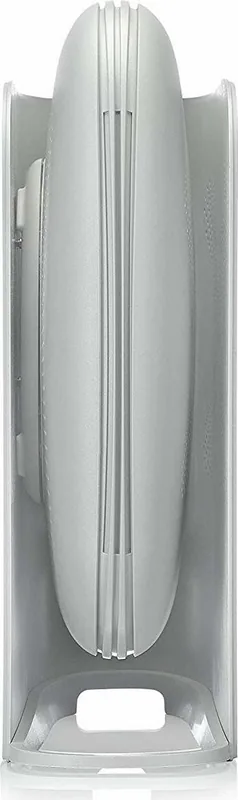
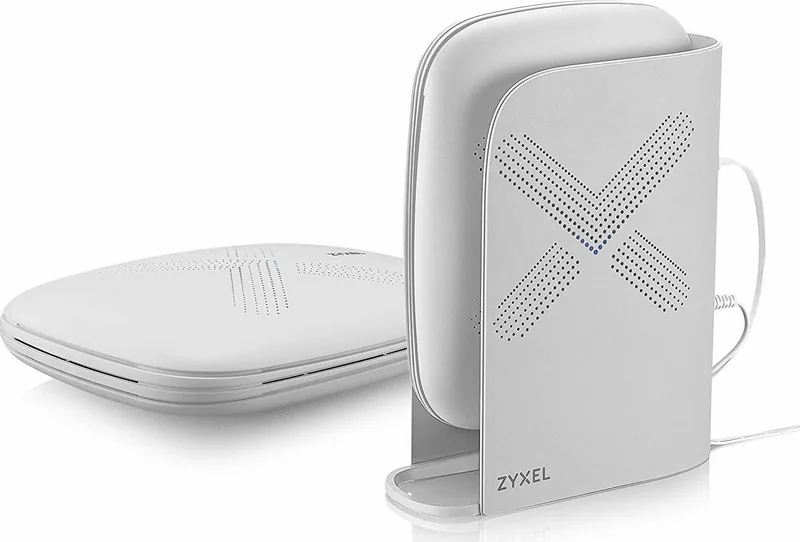
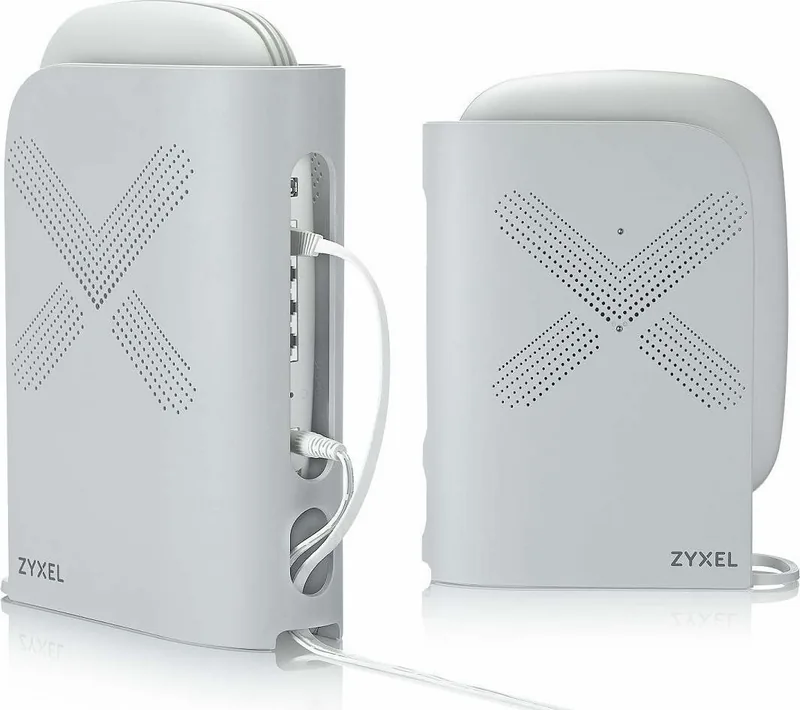
Zyxel Multy Plus WSQ60 Manual
PDF manual · 102 Pages
English



Quick check
Incorrect answer, please try again.
Chat with your Zyxel Multy Plus WSQ60 manual using AI
Get instant AI answers from your Zyxel Multy Plus WSQ60 manual
Ask anything about the Zyxel Multy Plus WSQ60. Answers come from this manual, with the pages they are based on.
Ask a Question
Do you recommend Multy Plus WSQ60?
Yes NoFrequently Asked Questions
It is a whole-home WiFi system designed to expand wireless coverage, reduce dead zones, and give users better control over network settings and connected devices.
Is this answer helpful?
Yes. You can add multiple Multy devices and link them together to extend coverage across larger spaces. Daisy chain support also helps with flexible placement.
Is this answer helpful?
Yes. The Multy app lets you install devices, test speeds, manage WiFi settings, create schedules, and control guest access from Android or iOS devices.
Is this answer helpful?
Profiles let you separate users into groups with different access rules. This is useful for controlling internet use, setting schedules, or limiting access for guests and employees.
Is this answer helpful?
Yes, after linking the system with myZyxelCloud and enabling the Multy Alexa skill. You can use voice commands for actions like pausing internet or toggling WiFi lights.
Is this answer helpful?
It is useful when searching for setup guidance, feature explanations, and configuration tips. The manual covers installation, network management, speed tests, and advanced settings.
Is this answer helpful?
Advantages and Disadvantages
Advantages

- Tri-band AC3000 design helps support faster, more stable WiFi across multiple rooms.
- App and web tools make setup, monitoring, and troubleshooting straightforward.
- Separate network profiles improve access control for admins, staff, guests, and kids.
- Daisy chain support helps place units farther apart while still extending coverage.
Disadvantages

- Some advanced features depend on a myZyxelCloud account and linked services.
- Access point mode limits tools like parental control, UPnP, port forwarding, and DMZ.
- Setup can feel involved for users who prefer a very simple plug-and-play experience.
- Best results depend on proper placement, compatible modem/router settings, and indoor use.
Product Specification
Modem
N/A
Wireless
WLAN 802.11a/b/g/n/ac (Wi-Fi 5), simultaneous
Transfer rate
400Mbps (2.4GHz), 867Mbps (5GHz)
Security
WPA2
Antennas
internal
Ports
1x USB 2.0
Power consumption
25W (consumption, operation), no specification (max. power supply output)
Dimensions
9.29x7.01x2.05in
Special features
Bluetooth 4.1/LE, MU-MIMO, Roaming (Qualcomm Wi-Fi SON), Mesh (separate band, 1733Mbps)
Band capability
Tri Band (Dual Band simultaneous + separate Mesh Band), Mesh (separate Band, 1733Mbps)
Manufacturer's warranty
two years
Product Description
ZyXEL Multy Plus WSQ60: Smarter Whole-Home WiFi
The ZyXEL Multy Plus WSQ60 is built for homes that need stronger wireless coverage without the hassle of running new cables. As an AC3000 tri-band WiFi system, it combines simple setup with flexible network management, making it a practical choice for families, remote workers, and anyone dealing with weak signal zones. The system is designed to grow with your space, so you can add multiple units and extend coverage room by room.
What makes the WSQ60 stand out is how it balances speed and control. You can manage the network through a browser-based interface or the Multy mobile app, which means everyday tasks like checking connection quality, naming networks, or adding new devices are easy to handle. The system also supports separate WiFi profiles, so you can create distinct access for admins, employees, and guests. That level of separation is useful for households that want convenience without giving every user the same permissions.
The ZyXEL Multy Plus WSQ60 Manual shows that the platform is more than just a mesh-style extender. It includes speed testing, WiFi scheduling, LED control, port forwarding, and daisy chain topology for wider coverage. The app also adds helpful extras such as QR code sharing, guest WiFi toggles, and parental-style internet pauses for individual devices or grouped profiles. For users who prefer voice control, the system can also connect with Amazon Alexa after linking a myZyxelCloud account.
In real-world use, this system is aimed at simplifying network life. It can help reduce dead zones, improve roaming across rooms, and keep devices organized under one coordinated setup. The first unit connects to your modem or router, while additional units can be placed where signal is needed most. That makes it a strong fit for larger homes, apartments with thick walls, or busy networks with many connected devices.
Notes
- Best for users who want guided setup and centralized control
- Cloud account features unlock remote management and Alexa support
- Some advanced functions depend on router mode and network configuration
Bottom line
The WSQ60 is a versatile WiFi system that focuses on coverage, control, and convenience rather than raw complexity. If you want a network that is easy to expand and simple to manage, it delivers a well-rounded experience.
Search for 67,732 Manuals online


Type-in Brand or Model