
Zyxel LTE7460-M608 Manual
PDF manual · 124 Pages
English



Quick check
Incorrect answer, please try again.
Chat with your Zyxel LTE7460-M608 manual using AI
Get instant AI answers from your Zyxel LTE7460-M608 manual
Ask anything about the Zyxel LTE7460-M608. Answers come from this manual, with the pages they are based on.
Ask a Question
Do you recommend LTE7460-M608?
Yes NoFrequently Asked Questions
It is used to provide LTE-based Internet access for homes, offices, and remote locations. It can share a mobile connection across devices and support more advanced network management.
Is this answer helpful?
Use a browser and open https://192.168.1.1. The default username is admin and the default password is 1234. You should change the password immediately after logging in.
Is this answer helpful?
Router mode lets the device share one LTE connection across multiple devices using routing features like NAT and DHCP. Bridge mode passes connectivity more directly and disables several routing functions.
Is this answer helpful?
The APN identifies the mobile network profile needed for LTE access. Without the correct APN, the device may not connect properly to your carrier’s data service.
Is this answer helpful?
Yes. The device includes data usage settings that let you set a package limit and reminders based on usage levels. This helps avoid extra charges and keeps consumption under control.
Is this answer helpful?
Yes. It supports DDNS, remote management, and TR-069 options depending on your setup. These features help you manage the device from outside the local network when configured correctly.
Is this answer helpful?
Advantages and Disadvantages
Advantages

- Outdoor LTE design with Gigabit Ethernet support for flexible deployments.
- Router and bridge modes make it adaptable to different network setups.
- Includes useful tools like DHCP, DDNS, UPnP, logs, and diagnostics.
- Built-in firewall and DoS protection improve network security.
Disadvantages

- Default admin credentials are weak and should be changed immediately.
- Bridge mode disables many routing features such as NAT, DHCP, and firewall.
- Setup depends on SIM settings, PIN codes, and carrier APN details.
- Performance can vary depending on signal strength and roaming coverage.
Product Specification
Modem
GSM, UMTS (850/900/1900/2100), LTE (B1/B3/B7/B8/B20/B38/B40)
Network Standards
GPRS, EDGE, HSDPA, HSUPA, HSPA+, LTE-A
Bandwidth
300Mbps/50Mbps (LTE), 42Mbps/5.76Mbps (UMTS)
Interfaces
1x Gb LAN (PoE PD)
Dimensions
10.04x10.00x2.28in
Weight
2.43lb
SIM Form Factor
Mini-SIM
Power Supply
Power supply only via PoE PD
Special Features
IP65-certified
Product Description
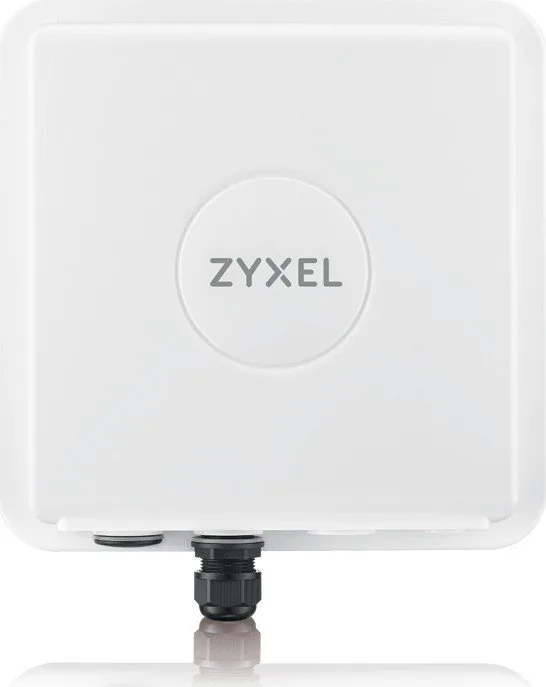
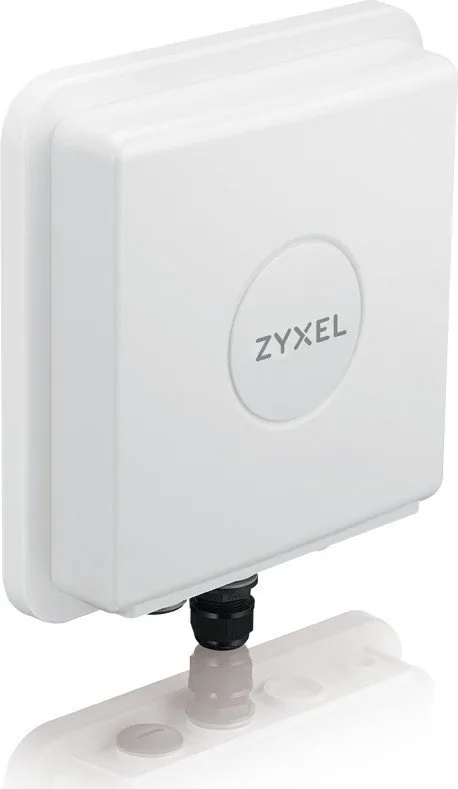
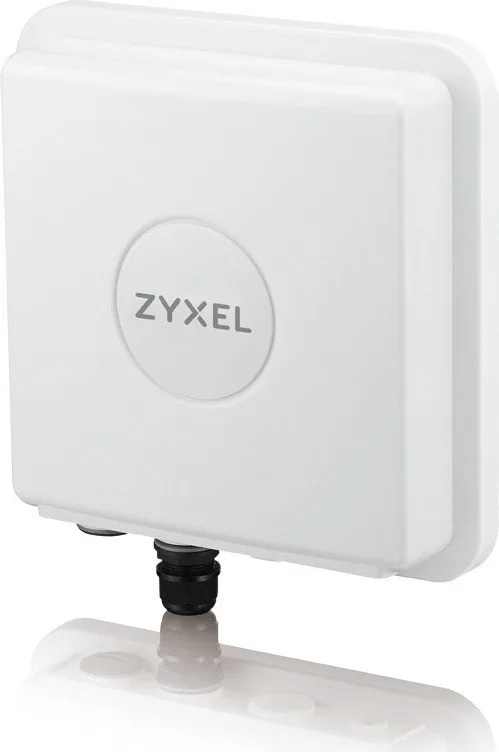
ZyXEL LTE7460 V2: Outdoor LTE Connectivity Made Practical
The ZyXEL LTE7460 V2 is designed for people who need dependable mobile broadband in places where fixed-line service is limited or unavailable. Built as an outdoor LTE solution with Gigabit Ethernet support, it offers a strong blend of speed, flexibility, and central management. It is a practical choice for homes, small offices, remote sites, and network setups that need a stable cellular link without sacrificing control.
One of its most appealing qualities is its dual operating design. Router mode is ideal when you want multiple devices to share one LTE connection, while bridge mode helps integrate the unit into an existing network structure with minimal changes. This makes the device adaptable to different deployment styles, from straightforward Internet access to more complex network planning. The setup wizard and web interface make the first steps easier, and the overall layout is built to help users move from basic connection setup to more advanced tuning without confusion.
The device also gives users a broad set of tools for daily network management. You can configure SIM PIN protection, enter APN details, choose mobile network preferences, review signal and traffic statistics, and set data limits to keep usage under control. For people who rely on the ZyXEL LTE7460 V2 Manual, these features stand out because they show how much attention Zyxel gave to both usability and control. The interface also includes options for DHCP, static routes, DDNS, UPnP, firewall rules, port forwarding, VPN pass-through, and remote management.
Security is another important part of the experience. A built-in SPI firewall, DoS protection, and filtering tools help defend the network while still allowing flexible access where needed. Status LEDs provide a quick visual check of signal quality and connectivity, which is especially useful when the unit is installed outdoors or in a hard-to-reach location. Logging, diagnostics, firmware updates, and backup tools round out the management side, making the device easier to maintain over time.
Summary
The ZyXEL LTE7460 V2 is more than a simple LTE receiver. It is a network access point designed to handle mobile Internet access with business-like control and home-friendly simplicity. If you need a versatile LTE device that can be configured, monitored, and secured with confidence, this model delivers a balanced mix of performance and administration.
Notes
- Change the default password right after setup.
- Confirm SIM PIN, APN, and carrier support before activation.
- Use bridge mode only if you do not need routing features.
Search for 67,732 Manuals online


Type-in Brand or Model