
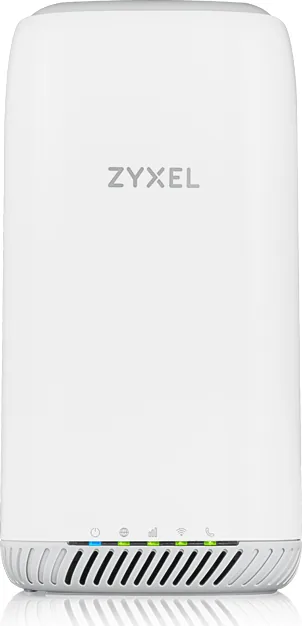
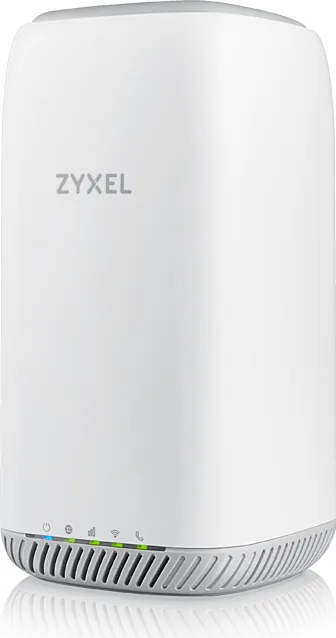
Zyxel LTE5388-M804 Manual
PDF manual · 31 Pages
English



Quick check
Incorrect answer, please try again.
Chat with your Zyxel LTE5388-M804 manual using AI
Get instant AI answers from your Zyxel LTE5388-M804 manual
Ask anything about the Zyxel LTE5388-M804. Answers come from this manual, with the pages they are based on.
Ask a Question
Do you recommend LTE5388-M804?
Yes NoFrequently Asked Questions
It is a 4G LTE-A indoor IAD that uses a compatible micro-SIM card to provide mobile broadband internet. It can connect phones, laptops, and other devices through dual-band WiFi or Ethernet LAN ports.
Is this answer helpful?
The unit uses a micro-SIM card. Insert it while the device is powered off, then replace the slot cover. Do not use a nano-SIM-to-micro-SIM adapter because it may damage the slot contacts.
Is this answer helpful?
Find the 2.4 GHz or 5 GHz SSID printed on the product label and enter the listed WiFi key on your phone or computer. Android users can also scan the QR code on the label.
Is this answer helpful?
Press the WiFi button on top of the unit for one to five seconds, then press the WPS button on the compatible client within two minutes. If pairing does not succeed, connect manually with the SSID and WiFi key.
Is this answer helpful?
Connect to the local network, open a browser, and visit http://192.168.1.1. The default username is admin and the default password is 1234. Change the default login details after initial access.
Is this answer helpful?
Yes. WiFi is enabled by default. Hold the WiFi button for more than five seconds to turn WiFi off or turn it back on. The WiFi LED indicates whether the wireless interface is active.
Is this answer helpful?
Confirm that the SIM card is installed correctly, the power adapter is connected, and the SIM account has an active data plan. Check signal LEDs and consider external 3G/LTE antennas if reception is weak.
Is this answer helpful?
Advantages and Disadvantages
Advantages

- Uses a micro-SIM card to provide 4G LTE-A internet access for homes, small offices, and temporary locations.
- Dual-band 2.4 GHz and 5 GHz WiFi supports a range of wireless devices and connection needs.
- Offers Ethernet LAN connectivity for wired computers and compatible network equipment.
- Supports WPS pairing and label-based SSID, password, and QR code details for convenient setup.
- LED indicators show power, internet, cellular signal, WiFi/WPS, SMS, and voice status.
Disadvantages

- Requires a valid LTE SIM account and active data plan for internet connectivity.
- A nano-SIM-to-micro-SIM adapter should not be used because it can damage slot contacts.
- Default management credentials should be changed promptly to improve network security.
- Cellular performance depends on local 3G/4G coverage and may require external antennas.
- WPS setup can fail, requiring manual connection with the SSID and WiFi key.
Product Specification
Modem
UMTS (900/1800/2100), LTE (B1/B3/B5/B7/B8/B20/B28/B38/B40/B41)
Network standards
HSUPA, HSPA+, LTE-A
Bandwidth
600 Mbps/50 Mbps (LTE), 42 Mbps/5.76 Mbps (UMTS)
Interfaces
Wi-Fi 5 (WLAN 802.11a/b/g/n/ac), 2x Gb LAN (1x shared), 1x Gb WAN (shared), 1x analog telephone
SIM form factor
Micro-SIM
Power supply
External power adapter
Special features
Hotspot
Product Description
ZyXEL LTE5388-M804 - Read, Download & Print Free
The ZyXEL LTE5388-M804 is a 4G LTE-A indoor IAD designed to bring mobile broadband connectivity into homes, small offices, and temporary workspaces. By using a compatible micro-SIM card with an active data plan, it can provide internet access without relying solely on a fixed-line connection. Its straightforward setup makes it useful for users who want a practical cellular gateway for everyday connected devices.
Flexible Connections for Everyday Networks
This model supports dual-band WiFi, offering separate 2.4 GHz and 5 GHz network names. The 2.4 GHz band can suit devices that need wider coverage, while the 5 GHz band is useful for compatible laptops, phones, and other devices that benefit from a less crowded wireless connection. The network name and WiFi key are shown on the product label, and a QR code can help Android users join the network quickly.
Wired equipment can connect through one of the yellow LAN ports using an Ethernet cable. This gives desktop PCs, laptops, and other compatible equipment a direct local connection. The LTE5388-M804 also includes WPS support for pairing compatible wireless clients. Pressing the WiFi button for one to five seconds begins the WPS process, and the client must be activated within two minutes.
Simple Control and Setup
After installing the micro-SIM card, connecting power, and switching the unit on, users can access settings through the local address http://192.168.1.1. The initial login uses the username admin and password 1234. Changing these default credentials after the first sign-in is an important step for better network security.
WiFi is enabled by default and can be turned on or off by holding the WiFi button for more than five seconds. Status LEDs provide useful information about power, internet availability, SMS activity, WiFi and WPS activity, voice status, and cellular signal strength. Green, amber, and red indicators help users judge 4G or 3G reception at a glance.
Notes
- Use a micro-SIM directly and avoid nano-SIM-to-micro-SIM adapters, which may damage the card-slot contacts.
- An active LTE data plan is required for mobile internet access.
- External 3G/LTE antennas can help improve reception where cellular coverage is weak.
- A reset lasting more than five seconds restores factory settings if access details are forgotten.
Search for 67,732 Manuals online


Type-in Brand or Model