
Zyxel LTE3301-PLUS Manual
PDF manual · 235 Pages
English



Quick check
Incorrect answer, please try again.
Chat with your Zyxel LTE3301-PLUS manual using AI
Get instant AI answers from your Zyxel LTE3301-PLUS manual
Ask anything about the Zyxel LTE3301-PLUS. Answers come from this manual, with the pages they are based on.
Ask a Question
Do you recommend LTE3301-PLUS?
Yes NoFrequently Asked Questions
Connect to the router, then open http://192.168.1.1 in a supported browser. Log in with username admin and the default password shown on the Zyxel Device label (or your changed password). On first entry, the interface typically prompts you to change the password.
Is this answer helpful?
It supports an LTE cellular WAN using an LTE SIM card (APN required) for shared internet access. It can also work with an Ethernet WAN by converting LAN port 4, allowing internet through an external modem or router while still using the built-in firewall.
Is this answer helpful?
Yes. The LTE3301-PLUS supports WPS, enabling quick secure pairing with WPS-compatible clients. You can also control Wi-Fi using the device button, and the web interface lets you manage SSID and passwords.
Is this answer helpful?
Check signal strength in the connection status screens, then adjust the router location. If available for your model setup, connect external antennas. Also verify that the SIM is correctly inserted and that PIN protection settings match your provider requirements.
Is this answer helpful?
Yes. The router includes NAT features such as port forwarding and DMZ. You can also use port triggering. These options help expose local services to the internet while controlling inbound traffic.
Is this answer helpful?
Use the device RESET button to restore factory defaults. This will reset the admin password back to the default shown on the device label and return the LAN IP to 192.168.1.1. Any custom settings you saved will be lost unless you previously backed up the configuration.
Is this answer helpful?
Advantages and Disadvantages
Advantages

- LTE router with 2.4G Wi-Fi and cellular WAN connectivity for flexible internet access.
- Ethernet WAN support by converting LAN port 4, keeping the built-in firewall features.
- Embedded web configurator with a quick start wizard and detailed connection status.
- Security toolkit includes SPI firewall, DoS protection, NAT, DMZ, port forwarding/triggering, and ALG.
- Useful troubleshooting visibility with LTE and SIM status plus signal-related metrics.
Disadvantages

- Focuses on 2.4G Wi-Fi, which may be slower than dual-band or 5G solutions.
- Ethernet WAN requires converting LAN port 4 first, adding an extra setup step.
- Cellular performance depends heavily on LTE signal strength and network conditions.
- Factory reset clears all saved configurations, which can be inconvenient without backups.
- SIM PIN handling and APN details must match the service provider configuration.
Product Specification
Modem
GSM (850/900/1800/1900), UMTS (900/2100), LTE (B1/B3/B5/B7/B8/B20/B28/B38/B40/B41)
Network Standards
EDGE, GPRS, HSDPA, HSUPA, HSPA+, LTE-A
Bandwidth
300Mbps/50Mbps (LTE), 42Mbps/5.76Mbps (UMTS)
Interfaces
Wi-Fi 5 (WLAN 802.11a/b/g/n/ac), 4x Gb LAN
Dimensions
210x115x33mm
Weight
500g
SIM Form Factor
Micro-SIM
Power Supply
external power supply
Product Description
Zyxel LTE3301-PLUS - Reliable 4G LTE Networking for Home and Small Offices
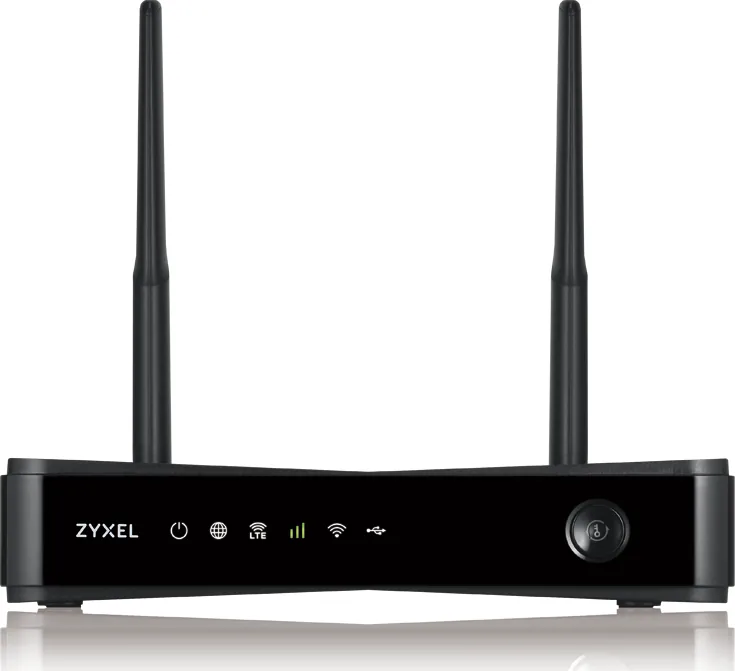
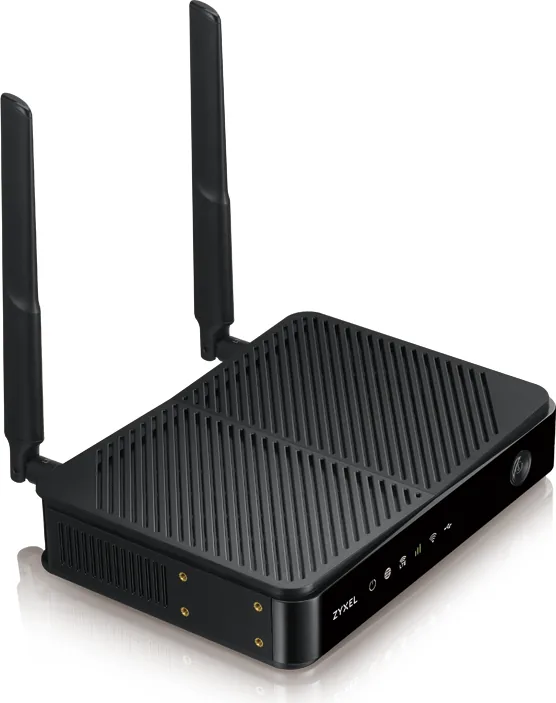
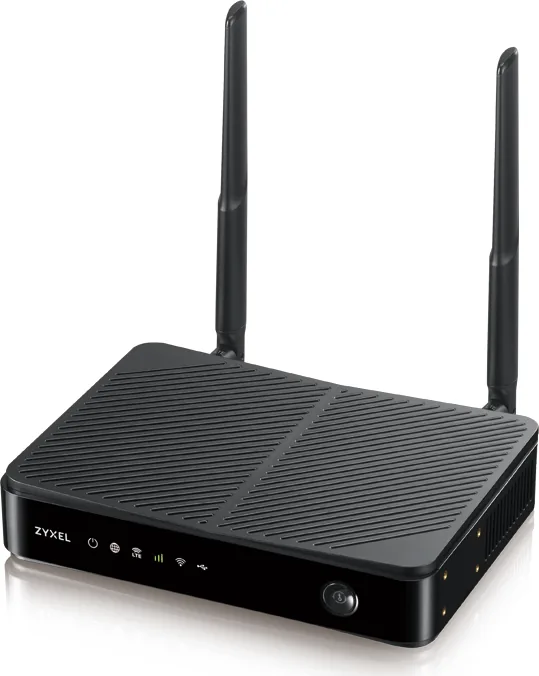
The Zyxel LTE3301-PLUS is an LTE router designed to bring shared internet access to places where fixed broadband is limited or unavailable. By inserting an LTE SIM card, you can create a cellular WAN connection and distribute it to your devices through integrated 2.4G Wi-Fi. For flexibility, the unit also supports Ethernet WAN behavior by converting LAN port 4, letting you connect an external modem or router while still using the device firewall.
Management is built around an embedded web configurator that guides setup and ongoing maintenance from a browser. A quick start wizard helps set time zone and wireless settings, and the connection status area shows what is happening across WAN, LAN, and Wi-Fi clients. You can view cellular details such as LTE signal strength and module or SIM status, which is especially useful when troubleshooting coverage or planning placement.
Security features are a major focus. The router supports stateful firewall inspection, DoS protection, NAT, DMZ, port forwarding, port triggering, and ALG for common application behavior. It also provides filtering options such as LAN MAC filtering and additional controls, helping you decide which devices and traffic are allowed.
For users who want smoother network operation, the device includes dynamic DNS support and routing tools like static and dynamic route options (RIP). If you need advanced topologies, IP passthrough can expose internal hosts to public IP behavior, and remote management options are available under bridge mode.
Key results
- Set up cellular internet by inserting the SIM and configuring LTE (including APN details) for dependable connectivity.
- Distribute internet via 2.4G Wi-Fi with WPS support, including quick enable/disable control.
- Monitor LTE performance and client connectivity in the web interface to help pinpoint signal and device issues.
- Secure the network with firewall inspection, DoS defenses, and NAT plus forwarding controls like DMZ and port forwarding.
Practical setup outcomes
- Use the Ethernet WAN option (convert LAN port 4) to keep firewall features even when using an external broadband modem.
- Protect access by changing the admin password and backing up configuration settings for faster recovery.
- Improve coverage with optional external antennas for better cellular signal quality.
- Tune Wi-Fi using SSID and password management, including the ability to hide SSID.
Notes
- Default management access uses a LAN IP of http://192.168.1.1 and an admin username with the randomly assigned default password shown on the device label.
- If you forget the web password, a factory reset restores default credentials and LAN IP, but it will also erase saved configurations.
Search for 67,732 Manuals online


Type-in Brand or Model