

Zyxel GS1920 Series Manual
PDF manual · 405 Pages
English



Quick check
Incorrect answer, please try again.
Chat with your Zyxel GS1920 Series manual using AI
Get instant AI answers from your Zyxel GS1920 Series manual
Ask anything about the Zyxel GS1920 Series. Answers come from this manual, with the pages they are based on.
Ask a Question
Do you recommend GS1920 Series?
Yes NoFrequently Asked Questions
It fits small to medium business networks, office backbones, and equipment racks that need many Gigabit connections, stable traffic control, and simple centralized management.
Is this answer helpful?
It offers 44 RJ-45 Gigabit ports, 4 dual-personality RJ-45/SFP uplinks, and 2 SFP slots, giving you multiple choices for copper or fiber connectivity.
Is this answer helpful?
Yes. The text covers VLAN features including static VLANs, port-based VLANs, protocol-based VLANs, subnet-based VLANs, and voice VLAN options for traffic separation.
Is this answer helpful?
Yes. It is designed for standard 19-inch rack installation and includes guidance for bracket mounting, screw requirements, and ventilation clearance.
Is this answer helpful?
Yes. You can manage it through the web configurator, SNMP, FTP for backup or upgrades, and cluster management for handling multiple switches.
Is this answer helpful?
Yes. The SFP slots and dual-personality uplink ports support fiber transceivers, allowing longer-distance uplinks and flexible network design.
Is this answer helpful?
Change the default password right away, then save and back up the configuration. The text strongly recommends good password hygiene and regular configuration backups.
Is this answer helpful?
Advantages and Disadvantages
Advantages

- High port density with 44 RJ-45 connections for busy wired environments.
- Dual-personality uplinks add flexibility for copper or fiber backbone links.
- Strong management features including VLAN, STP, LAG, security, and monitoring.
- Web configurator and ZON tools simplify setup and ongoing administration.
- PoE support on select models helps power network devices without extra adapters.
Disadvantages

- Initial setup can feel technical for users unfamiliar with managed switches.
- SFP transceivers are not included and must be added separately.
- Model features vary, so not every unit supports the same functions.
- Default login details are easy to guess and should be changed immediately.
- Rack installation requires careful spacing and ventilation planning.
Product Specification
Function
Switch
Type
Standalone, Rackmount (via mounting brackets)
Network ports
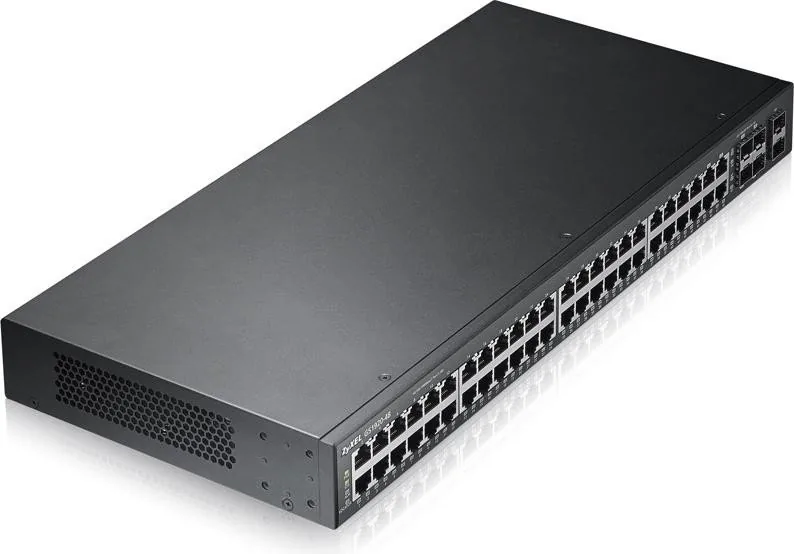
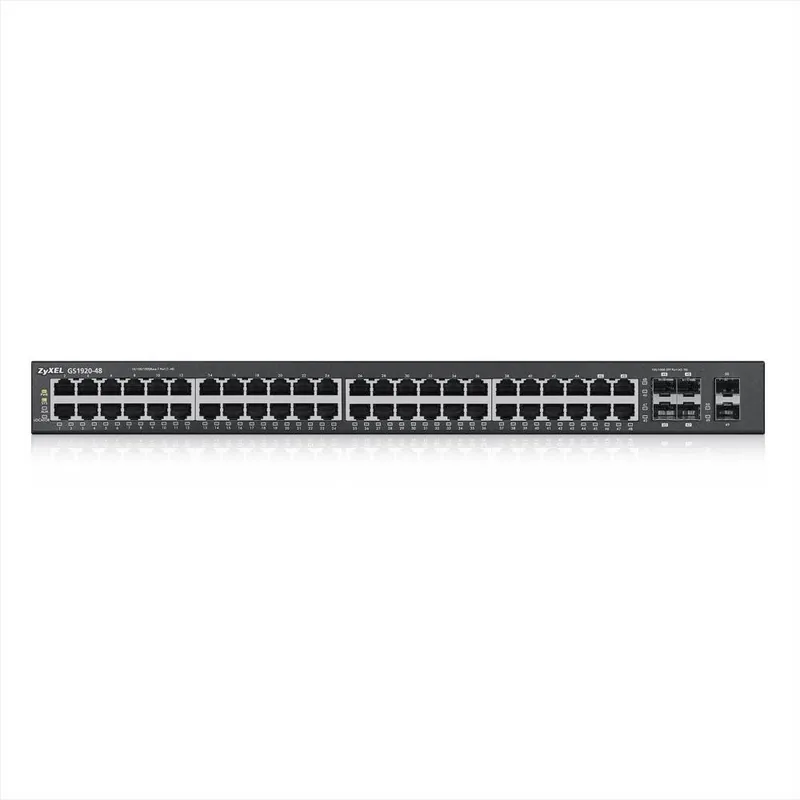
44x RJ-45, 4x RJ-45/SFP, 2x SFP
Speeds
48x RJ-45 (10/100/1000Base-T), 6x SFP (100M/1Gb/s)
PoE
N/A
Backplane
100Gb/s, 74.40Mp/s, 1.5MB packet buffer, 16K Mac addresses
Officially supported standards
802.1AX, 802.1AB, 802.1D, 802.1Q, 802.1X, 802.1p, 802.1s, 802.1w, 802.1X, 802.3, 802.3ab, 802.3az, 802.3u, 802.3x, 802.3z, IGMPv3
Configuration
Web interface
Cooling
active, 1x fan (1.57 in)
Dimensions (WxHxD)
17.32x1.75x7.87 in, 1U
Weight
6.70 lbs
Color
black
Special features
Metal housing, removable mounting brackets, firmware updates possible
Manufacturer warranty
lifetime (10 years in AT/DE) + five years
Note
For this device, "link aggregation" was officially specified with the obsolete standard IEEE802.3ad. Since 2008, the function is no longer managed by the IEEE "Working Group 3" (IEEE 802.3, CSMA/CD - Ethernet), but by "Working Group 1" (IEEE 802.1, High Level Interface - Internetworking) and technically unchanged defined via IEEE 802.1AX.
Product Description
ZyXEL GS1920 Rackmount Gigabit Smart Switch
The ZyXEL GS1920 Rackmount Gigabit Smart Switch is built for networks that need dependable performance, flexible expansion, and simple day-to-day management. With 44 RJ-45 Gigabit ports, 4 dual-personality RJ-45/SFP uplinks, and 2 dedicated SFP slots, it gives administrators plenty of room to grow while keeping the setup clean and efficient. It is designed for rack installations, making it a strong fit for offices, server rooms, and shared network closets where port density matters.
What stands out most is how balanced this switch feels. It combines straightforward Layer 2 switching with a broad set of management tools that help organize traffic, improve stability, and reduce congestion. Features such as VLAN support, link aggregation, spanning tree protection, bandwidth control, port security, and multicast handling make it easier to shape traffic for different departments, devices, or services. For teams that want better visibility without a steep learning curve, the built-in web configurator and ZON discovery tools offer a practical way to manage the network from one place.
The GS1920 family also reflects a design focused on real-world deployment. Dual-personality uplink ports let you choose between copper and fiber connections, which is useful when linking switches over longer distances or connecting to backbone equipment. On select PoE versions, power delivery adds even more value by supporting devices like IP phones, wireless access points, and cameras. That flexibility makes the switch appealing for businesses that want a single platform for both connectivity and power.
The ZyXEL GS1920 Rackmount Gigabit Smart Switch, 44x RJ-45, 4x RJ-45/SFP, 2x SFP Manual highlights how much attention is given to setup, maintenance, and recovery as well. The guidance covers rack mounting, ventilation, LED status checks, login defaults, configuration backup, and factory reset procedures, helping administrators avoid downtime and manage the device confidently. In practice, this means the switch is not only capable, but also approachable for long-term use.
Notes
- Ideal for structured, growing networks
- Best paired with good configuration hygiene and regular backups
- Transceivers are needed for SFP-based fiber connections
- Rack space and airflow should be planned carefully
Search for 67,732 Manuals online


Type-in Brand or Model