
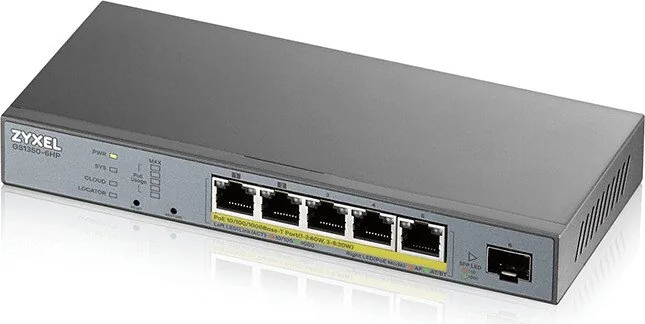


Zyxel GS1350-6HP Manual
PDF manual · 336 Pages
English



Quick check
Incorrect answer, please try again.
Chat with your Zyxel GS1350-6HP manual using AI
Get instant AI answers from your Zyxel GS1350-6HP manual
Ask anything about the Zyxel GS1350-6HP. Answers come from this manual, with the pages they are based on.
Ask a Question
Do you recommend GS1350-6HP?
Yes NoFrequently Asked Questions
By default the switch is a DHCP client. Find the DHCP-assigned management IP, then open it in your browser. If DHCP is not available, use the static default management IP (commonly 192.168.1.1) via an in-band port. Log in with the default username admin and default password 1234, then change credentials.
Is this answer helpful?
It powers Powered Devices (PDs) that support PoE standards, such as IP cameras, wireless access points, IP telephones, and compatible outdoor routers when they do not have nearby power outlets. The switch provides classification and supplies appropriate power levels supported by each connected PD.
Is this answer helpful?
The SFP ports are part of a dual-personality interface with paired GbE ports on certain models. When an SFP transceiver is connected and active, the paired copper GbE port can be disabled. Plan uplink usage based on your cabling design.
Is this answer helpful?
The primary approach is the web configurator in a supported browser. For deeper or advanced tasks, it also supports CLI, SNMP monitoring, and configuration backups/upgrades via FTP. For multi-device environments, clustering and Zyxel ZON Utility can simplify discovery and provisioning.
Is this answer helpful?
The PoE usage indicators show the current load relative to the model's PoE power budget. Green bars indicate lower usage, yellow indicates higher usage, and red indicates usage above the 80 percent threshold. Blinking can show very low remaining budget, and PoE status reflects whether power is being delivered.
Is this answer helpful?
Change the administrator password immediately from the default, and consider updating SNMP settings if you use monitoring. Also use save and backup functions so your running configuration is stored permanently and can be restored quickly if needed.
Is this answer helpful?
Advantages and Disadvantages
Advantages

- 5x Gigabit RJ-45 ports plus 1x SFP uplink for copper access and scalable fiber connectivity.
- PoE power delivery with automatic power adjustment based on the connected PD standard.
- Browser-based web configurator for straightforward setup and everyday management.
- Supports broader administration via CLI, SNMP monitoring, FTP, clustering, and ZON/Nebula options.
- Rich Layer 2 feature set for VLAN and traffic control use cases.
Disadvantages

- SFP dual-personality can disable the paired copper GbE port when both are used.
- Default admin credentials must be changed quickly to reduce security risk.
- Some advanced features may vary by model and firmware, so confirm support before deploying.
Product Description
ZyXEL GS1350 Desktop Gigabit Smart Switch, 5x RJ-45, 1x SFP, PoLRE/PoE++ Manual
The ZyXEL GS1350 Desktop Gigabit Smart Switch is designed to bring fast Layer 2 switching and flexible PoE power to small business and growing office networks. With 5x 10/100/1000 Mbps RJ-45 ports plus a 1x 1000 Mbps SFP slot, it delivers a practical wired access setup, while the fiber uplink option helps you extend connectivity when copper distances or bandwidth needs grow.
A key strength is PoE power delivery. As a Power Sourcing Equipment (PSE), the switch powers compatible Powered Devices (PDs) like IP cameras, wireless access points, IP phones, and outdoor routers that may not be near a power outlet. It supports common PoE standards (IEEE 802.3af/at, and 802.3bt Type 3 on supported models/ports) and can classify the connected PD so the right power level is supplied. PoE usage monitoring is also built in, making it easier to stay within the model's power budget.
For day-to-day setup and ongoing management, the switch uses a web-based configurator that is browser-driven and intended for everyday operation. You can also manage it via additional methods such as CLI, SNMP monitoring, FTP for firmware and configuration tasks, and clustering for centralized management across multiple switches. Zyxel's ZON Utility can discover devices on the same broadcast domain and speed up initial deployment and maintenance. If you prefer cloud-based visibility, Nebula Control Center discovery and registration are supported.
Network features focus on keeping traffic organized and controllable. VLAN concepts help split traffic into logical groups, while capabilities such as spanning tree, multicast handling, bandwidth control, and various security-oriented functions (for example, DHCP snooping and loop-related protections) support more reliable deployments.
Most important benefits
- Gigabit switching with 5x RJ-45 access ports and an SFP uplink for scalable connectivity.
- PoE power management for supported PoE standards, with power classification for connected devices.
- Web-based management plus SNMP, CLI, FTP, and optional cluster and cloud discovery.
- Operational visibility through status LEDs and detailed port and PoE indicators.
Most important trade-offs
- SFP vs GbE dual-personality behavior can disable the paired copper port when the SFP link is active.
- Default credentials require immediate hardening by changing passwords and saving configuration.
- Advanced features depend on your model and firmware support, so verify capability before rollout.
Notes
- Leave adequate clearance for airflow and do not block ventilation openings.
- Handle fiber transceivers carefully and avoid looking into active fiber connectors.
- Use proper grounding, especially for outdoor-connected installations.
- Back up a known-good configuration so recovery is fast if changes cause instability.
Search for 67,732 Manuals online


Type-in Brand or Model