
Zyxel GS1200-5 Manual
PDF manual · 66 Pages
English



Quick check
Incorrect answer, please try again.
Chat with your Zyxel GS1200-5 manual using AI
Get instant AI answers from your Zyxel GS1200-5 manual
Ask anything about the Zyxel GS1200-5. Answers come from this manual, with the pages they are based on.
Ask a Question
Do you recommend GS1200-5?
Yes NoFrequently Asked Questions
It is ideal for small offices, home networks, and compact lab setups that need Gigabit switching with basic smart-management features. It helps organize traffic, improve control, and connect devices like PCs, printers, NAS units, and cameras.
Is this answer helpful?
Open a web browser and enter the switch’s IP address, which is typically 192.168.1.3. The default password is 1234. You must be on the same subnet to reach the management interface.
Is this answer helpful?
The switch supports web-based management for system status, port settings, VLANs, link aggregation, port mirroring, QoS, IGMP snooping, firmware upgrade, and configuration backup or restore.
Is this answer helpful?
Yes. It supports IEEE 802.1Q VLANs and Port VLAN ID settings. This helps segment traffic, reduce broadcast noise, and keep different devices or departments separated on the same physical switch.
Is this answer helpful?
Yes, but only the PoE-capable HP models. Those versions can power compatible devices such as IP cameras and access points directly through Ethernet, which reduces the need for separate power adapters.
Is this answer helpful?
Use the reset button to restore factory defaults. This returns the password to 1234 and the IP address to 192.168.1.3. Keep in mind that this also clears custom settings.
Is this answer helpful?
Firmware updates can improve stability, add fixes, and address security issues. The manual recommends using the correct firmware file for the exact model and avoiding interruptions during the upgrade process.
Is this answer helpful?
Advantages and Disadvantages
Advantages

- Compact 5-port desktop design fits small spaces and simple network setups.
- Web management makes VLAN, QoS, and port control easy to configure.
- Supports useful features like link aggregation, mirroring, and IGMP snooping.
- PoE-capable models can power cameras and access points with fewer cables.
Disadvantages

- Default IP and password require immediate attention for better security.
- Incorrect VLAN changes can lock users out of switch management.
- PoE is available only on specific HP models, not on every version.
- Advanced setup may feel more complex than a basic unmanaged switch.
Product Specification
Function
Switch
Type
Standalone
Network ports
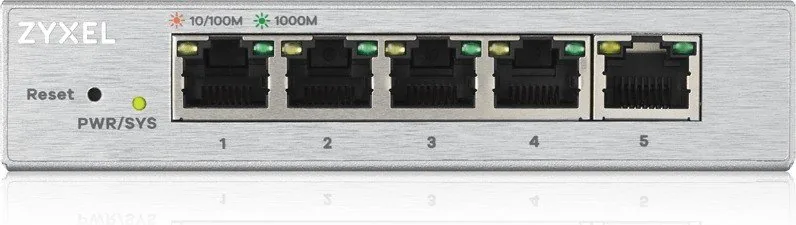
5x RJ-45
Speeds
5x RJ-45 (10/100/1000Base-T)
PoE
N/A
Backplane
10Gb/s, 9KB Jumboframes, 128kB packet buffer, 2K Mac addresses
Officially supported standards
802.1Q, 802.1p, 802.3ab, 802.3az, 802.3u, 802.3x, 802.3z, IGMPv3
Configuration
Web interface
Cooling
passive
Dimensions (WxHxD)
4.76x1.02x2.95in
Weight
0.51lb
Color
silver
Special features
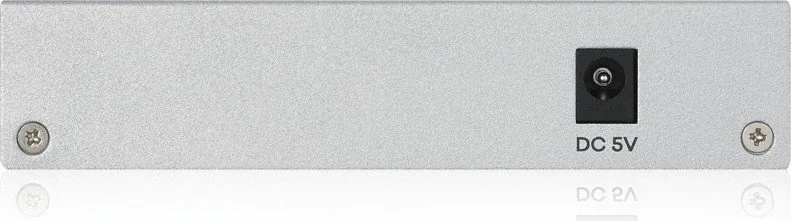
Metal housing, firmware updates possible, external power supply
Manufacturer warranty
five years
Product Description
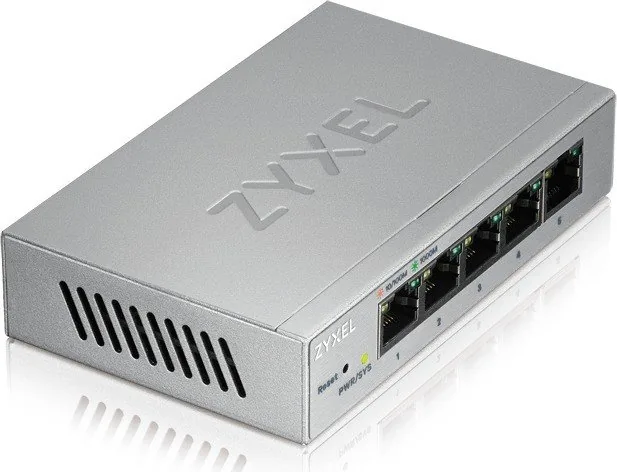
ZyXEL GS1200 Desktop Gigabit Smart Switch, 5x RJ-45
The ZyXEL GS1200 Desktop Gigabit Smart Switch, 5x RJ-45 Manual points to a compact switch built for small offices, home labs, and flexible desktop networking. With five Gigabit Ethernet ports, it offers a simple way to connect PCs, printers, NAS devices, IP cameras, and other network gear without sacrificing speed. It is designed for users who want more control than an unmanaged switch, but without the complexity of enterprise hardware.
One of the most appealing parts of the GS1200 family is its web-based management. Through a browser, you can adjust VLANs, configure QoS, set port behavior, and manage firmware updates from a straightforward interface. That makes it a practical choice for people who want to separate traffic, improve performance for voice or video, or create a more organized network layout. The switch also supports features such as link aggregation, port mirroring, IGMP snooping, and loop protection, which add versatility for both everyday use and light network administration.
The GS1200 desktop form factor keeps installation easy. Place it on a desk, connect the power adapter, and use quality Ethernet cabling to get started. The manuals emphasize clear status LEDs, making it easier to confirm power, link activity, and PoE behavior on supported models. For the PoE-enabled versions, the switch can supply power to devices like access points and cameras, reducing cable clutter and helping place hardware where it is most useful.
Energy efficiency is another useful detail. The switch supports IEEE 802.3az Energy Efficient Ethernet, which helps lower power use when traffic is light. That is a welcome benefit for always-on networking equipment. At the same time, the product still focuses on stable throughput and everyday reliability, making it a strong fit for users who need dependable switching with a modest footprint.
In blog-post terms, the GS1200 stands out as a sensible upgrade for anyone moving beyond basic plug-and-play networking. It combines speed, easy access, and practical management tools in a design that feels approachable for beginners and capable enough for more advanced setups.
Notes
- Default access settings should be changed after first login.
- VLAN and port settings should be planned carefully to avoid lockout.
- PoE power budget matters on HP models.
- Keep firmware updated for best performance and security.
Search for 67,732 Manuals online


Type-in Brand or Model