
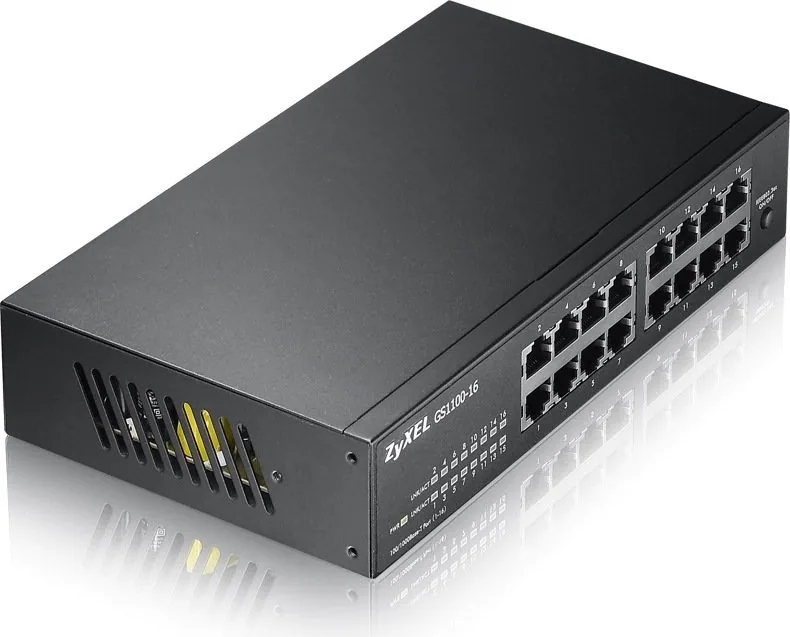


Zyxel GS1100-16 V2 Manual
PDF manual · 49 Pages
English



Quick check
Incorrect answer, please try again.
Chat with your Zyxel GS1100-16 V2 manual using AI
Get instant AI answers from your Zyxel GS1100-16 V2 manual
Ask anything about the Zyxel GS1100-16 V2. Answers come from this manual, with the pages they are based on.
Ask a Question
Do you recommend GS1100-16 V2?
Yes NoFrequently Asked Questions
Yes, the switch can be mounted on a wall using specific screw anchors as long as the wall is strong enough. Ensure proper clearance is maintained for ventilation.
Is this answer helpful?
Yes, specific models like GS1100-10HP support IEEE 802.3af and 802.3at PoE standards to power connected devices.
Is this answer helpful?
Network cables should not exceed 100 meters for standard Ethernet performance. Use Cat5e or Cat6 cables for Gigabit speeds.
Is this answer helpful?
Yes, the switch operates without fans to reduce noise and energy consumption. This requires adequate air circulation.
Is this answer helpful?
The switch has an embedded 8K MAC address table providing eight thousand MAC address entries.
Is this answer helpful?
Advantages and Disadvantages
Advantages

- Auto-negotiating 10 100 1000 Mbps Gigabit Ethernet ports support high-speed data transfer and duplex mode detection for optimal performance.
- Energy Efficient Ethernet standard helps reduce power consumption by switching off circuitry when not transmitting data through Ethernet connection.
- Supports PoE standards with up to 30W per Ethernet port for powering compatible devices without additional power adapters.
Disadvantages

- Fanless design requires careful ventilation clearance to prevent overheating during continuous operation in confined spaces.
- Unmanaged configuration means no web interface or software tools are available for advanced customization or monitoring.
- Power budget limits may restrict the number of PoE devices that can be simultaneously powered on single network switch.
Product Specification
Function
Switch
Type
Standalone, Rackmount (with mounting brackets)
Network Ports
16x RJ-45
Speeds
16x RJ-45 (10/100/1000Base-T)
PoE
N/A
Backplane
32Gb/s, 23.8 Mpps, 9KB Jumboframes, 256kB Packet Buffer, 8K MAC Addresses
Officially Supported Standards
802.1p, 802.3, 802.3ab, 802.3az, 802.3u, 802.3x, 802.3z
Configuration
Unmanaged
Cooling
Passive
Dimensions (WxHxD)
8.46x1.65x5.24in, 1U
Weight
2.03 lbs
Color
Anthracite
Features
Metal case, removable mounting brackets
Manufacturer Warranty
Lifetime (10 years in AT/DE) + 5 years
Product Description
When expanding your network infrastructure, the ZyXEL GS1100 Desktop Gigabit Switch, 16x RJ-45, V2. Manual offers essential guidance for users seeking reliable connectivity. This series shines in small to medium business environments where high-speed data transfer is paramount. Designed as an unmanaged gigabit Ethernet switch, this hardware simplifies network setup by requiring no complex configuration. The device supports IEEE 802.3 standards ensuring compatibility with existing devices. One standout feature includes the Energy Efficient Ethernet protocol which minimizes power usage during low traffic. This is crucial for green computing initiatives. The switch accommodates various installation styles such as desktop placement or wall mounting. For larger setups, rack mounting options provide flexibility. Power over Ethernet capabilities on specific models allow devices like IP cameras to draw power directly from the network cable. This reduces clutter and lowers installation costs. The SFP slots enable fiber optic uplinks for connecting distant network segments without signal loss.
Proper handling ensures longevity. Users must maintain ventilation clearances to prevent overheating since this unit operates fanlessly. The front panel LEDs provide immediate status updates on link speed and activity. Connectivity options are robust with auto-crossover ports supporting both straight-through and crossover cables. This eliminates the need for specific cable types during setup. Network cabling should follow industry standards for optimal performance. Security and safety are prioritized with grounding instructions to prevent electrical surge damage. Users are advised to keep the device indoors away from moisture. If issues arise, troubleshooting covers power and topology errors. Whether bridging departments or powering a backbone network, this solution delivers efficiency.
The hardware panel configuration varies slightly between models like the GS1100-10HP which supports PoE plus or the GS1100-16 with standard RJ-45 ports. The embedded MAC address table provides entries for eight thousand addresses allowing extensive device connections. Store-and-forward switching ensures data integrity and low latency for high-speed networking requirements. Installation scenarios range from simple desktop use to complex wiring closet environments equipped with 19-inch racks.
To start using the switch, simply connect the power cables and turn it on following the specific rear panel receptacle guidelines. Ensure enough clearance around the switch to allow air circulation for cooling.
This product remains a solid choice for unmanaged networking needs in 2020 and beyond. It balances cost with performance effectively. # Features and Benefits ## High Speed Performance The Gigabit Ethernet ports ensure data moves quickly between devices. ## Flexible Mounting Choose your installation method based on space constraints. ## Power Management Save electricity with smart power saving modes enabled by default. # Final Thoughts
Search for 67,732 Manuals online


Type-in Brand or Model