
Zyxel GS1005HP Manual
PDF manual · 4 Pages
English



Quick check
Incorrect answer, please try again.
Chat with your Zyxel GS1005HP manual using AI
Get instant AI answers from your Zyxel GS1005HP manual
Ask anything about the Zyxel GS1005HP. Answers come from this manual, with the pages they are based on.
Ask a Question
Do you recommend GS1005HP?
Yes NoFrequently Asked Questions
It is used to expand a wired network with five Gigabit Ethernet ports and to power compatible devices through PoE+, making it useful for small offices, home setups, cameras, and IP phones.
Is this answer helpful?
No, it is designed for simple plug-and-play operation. You connect the power, attach the network cable, and add your devices without complex setup steps.
Is this answer helpful?
PoE+ lets the switch send power and data over the same Ethernet cable. This reduces cable clutter and helps power devices like IP cameras and access points.
Is this answer helpful?
Yes, standard Ethernet devices can connect to the ports. They will receive data, but they will not get PoE power.
Is this answer helpful?
Yes, it is a strong fit for a home office because it offers fast wired networking, compact size, and easy expansion for a few essential devices.
Is this answer helpful?
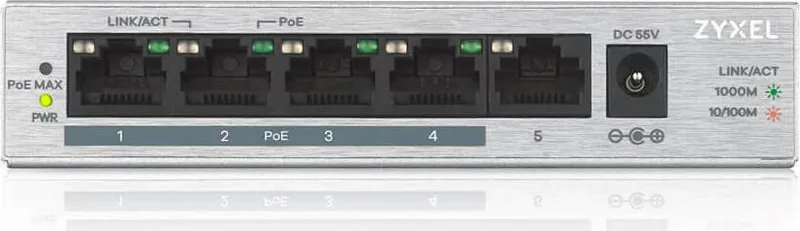
The LEDs show power, link activity, and PoE status. They make it easier to confirm that the switch is running and that connected devices are active.
Is this answer helpful?
Advantages and Disadvantages
Advantages

- Compact desktop design fits easily into homes and small offices.
- Five Gigabit RJ-45 ports support fast and stable wired connections.
- PoE+ simplifies installation for cameras, phones, and access points.
- Plug-and-play use keeps setup quick and beginner-friendly.
Disadvantages

- Only five ports, so it may be too small for larger networks.
- PoE power is limited to compatible devices and port capacity.
- Lacks advanced managed-switch features for fine-tuned control.
- Best suited for basic expansion rather than complex network designs.
Product Specification
Function
Switch
Type
Standalone
Network ports
5x RJ-45
Speeds
5x RJ-45 (10/100/1000Base-T)
PoE
4x RJ-45 PoE+, total: 60W
Backplane
10Gb/s, 7.44Mp/s, 9KB Jumboframes, 128KB Packet buffer, 2K Mac addresses
Officially supported standards
802.1p, 802.3, 802.3ab, 802.3af, 802.3at, 802.3az, 802.3u, 802.3x
Configuration
unmanaged
Cooling
passive
Dimensions (WxHxD)
4.76x1.02x2.95in
Weight
0.52lb
Color
gray
Special features
Metal housing, external power supply, power connection on front
Manufacturer's warranty
lifetime (10 years in AT/DE) + five years
Product Description
ZyXEL GS1000 Desktop Gigabit Switch, 5x RJ-45, PoE+ Manual: Practical Networking for Small Spaces
The ZyXEL GS1000 Desktop Gigabit Switch, 5x RJ-45, PoE+ Manual points to a device built for simple, reliable network expansion. In a compact desktop form, this switch is designed for homes, small offices, and smart setups where a few wired connections need to do real work without complicated setup. With five RJ-45 Gigabit ports, it gives you the speed needed for streaming, file sharing, video calls, and everyday connectivity.
What makes this switch especially useful is PoE+ support. Instead of running separate power adapters to compatible devices, you can deliver both power and data through a single Ethernet cable. That is a big advantage for IP cameras, wireless access points, VoIP phones, and similar equipment. It helps reduce cable clutter, simplifies installation, and makes it easier to place devices where they are needed most.
The manual-style setup guidance is straightforward: connect the switch to power, turn it on, and plug PoE devices into the appropriate ports. The plug-and-play behavior keeps the learning curve low, which is ideal for users who want dependable performance without spending time on advanced configuration. For many environments, that simplicity is the main appeal.
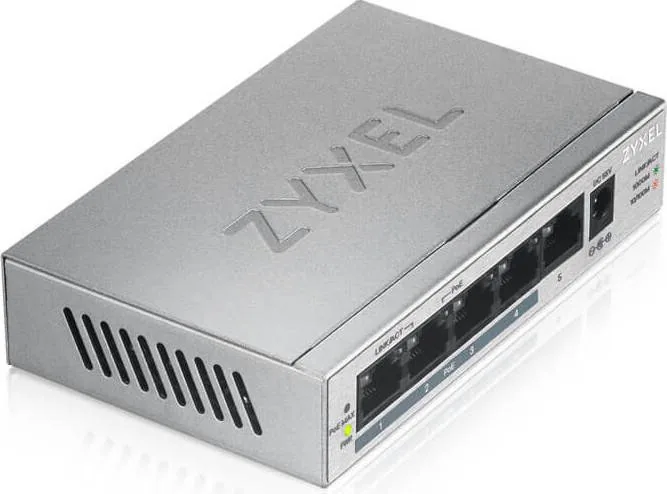
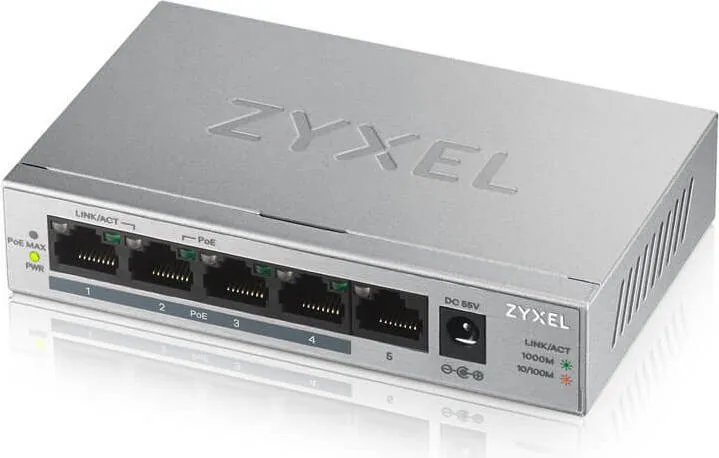
Another strength of the ZyXEL GS1000 Desktop Gigabit Switch is its balance between size and capability. It fits easily on a desk or in a small network corner, yet it can support key devices that often matter most in a modern network. The status LEDs also make it easier to see power, connectivity, and PoE activity at a glance, which is helpful during installation and troubleshooting.
Why it stands out
This switch is a smart choice when you need a compact Ethernet hub that can also power connected devices. It is especially attractive for users building a small surveillance system, upgrading a home office, or extending network access in a retail or shared workspace. The five-port layout keeps things simple, while Gigabit speeds help maintain responsive performance.
Notes
- Non-PoE devices can still connect to the ports, but they will not receive power.
- PoE indicator lights help confirm whether power delivery is active.
- Best results come from pairing it with devices that benefit from both power and data over one cable.
In short, the ZyXEL GS1000 Desktop Gigabit Switch, 5x RJ-45, PoE+ Manual reflects a practical, no-fuss networking solution that combines speed, convenience, and efficient PoE delivery in one compact unit.
Search for 67,732 Manuals online


Type-in Brand or Model