
ZTE MU5001 Manual
PDF manual · 64 Pages
English



Quick check
Incorrect answer, please try again.
Chat with your ZTE MU5001 manual using AI
Get instant AI answers from your ZTE MU5001 manual
Ask anything about the ZTE MU5001. Answers come from this manual, with the pages they are based on.
Ask a Question
Do you recommend MU5001?
Yes No
Arthur Knight
6 months ago
Can I get more than 950Mbit speed via USB-C?
Frequently Asked Questions
You can connect your computer using three methods: Wi-Fi by selecting the default SSID from the label, a USB Type-C cable for direct tethering, or an Ethernet cable plugged into the LAN port.
Is this answer helpful?
The ZTE MU5001 requires a nano-SIM card. You must insert the card into the tray located under the back cover after removing the cover.
Is this answer helpful?
Yes, you can log in to the 5G Mobile Hotspot configuration web page using the default IP address and password found on the device label to change security settings.
Is this answer helpful?
No, the device is not waterproof. It should be kept dry and stored in a cool, shady place to prevent water damage.
Is this answer helpful?
If the device overheats due to poor ventilation, it may automatically shut down for safety. Allow it to cool in a well-ventilated area before turning it back on.
Is this answer helpful?
The default Device Manager Website IP address and password are printed on the label inside the battery slot of the device.
Is this answer helpful?
No, you should not use electronic transmission devices in aircraft due to potential interference with navigation systems.
Is this answer helpful?
Advantages and Disadvantages
Advantages

- Supports ultra-fast 5G NR connectivity for superior download speeds
- Multiple connection options including Wi-Fi, USB Type-C, and LAN port
- Intuitive touch screen interface for real-time status monitoring
- Sleek navy blue design that is durable and professional looking
- Easy setup process with clear labels for default credentials
Disadvantages

- Not waterproof and must be kept dry to avoid damage
- Requires external power or battery charging for extended operation
- May experience interference near metallic structures or heavy machinery
- Battery life may vary significantly based on usage intensity
- Cannot operate effectively in areas with no cellular signal coverage
Product Specification
Modem
UMTS (850/900/1900/2100), LTE (B1/B2/B3/B4/B5/B7/B8/B12/B17/B20/B28/B38/B39/B41), 5G (n1/n3/n7/n28/n38/n78)
Network Standards
LTE-A, 5G NR (5G NR+LTE EN-DC)
Bandwidth
3.43Gbps/255Mbps (5G), 2Gbps/150Mbps (LTE), 42Mbps/5.76Mbps (UMTS)
Interfaces
Wi-Fi 6 (WLAN 802.11a/b/g/n/ac/ax), 1x USB-C 3.0, 1x Gb LAN
Dimensions
5.24x2.87x0.73 inches
Weight
7.76 oz
SIM Form Factor
Nano-SIM
Power Supply
Battery Powered (4500mAh)
Features
Hotspot (30 Devices), Display, Antenna Connector (Cellular), WPA3
Note
WLAN Transfer Rate: 574Mbps (2.4GHz), 1201Mbps (5GHz). Transfer rate specification for 802.11ax at 2.4GHz and 5GHz. (802.11ax (2.4GHz) 2x2 40MHz 1024-QAM: 574Mbps, 802.11ax (5GHz) 2x2 80MHz 1024-QAM: 1201Mbps).
Product Description
Experience High-Speed Connectivity with the ZTE MU5001 5G NR
The ZTE MU5001 5G NR in a sleek navy blue finish represents the next generation of mobile broadband technology. Designed for users who demand speed and reliability, this device transforms any location into a high-speed internet hub. Its compact form factor makes it perfect for travelers, remote workers, or anyone needing instant access to the web without relying on traditional fixed-line infrastructure.
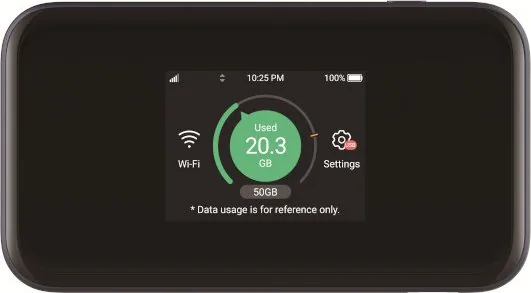
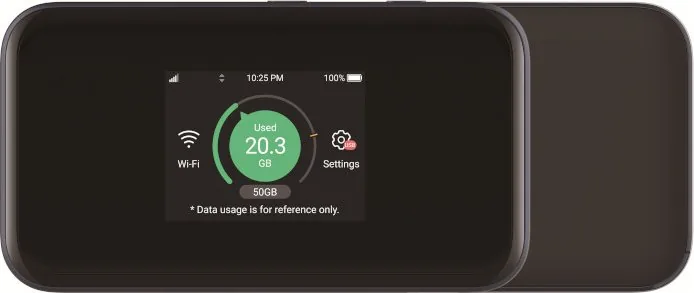
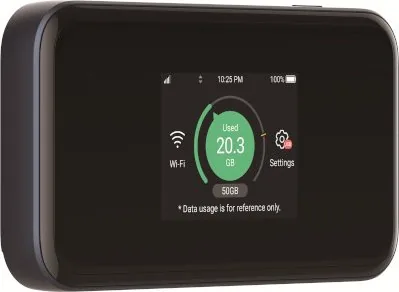
Getting started is incredibly straightforward. The device supports nano-SIM cards, allowing you to easily insert your data plan and go. Once powered on via the dedicated button, the MU5001 automatically connects to available 5G networks, ensuring you get the fastest possible speeds in supported areas. The interface features an intuitive touch screen that displays critical information such as network signal strength, battery levels, and connected user counts at a glance.
Connectivity options are diverse and flexible. You can share the internet connection via Wi-Fi, which comes with a default SSID and password printed on the device label for easy initial setup. For more stable connections, the unit includes a USB Type-C port and a LAN (RJ45) Ethernet port, enabling direct connections to computers or other devices. This versatility ensures compatibility with a wide range of hardware needs.
Managing your network has never been easier. By accessing the Device Manager website through a browser using the IP address found on the label, you can customize settings to suit your specific requirements. Whether you need to change Wi-Fi passwords, adjust WAN connection modes, or configure APN settings, the web interface provides comprehensive control. The navy blue exterior not only looks professional but also hides fingerprints well, keeping the device looking pristine during daily use.
Important Usage Notes
- Always keep the device away from medical instruments like pacemakers when powered on.
- Avoid using the device in explosive environments such as oil warehouses or petrol stations.
- Do not expose the device to extreme temperatures; operating range is 0°C to 35°C.
- Ensure proper ventilation to prevent overheating during prolonged use.
- Use only original or authorized accessories to maintain warranty coverage.
Search for 67,732 Manuals online


Type-in Brand or Model
cristobal68
5 months ago
Does this router overheat under heavy load, and will it shut down unexpectedly?
Manual.ly
5 months ago
Under continuous heavy load, the device may overheat. However, it does not shut down completely; instead, it stops the charging process and runs on battery until depleted. This is unlikely to be a practical issue as it can transfer over 1000GB before depleting. Note that the power button cannot be disabled even with screen lock active, which might cause accidental shutdowns in pockets unless you set an internal PIN.