
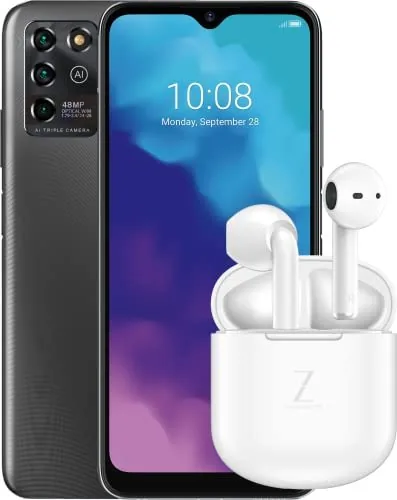
ZTE Blade V30 Vita Manual
PDF manual · 117 Pages
English



Quick check
Incorrect answer, please try again.
Chat with your ZTE Blade V30 Vita manual using AI
Get instant AI answers from your ZTE Blade V30 Vita manual
Ask anything about the ZTE Blade V30 Vita. Answers come from this manual, with the pages they are based on.
Blade V30 Vita Maintenance Schedule
Use a soft material such as cleaning cloth for eyeglass lenses. Do not use alcohol, corrosive substances, harsh chemicals, solvents, or aerosols.
An unclean screen or camera lens may slow down the phone's reaction to operations or interfere with image quality.
Ask a Question
Do you recommend Blade V30 Vita?
Yes NoDo you recommend Blade V30 Vita?
Yes NoFrequently Asked Questions
Open Settings and touch Display. Select Dark mode and switch on Turn on now. You can also set a schedule for automatic activation.
Is this answer helpful?
Yes, the phone supports dual nano-SIM cards. You can enable or disable each card individually and choose which one to use for mobile data or calls.
Is this answer helpful?
Bluetooth is a short-range technology that typically works within a few meters. Ensure devices are paired before communication begins.
Is this answer helpful?
You can access Private Space by drawing a pattern, entering a password, or using your registered fingerprint or face recognition if enabled.
Is this answer helpful?
No, the battery is built-in and not removable. Do not attempt to remove the back cover as it may cause fire or explosion.
Is this answer helpful?
Use the Phone Switch app installed on both devices. Connect them via Wi-Fi using a QR code to transfer contacts, messages, and media.
Is this answer helpful?
Advantages and Disadvantages
Advantages

- Supports dual nano-SIM cards for flexible network usage
- Includes AI Scene Recognition for better photo quality
- Features fingerprint sensor integrated into the power key
- Offers Private Space for encrypting files and locking apps
- Provides FM Radio functionality without internet access
Disadvantages

- Battery is non-removable which complicates replacements
- Face recognition security level is lower than PIN or pattern
- Some camera modes require keeping the phone steady for long exposures
- USB tethering prevents file transfer between phone and computer simultaneously
- Certain apps may not fully support Dark Mode features
Product Specification
Operating System
Android 11.0 (factory)
Display
6.82", 1640x720 pixels, 16 million colors, IPS, capacitive touchscreen, flat, notch, 263ppi
Rear Camera
48.0MP, f/1.79, phase detection AF, LED flash, video @1080p/30fps (Camera 1); 5.0MP, macro lens (Camera 2); 2.0MP, depth sensor (Camera 3)
Front Camera
8.0MP
Interfaces
USB-C 2.0 (480Mb/s, OTG), 3.5mm jack, Wi-Fi 4 (WLAN 802.11b/g/n), Bluetooth 4.2
Sensors
Accelerometer, proximity sensor, light sensor, compass, fingerprint sensor (side-mounted)
SoC
Unisoc SC9863A, 64bit
CPU
4x 1.60GHz Cortex-A55 + 4x 1.25GHz Cortex-A55
GPU
PowerVR GE8322
Navigation
A-GPS
Modem
GSM (0.2Mbps/0.1Mbps), UMTS, LTE
Battery
5000mAh, non-removable
Standby Time
1000h/720h/650h (GSM/UMTS/LTE)
Talk Time
41h/20h/25h (GSM/UMTS/LTE)
SAR Value
0.38W/kg head, 1.20W/kg body
Form Factor
Bar
Housing Material
Plastic (back), Plastic (frame)
SIM Form Factor
Nano-SIM (1x shared)
Features
Dual-SIM, FM radio
Dimensions
173x78.1x8.9mm
Weight
7.40oz
Screen-to-Body Ratio
81.8%
Product Description
Discover the ZTE Blade V30 Vita
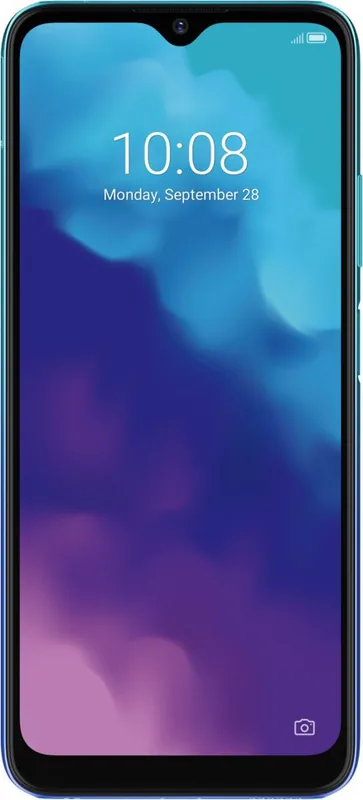
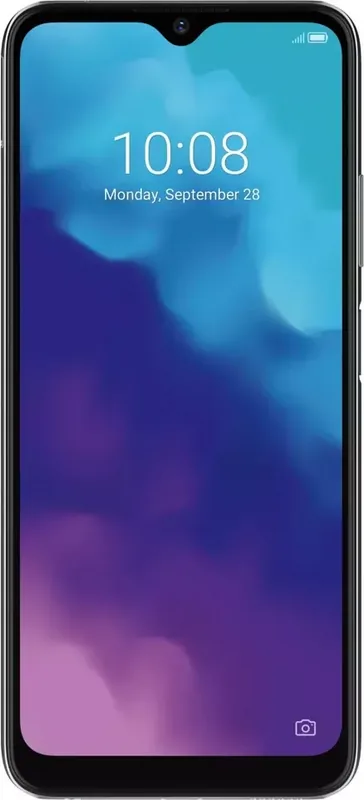
The ZTE Blade V30 Vita is a reliable smartphone designed to offer essential features for everyday users. This device combines a user-friendly interface with practical tools, making it an excellent choice for those seeking efficiency without complexity. The phone comes equipped with a vibrant display that supports various viewing modes, including Dark Mode and Read Mode, ensuring comfort during extended use.
One of the standout features of the ZTE Blade V30 Vita is its versatile camera system. Users can capture high-quality images using AI Scene Recognition, which automatically adjusts settings for optimal results. The Pro Mode allows for manual control over ISO and exposure, while Macro mode enables detailed close-up photography. For video enthusiasts, the device offers stable recording capabilities with options to pause and resume easily.
Security is a top priority with this model. It includes advanced protection methods such as fingerprint scanning via the power key, face recognition technology, and app pinning to keep specific applications secure. The Private Space feature adds an extra layer of privacy by allowing users to encrypt files and lock apps behind a separate password or pattern.
Connectivity options are comprehensive, supporting dual nano-SIM cards for flexible network management. Users can easily connect to Wi-Fi networks, pair Bluetooth devices, and share data via NFC or Nearby Share. The inclusion of USB On-The-Go (OTG) support means you can connect external storage drives or peripherals directly to the phone. Additionally, the FM Radio function provides entertainment even without an internet connection.
The operating system offers extensive customization through the Settings menu. You can personalize your home screen, adjust navigation styles between virtual keys and gestures, and manage battery life with intelligent power-saving modes. The Phone Switch tool simplifies transferring data from old Android devices, ensuring a smooth transition to your new ZTE Blade V30 Vita.
Key Highlights
- Intuitive interface with customizable home screen modes.
- Advanced camera features including AI recognition and Pro Mode.
- Robust security with fingerprint, face unlock, and Private Space.
- Dual SIM support and extensive connectivity options.
- Comprehensive safety guidelines included in the manual.
Important Notes
Always use approved chargers to prevent damage. Keep the device away from extreme temperatures and liquids. Regularly update your software to ensure the best performance and security.
Search for 67,732 Manuals online


Type-in Brand or Model